

Vulnerability scanner for SSL/TLS configuration and security issues
Find weak cipher suites, outdated protocol versions, and certificate issues on any TLS-enabled service, plus vulnerabilities such as Heartbleed, POODLE, DROWN, and ROBOT.
Quick update: In October 2026, we consolidated the standalone SSL/TLS Scanner into our Network Scanner, where it runs as the SSL/TLS engine in Custom scans.
Unlock full capabilities
Monitor your assets for exposure to new, critical vulnerabilities with our full Continuous scanning & validation product.
Find weak cipher suites, outdated protocol versions, and certificate issues on any TLS-enabled service, plus vulnerabilities such as Heartbleed, POODLE, DROWN, and ROBOT.
Quick update: In October 2026, we consolidated the standalone SSL/TLS Scanner into our Network Scanner, where it runs as the SSL/TLS engine in Custom scans.

What does an SSL/TLS scan check?
An SSL/TLS scan connects to each TLS-enabled port on a host and tries to negotiate every protocol version and cipher suite it can. The results show what the server will accept, which certificate it presents, and which known vulnerabilities those choices expose.
TLS (Transport Layer Security) replaced the now-deprecated SSL (Secure Sockets Layer). Both encrypt the channel that other protocols, such as HTTP, SMTP, IMAP, and FTP, use to send data. When a server still accepts an old protocol version or a weak cipher, an attacker in the right network position can push a connection down to it and decrypt or tamper with the traffic.
A TLS configuration ages even when nobody touches it. Protocol versions and ciphers that were safe when you deployed them become weaknesses as new attacks appear, so a server that passed a check three years ago can fail one today.


Why SSL/TLS security matters: what Heartbleed showed
In April 2014, researchers disclosed Heartbleed (CVE-2014-0160), a flaw in the OpenSSL heartbeat extension. It let anyone on the internet read up to 64 KB of a server's memory per request, without leaving a trace, and that memory could hold private keys, session cookies, and passwords (heartbleed.com).
The fix was an OpenSSL update. The hard part was finding every service that needed it: web servers, but also mail servers, VPN gateways, and appliances on ports nobody had checked in years.
That lesson remains one of the most long-lasting ones for the infosec community: your TLS exposure includes every service that speaks TLS, not only your website on port 443. Our Network Scanner checks for Heartbleed on every TLS-enabled port it scans.


How to scan SSL/TLS with the Network Scanner
The SSL/TLS checks run as a dedicated engine in our Network Scanner. You turn it on in a Custom scan, which gives you the same checks as the standalone SSL/TLS Scanner.

Add your targets
Add your targets: hostnames or IP addresses. You can also import a list of hosts from the Assets page.

Enable the SSL/TLS engine
Choose a Custom scan and select the SSL/TLS engine. It isn't selected by default.

Pick the ports to check
Keep the default port range, the top 1,000 TCP ports, or enter the specific ports you want to check. The engine finds TLS on non-HTTPS services too, such as mail servers.
Schedule recurring scans
Schedule the scan to repeat, so you catch new weaknesses and expiring certificates before they cause problems.

What the Network Scanner checks on SSL/TLS:
Protocol versions: which SSL and TLS versions each service accepts, including deprecated ones such as SSLv2, SSLv3, TLS 1.0, and TLS 1.1
Cipher suites: weak and insecure ciphers the server will negotiate
Certificate details: the certificate each service presents
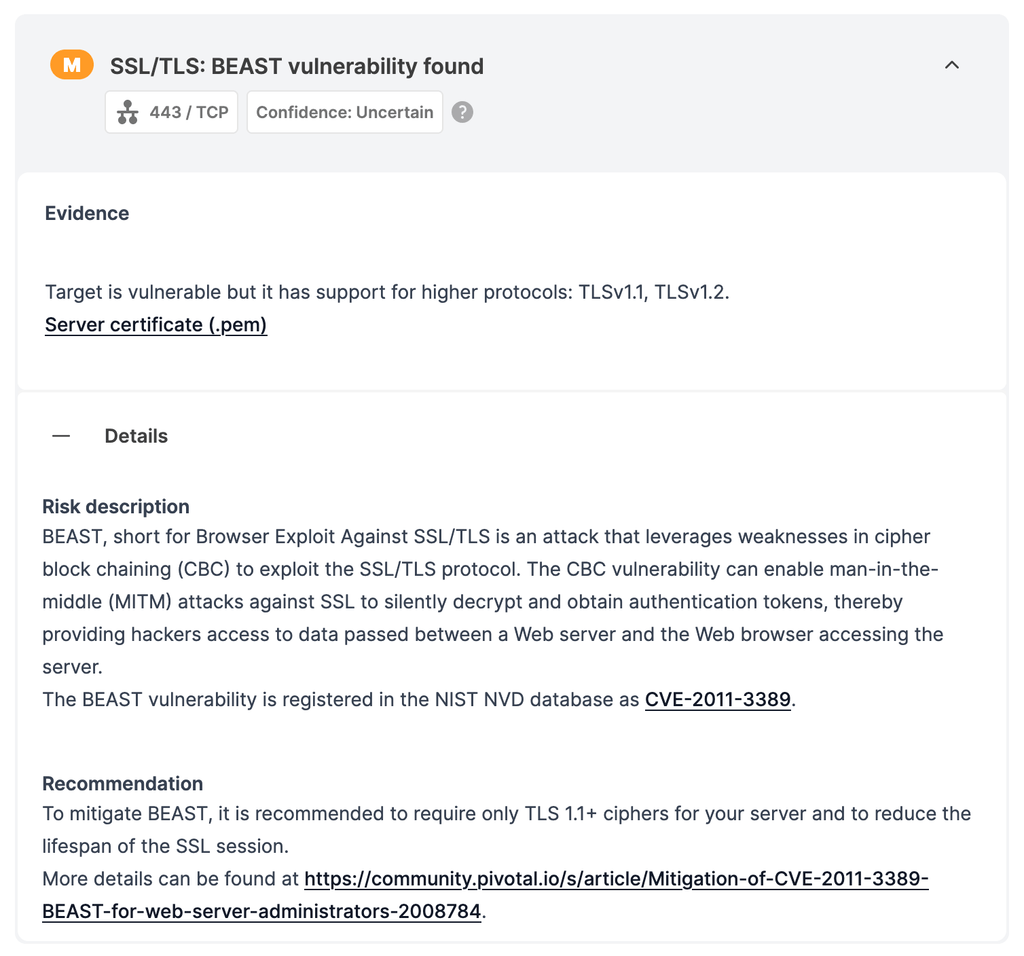
Known vulnerabilities: Heartbleed, Ticketbleed, CCS Injection, POODLE, ROBOT, DROWN, secure renegotiation (server-side and client-side), CRIME, BREACH, FREAK, SWEET32, BEAST, and LOGJAM
The engine builds on the open-source testssl.sh project, with our own adjustments, and interprets the results into findings with remediation advice. It checks TCP services only.
The SSL/TLS engine runs on all paid plans that include the Network Scanner.
How to fix SSL/TLS issues
Turn off SSLv2, SSLv3, TLS 1.0, and TLS 1.1. Support TLS 1.2 and TLS 1.3.
Remove weak cipher suites, such as RC4, 3DES, export-grade, and NULL ciphers. Prefer ciphers with forward secrecy, such as ECDHE with AES-GCM or ChaCha20.
Update your TLS library, such as OpenSSL. Library updates fix implementation flaws such as Heartbleed and CCS Injection.
Renew certificates before they expire, and serve the full certificate chain.
Re-scan to confirm the fix.

If you used the SSL/TLS Scanner
We're automatically migrating your scheduled SSL/TLS Scanner scans to the Network Scanner by November 17, 2026. Your past reports stay in your account.
The Network Scanner and the standalone SSL/TLS Scanner are different tools, so their findings don't connect. Scan and finding comparisons won't link your new results to your old SSL/TLS Scanner reports. To check a host again, start a new Network Scanner scan with the SSL/TLS engine instead of rescanning an old SSL/TLS Scanner scan.

SSL/TLS Scanner FAQs
Can I run a free SSL/TLS check?
Not with the Network Scanner. The SSL/TLS engine runs in Custom scans, which are available on paid plans. The free light scan doesn't include it.
How is this different from an online SSL server test?
Many free online SSL tests check one public HTTPS site at a time. The Network Scanner checks every TLS-enabled TCP port on each host you add, including mail and other non-HTTPS services, on internal or external targets, on a schedule, with findings in your reports.
Which ports does it scan?
It depends on the scan type. By default, the top 1,000 TCP ports, but there's also the option to enter your own ports. For instance, the Deep scan mode in the Network Scanner covers the top 3845 ports.
The SSL/TLS engine checks TCP services only, so it doesn't test UDP-based protocols such as DTLS.
Is the scan safe for production servers?
Yes. The scan opens TLS connections and tests which protocols, ciphers, and features each service accepts. It doesn't change anything on the server.
We recommend scheduling scans outside peak hours if load matters, and, of course, scanning only hosts you're authorized to test.
Where are my old SSL/TLS Scanner reports?
In your account, under your past scans.



Check the services behind the certificate
A clean TLS configuration protects the channel, not the service at either end of it. The same Network Scanner that runs your SSL/TLS checks also finds open ports, outdated software, and known vulnerabilities in the services behind them. Add its other engines to the same Custom scan, or run a Deep scan.
The Network Scanner is part of our Continuous scanning & validation product: continuous web, network, and cloud scanning with 17,400+ detections and exploit modules, safe exploitation where supported, and evidence captured with each finding.