

Kubernetes vulnerability scanner for exposed clusters
Scan Kubernetes clusters from the outside to find exposed API servers, kubelets, etcd, and dashboards, plus known Kubernetes CVEs an attacker could reach without credentials.
Quick update: In October 2026, we consolidated the standalone Kubernetes Scanner into our Network Scanner, which now runs its Kubernetes checks and keeps them current with daily detection updates.

Unlock full capabilities
Monitor your assets for exposure to new, critical vulnerabilities with our full Continuous scanning & validation product.
Scan Kubernetes clusters from the outside to find exposed API servers, kubelets, etcd, and dashboards, plus known Kubernetes CVEs an attacker could reach without credentials.
Quick update: In October 2026, we consolidated the standalone Kubernetes Scanner into our Network Scanner, which now runs its Kubernetes checks and keeps them current with daily detection updates.

What does a Kubernetes security scan check?
A Kubernetes security scan with our Network Scanner tests a cluster from the outside, the way an attacker with no credentials would see it. It looks for cluster components that answer without authentication and for Kubernetes versions with known vulnerabilities.
Many Kubernetes exposures come from defaults and shortcuts: a kubelet that still accepts anonymous requests, a dashboard published for a demo, an etcd port opened during troubleshooting. They don't show up in a code review, because they live in how the cluster runs, not in the code it runs.


Why Kubernetes security matters: an open dashboard, a real breach
In early 2018, researchers at RedLock found that attackers had reached Tesla's Kubernetes dashboard, which had no password. One of its pods stored credentials for Tesla's AWS environment, and the attackers used them to run cryptocurrency mining on Tesla's cloud resources (Ars Technica, Fortune).
The attackers didn't need an exploit. They needed one exposed component and one secret stored where it shouldn't be. That pattern outlasts any single CVE: the riskiest Kubernetes issues are often the ones that let someone walk in, not break in.
Our Network Scanner checks for exposed Kubernetes dashboards, along with known Kubernetes CVEs such as CVE-2018-1002105, a critical privilege escalation flaw in the API server.


How to scan Kubernetes with the Network Scanner
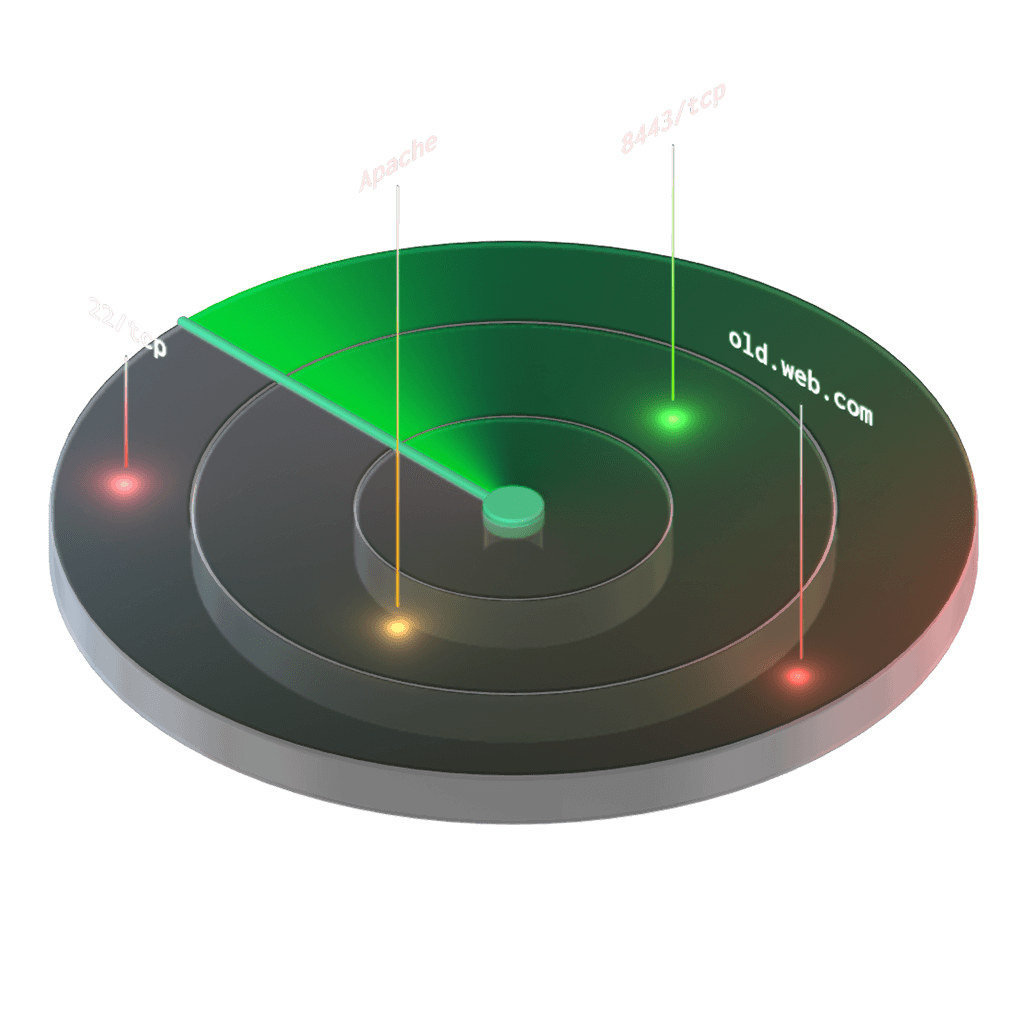
Our Network Scanner checks the hosts you give it, so the workflow starts with your cluster's public endpoints.

Add your cluster's endpoints
Add the cluster's internet-facing endpoints as Network Scanner targets: the API server, node IP addresses, and load balancer hostnames. You can also import a list of hosts from the Assets page.
Run a Deep or Custom scan
Run a Deep scan, or a Custom scan that includes the Nuclei engine. Both include the Kubernetes checks and cover the common Kubernetes ports. Light scans don't include them.
Schedule recurring scans
Schedule the scan to repeat, so new Kubernetes detections run against your clusters as soon as they ship.
What the Network Scanner checks on Kubernetes:
API server and etcd: unauthenticated API access, the API server and etcd served over plain HTTP, etcd read access and version disclosure, and roles anyone can list
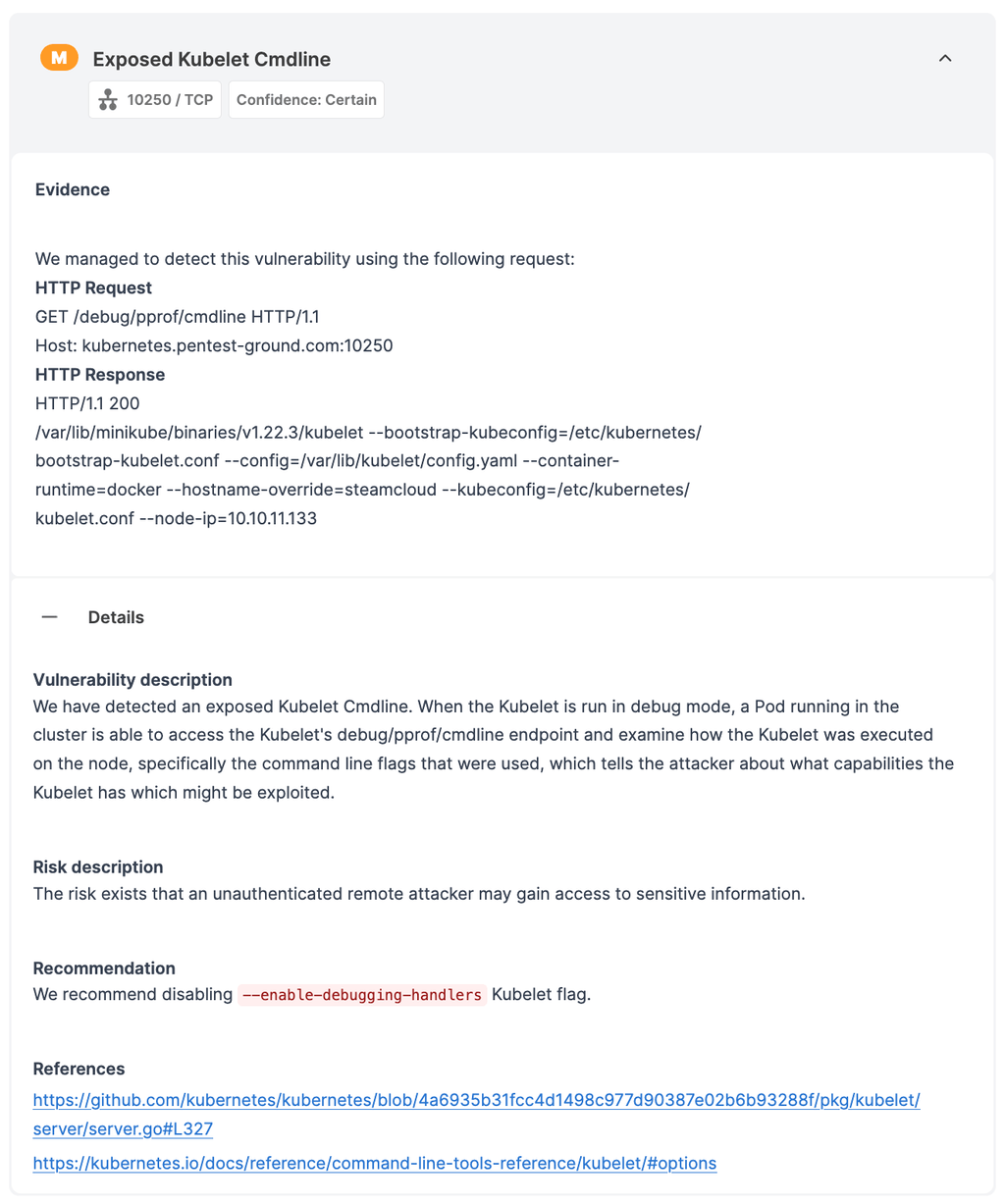
Kubelet: exposed pods and running pods, privileged containers, pods with unsafe log mounts, and endpoints that let anyone run commands in, attach to, or port-forward into a container
Dashboards and proxies: an exposed Kubernetes Dashboard and an exposed kubectl proxy
Version and health: Kubernetes version disclosure, cluster health disclosure, and known Kubernetes CVEs detected from the version, including CVE-2018-1002105, CVE-2019-1002100, CVE-2019-11247, CVE-2019-9512, and CVE-2019-9514
Certificates and cloud: certificates that include an email address, and Azure Kubernetes Service (AKS) service principal exposure
The Kubernetes detections run on all paid plans that include the Network Scanner.



Kubernetes pentesting: where an external scan stops
An external vulnerability scan answers one question well: what can someone without credentials reach in your cluster?
A Kubernetes penetration test asks what happens after an attacker gets a foothold. It typically covers:
a leaked service account token, and what its RBAC permissions let an attacker do
container escape, from a compromised pod to the node underneath
lateral movement between namespaces and workloads
secrets stored in pods or environment variables and the cloud accounts they unlock
Start with the scan to clear the exposures anyone can find, so a pentest spends its time on the questions only a certified pentester can answer. When you need that depth, our offensive security services team runs it.
How to fix Kubernetes exposures
Turn off anonymous access on the API server and the kubelets. On kubelets, set --anonymous-auth=false and --authorization-mode=Webhook.
Keep etcd, the kubelet API, the dashboard, and kubectl proxy off the internet. Restrict them with firewall rules or network policies, and require TLS client certificates for etcd.
Upgrade Kubernetes to a supported version that fixes the CVEs the scan reports.
Remove privileged containers and host log mounts that workloads don't need, and enforce the Pod Security Standards.
Re-scan to confirm the fix.

If you used the Kubernetes Scanner
We're automatically migrating your scheduled Kubernetes Scanner scans to the Network Scanner in November 2026. Your past reports stay in your account.
Two capabilities don't carry over: authenticated scans with a service account token and active checks that create, change, or delete resources in the cluster. For an insider's view of your cluster, a Kubernetes pentest covers what an authenticated scan used to.
Since the Network Scanner and the Kubernetes Scanner are different tools, their findings don’t connect. Scan and finding comparisons won’t link your new results to your old Kubernetes Scanner reports. To check a cluster again, start a new Network Scanner scan instead of rescanning an old Kubernetes Scanner scan. Your old reports stay in your account if you need to compare them.

Kubernetes security FAQs
Does the Network Scanner scan container images or YAML manifests?
No. It tests a running cluster from the outside, the way an attacker would reach it. Container images and manifests need checks earlier in the pipeline: an image scanner in CI and a policy check before you deploy. The two approaches complement each other, because a clean image can still run in an exposed cluster.
Can I scan a Kubernetes cluster for free?
No. Only paid plans give you access to the full Network Scanner capabilities, which include Kubernetes detections.
For free, you can check a cluster you own manually.
Does it run authenticated scans with a service account token?
No. The Network Scanner shows what someone without credentials can reach. To test what a leaked token or a compromised pod could do, run a Kubernetes pentest.
Is the scan safe for a production cluster?
Yes. The Kubernetes checks don't create, change, or delete anything in the cluster. They send requests to the cluster's exposed endpoints and read the answers.
We recommend scheduling scans outside peak hours if load matters, and, of course, scanning only clusters you're authorized to test.
How often do the Kubernetes checks get updated?
Daily. New Kubernetes detections reach the Network Scanner through a daily update, so scheduled scans pick them up without any change on your side.
Where are my old Kubernetes Scanner reports?
In your account, under your past scans.

Check the workloads, not only the cluster
A secure cluster can still run vulnerable apps. The Network Scanner checks the cluster and the services around it.
To test the web apps your cluster serves, run the Website Scanner: it crawls pages, forms, and parameters for issues such as SQL injection and cross-site scripting, which a cluster scan won't reveal.
Both scanners are part of our Continuous scanning & validation product: continuous web, network, and cloud scanning with 17,400+ detections and exploit modules, safe exploitation where supported, and evidence captured with each finding.