

Vulnerability assessment reporting: unlock powerful business intelligence
Generate automated, audit-ready vulnerability reports and use customizable templates to turn thousands of technical findings into prioritized risks, remediation paths, and compliance proof.

Move from "finding" to "fixing" faster
One integrated VA workflow
Scanning, finding, validating, and generating reports under the same roof reduces friction and time to deliver. Our vulnerability assessment reports pull findings and insights from our entire toolkit, which reduces the risk of error and manual work related to copy-pasting and formatting content.
Cut the noise, keep the signal
We’ll say it again: stop wasting time stitching together data from multiple tools. Our reporting engine aggregates results from thousands of assets, automatically filtering false positives and prioritizing risks based on confirmed exploitability and multiple relevant factors.
Scale up, stay organized
Managing vulnerability assessments for thousands of assets shouldn't be a logistical nightmare. Use dedicated workspaces to keep client data or internal departments distinct. Handle high-volume reporting with ease, making sure your data remains structured, accessible, and clutter-free as you scale.
Simplify compliance audits
Structure your reporting to support standards like PCI DSS, ISO 27001, and SOC2. Whether you’re an MSP or in an internal team, you can keep your posture audit-ready and prove compliance in just a few clicks using integrations like Vanta.
Prove value to leadership
Executives don't speak "CVE." They translate technical risk into business impact. Use our executive summary views to show clear security posture improvement over time, justifying your budget and validating your team's efforts.
Your brand, your authority
For MSPs, presentation is everything. Use our branded reports & emails to ensure every report features your logo and branding. Deliver polished, professional assets that look like they took days to compile in just minutes.
Flexible formats for every stakeholder
Deliver data exactly how your team needs it.
Export audit-ready PDFs and HTML for leadership, editable DOCX files for remediation reports, or raw CSV, JSON, and XLSX data for further analysis. Adapt to any workflow or audience requirement instantly.
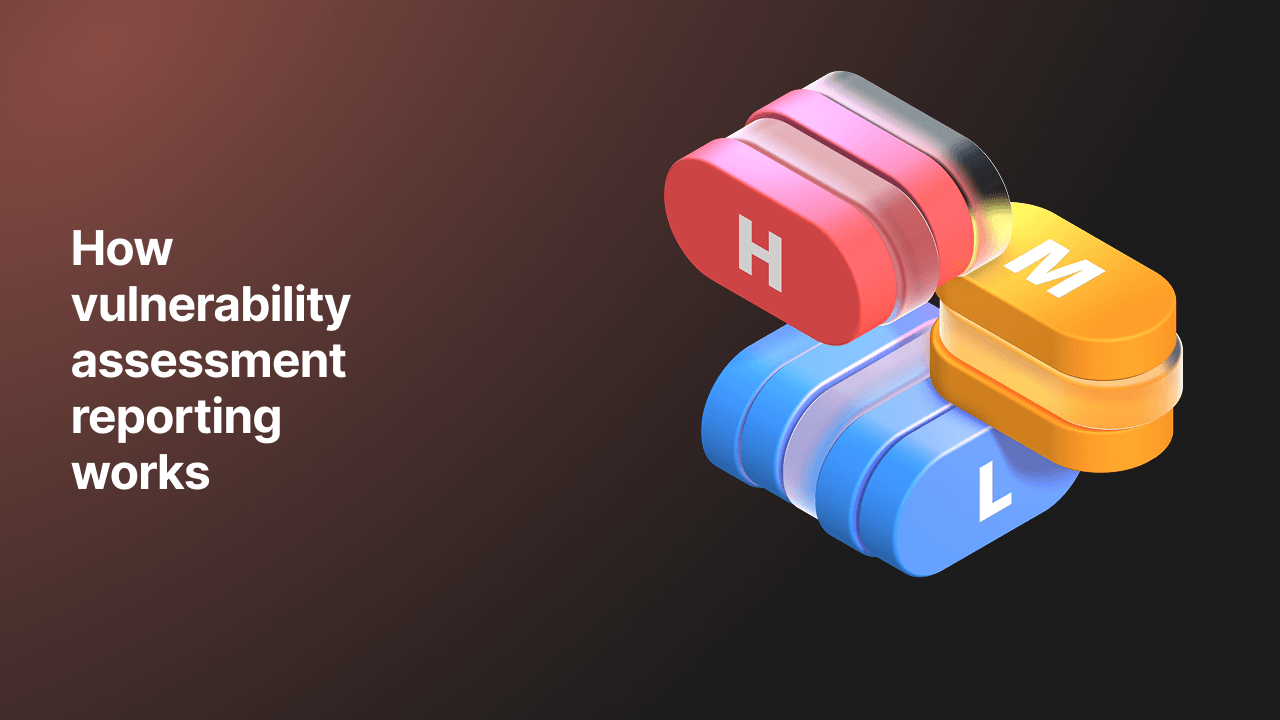
How vulnerability assessment reporting works: centralize, enrich, deliver
Get from scan to a full audit-ready report in minutes.
Looking for the engine behind the VA reports?
Discover how our proprietary tools - from our popular free tools to our advanced vulnerability scanners - continuously monitor your assets to feed your reports with accurate data.


Built for teams managing volume at speed

Customize and reuse reporting templates
Build your reporting structure once, use it forever. Define your standard "Background," "Methodology," and "Scope" sections once and save them as a custom template. For future engagements, simply load your template to have 90% of the structure ready instantly. Branded, consistent, and requiring no heavy editing or external tools.

Bridge the gap between security and the board
Generate high-level overviews that summarize risk exposure without getting lost in translation. Perfect for CIOs and stakeholders who need to understand the "big picture" health of the infrastructure immediately.

Stop reporting on the same old bugs
The scan diff that’s part of our vulnerability monitoring functionality compares current scan results against previous ones, automatically highlighting only new vulnerabilities or verified fixes. Show your clients and colleagues exactly what you’ve achieved since the last scan - especially when vulnerabilities like X or Y emerge.

Operationalize your findings
Developers don’t fix PDFs - they fix tickets. Push confirmed vulnerabilities directly to Jira, GitHub or other integrations, so your team gets the exact technical details they need, right where they work - ideal for internal teams who need to maintain operational speed within shared workspaces. Managing a portfolio? Sync everything with Nucleus to maintain a single source of truth - a must-have for MSPs who need clarity from the git-go.

We speak Engineering
We provide granular technical details for remediation teams, including HTTP request/response data and evidence-backed findings. You can even import findings from Burp Suite to combine manual and automated results in a single centralized report.

Ready to put your VA reporting workflow on autopilot?
Unlock bulk scan scheduling and reporting that help you manage scale without the headache.
See what our clients have to say
The detailed reports allow us to precisely identify and quickly respond to any potential issues.
Pentest-Tools.com provides me with a comprehensive, up to date 3rd party vulnerability assessment.
Anthony Bainton
CTO
Need to go deeper than a scan?
Check out our penetration test reporting for exploitation workflows that combine automated tools and manual expert input.
Vulnerability assessment reporting FAQs
What is the difference between a vulnerability report and a pentest report?
A vulnerability assessment report is typically an automated output listing with identified vulnerabilities, often directly from a vulnerability assessment tool. In contrast, a pentest report is a comprehensive document that includes manual validation, a specific testing methodology, proof of concepts, an executive summary, and a narrative on business impact.
Pentest-Tools.com bridges this gap with its advanced pentest reporting feature, allowing you to turn automated scan data into a professional security vulnerability assessment report or a full penetration test deliverable. You can add manual findings, edit descriptions, and include specific remediation advice for critical vulnerabilities, moving beyond a simple list of bugs to a true consultancy-grade document.
Can I customize the risk score if it's not relevant to my environment?
Yes. You can edit findings in bulk or individually. If a standard IT risk assessment report assigns a risk level that doesn't match your context, you can adjust the score to better reflect the specific security risks relevant to your environment (e.g., downgrade a High to Medium) directly from Pentest-Tools.com before generating your vulnerability assessment report example.
Does the report include false positives?
We proactively minimize false positives before you even start reporting: our ML Classifier automatically filters out noise (like soft 404s) during web scans, while our active exploiters validate specific findings to mark them as ‘Confirmed’. You can also manually verify and tag findings yourself.
Ultimately, you retain full control to flag any remaining false positives within Pentest-Tools.com so they never clutter your final vulnerability assessment report.
Can I automatically send these reports to my dev team?
Yes, you can automate security reporting as a core feature. You can set up email notifications to automatically send results when a real-time scan finishes or when finding high-risk vulnerabilities.
This guarantees efficient vulnerability management and ensures your organization's security posture is constantly monitored, with the network vulnerability assessment report PDFpdf delivered immediately without manual intervention.
Can I customize the reports with my company branding?
Absolutely. If you’re in charge of vulnerability assessment reporting, you can tailor your reports by adding your company logo and details. This allows you to deliver a professional sample vulnerability assessment report that looks like it was created entirely in-house.
Can I schedule reports to be generated and emailed automatically?
At the moment, the Pentest-Tools.com scheduler allows you to run scans at specific intervals. Combine the scheduler with notification settings to fully automate your security testing reporting. This keeps stakeholders in the loop by automatically sending them a fresh vulnerability assessment report whenever a new scan is finished.
How do I export vulnerability data for external analysis in CSV or JSON?
You can export your scan results in multiple formats including CSV, JSON and XLSX for external analysis. While PDF and DOCX are perfect for a penetration test report, the CSV format allows you to adjust raw data, such as CVE IDs and risk scores, while the JSON format helps primarily with automation, integration and/or further processing.
Does the VA report show historical trends or progress over time?
Yes, Pentest-Tools.com reporting includes features like "scan diff" which allows you to see what has changed between scans. This makes it easy to track vulnerabilities over time and see how remediation is progressing.
Can I filter reports to only show specific severity levels or asset groups?
Yes. You can use advanced filters to select findings by target, risk level, or status (e.g., excluding fixed issues). This allows you to create focused documents, such as a report strictly for critical vulnerabilities for executives or a technical IT vulnerability assessment report for engineers.
How does the reporting engine handle merged or duplicate findings?
The Pentest-Tools.com reporting tool allows you to group findings by "Target" or "Vulnerability". This helps consolidate duplicate security issues , ensuring your vulnerability assessment reports stay concise and readable rather than repetitive.
Is remediation advice included for every vulnerability you find?
Yes. Pentest-Tools.com automatically includes detailed remediation advice for the security issues our product surfaces. When you generate a free sample vulnerability assessment report, it will include pre-filled recommendations, which you can also customize using "finding templates".
Can I compare the results of two different scans to see what changed?
Yes, the ‘scan diff’ feature allows you to compare two vulnerability assessment results. This highlights exposed sensitive data, new vulnerabilities, fixed issues, and reopened findings, which is essential when you are learning how to write a vulnerability assessment report that tracks progress.
Do you support risk scoring in vulnerability assessment reports?
Yes, the findings include CVE references and CVSS scoring, alongside EPSS and CISA KEV integration. You can view and edit these scores in the finding details to accurately reflect the severity in your security vulnerability assessment report.
How can I share reports with stakeholders who don't have a login?
You can export reports as vulnerability assessment report PDF, HTML, or DOCX files and email them directly from Pentest-Tools.com or your own mail client. This makes it easy to share a full risk assessment with clients or executives who do not use Pentest-Tools.com.
Does the reporting tool help explain technical findings to non-technical leadership?
Yes. Every report generated on Pentest-Tools.com can include an executive summary. This section is crucial for stakeholder communication, as it translates complex technical findings into high-level business risks.
It provides a clear snapshot of your organization's security posture, allowing other decision-makers to understand the impact of security risks without getting lost in technical details.
Can I track specific CVEs across my infrastructure?
Yes. Beyond standard mapping, the vulnerability scanning engine automatically maps findings to their specific CVE (Common Vulnerabilities and Exposures) identifiers, so you can hunt for specific threats instantly. Use the Network Vulnerability Scanner to scan for single CVEs across your entire infrastructure; this is perfect for detecting high-profile vulnerabilities like React2Shell or Log4Shell the moment they emerge. These findings are automatically tracked in your reports, helping you track the lifecycle of specific known vulnerabilities across your assets.
How does Pentest-Tools.com validate scan results?
We engineered Pentest-Tools.com to go beyond simple scanning. OurThe advanced pentest reporting options allow you to perform manual validation of automated findings. You can use the built-in exploitation tools to check if a vulnerability is a genuine business risk before adding it to your final report, making sure your deliverables are accurate and free of noise.
Does the vulnerability report provide clear steps for fixing issues?
Absolutely. Each finding in the report comes with a dedicated "Recommendations" section focused on mitigation. This provides your development or security teams with actionable steps to resolve the identified security risks. You can further customize these instructions to fit your specific environment, ensuring the remediation advice is practical and effective.
Can I use these reports to get security certifications for my company or client?
Yes. Customers actively use our reports to support their certification audits. While the reports themselves are not a certification, they serve as formal evidence of your scanning and remediation efforts, structured to meet the documentation requirements of standards like ISO 27001 or SOC 2.
Furthermore, because Pentest-Tools.com is fully ISO 27001 certified, you can demonstrate to your auditors that your data is handled by a vendor who adheres to the same rigorous security disciplines you are working to achieve.
How do I write a comprehensive security assessment report?
To write an effective security assessment report, structure is key. You need an executive summary for stakeholders, a clear methodology, and prioritized findings with remediation steps. Pentest-Tools.com handles this structure for you by default.
Our templates automatically organize your data into this professional format, making sure you deliver business context and technical depth without building the report from scratch.
What key elements should a vulnerability assessment report include?
A robust vulnerability assessment report acts as a roadmap for vulnerability management. It should include a high-level overview of your security posture, a detailed list of security vulnerabilities mapped to CVE IDs and other risk factors, and a risk assessment based on potential impact.
Crucially, it must provide clear mitigation strategies for critical vulnerabilities to prevent successful cyberattacks.
What is a VA scan in cybersecurity?
A VA (Vulnerability Assessment) scan uses automated vulnerability scanners to identify potential vulnerabilities, such as outdated plugins, weak SSL configurations, or missing Microsoft patches. Unlike penetration testing (or pen testing), which simulates an attacker actively exploiting flaws, vulnerability scanning provides a broad, automated overview of security risks across your web application, API, network, or cloud to find all potential security risks, including misconfigurations.
How often should a vulnerability assessment be conducted?
To maintain a strong security policy, perform vulnerability scanning continuously or at least monthly. This allows you to detect new types of vulnerabilitiesy and security issues in real-time. Regular scanning and vulnerability monitoring ensure you identify gaps in authentication or exposed sensitive information before attackers exploit it.
How do you interpret the results of a vulnerability assessment report?
Interpret scan results using validation, context, and exploitation. Do not rely solely on the tool's output; attempt to exploit critical findings to prove the risk is real. This process confirms if the vulnerability exposes sensitive data, so you focus remediation efforts on verified security risks rather than theoretical noise.