

How to bruteforce IT and server management apps with Hydra and the Password Auditor
Bruteforcing login endpoints is essential for assessing the security of IT and server management applications. Gaining access to these web apps can expose critical administrative controls, server configurations, database access, email accounts, and other sensitive assets that attackers target.
This guide provides real-world testing methodologies for cPanel, Plesk, Webmin, phpMyAdmin, and more, helping you discover login parameters, analyze authentication mechanisms, and test login security measures. By applying these techniques, you can pinpoint authentication weaknesses before malicious attackers do, ensuring a stronger security posture for the systems you audit.

How to check CloudPanel for weak credentials
Deployment method: Vultr marketplace
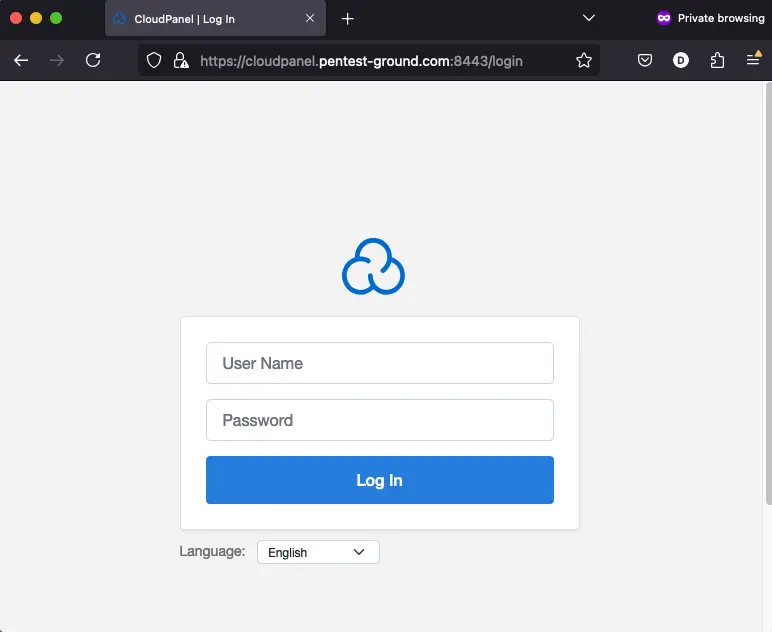
1. Find the web app login endpoint for CloudPanel
The default admin login page for CloudPanel is typically located on the /login endpoint on port 8443.
2. Discover the CloudPanel login parameters
Use the Network tab in Web Developer Tools to identify the parameters.
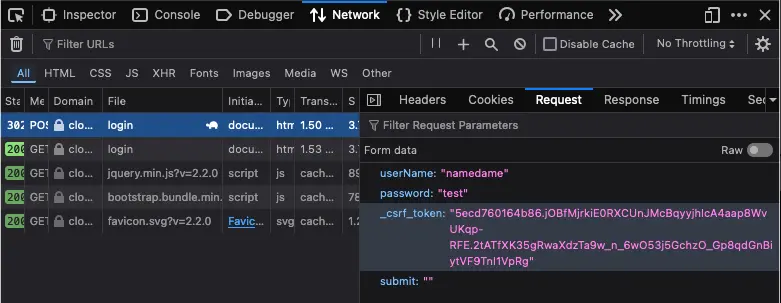
In Cloudpanel, the csrftoken parameter is a critical security feature used to prevent Cross-Site Request Forgery (CSRF) attacks. It ensures the form submission is coming from the same site and session, protecting the website and its users from malicious actions.
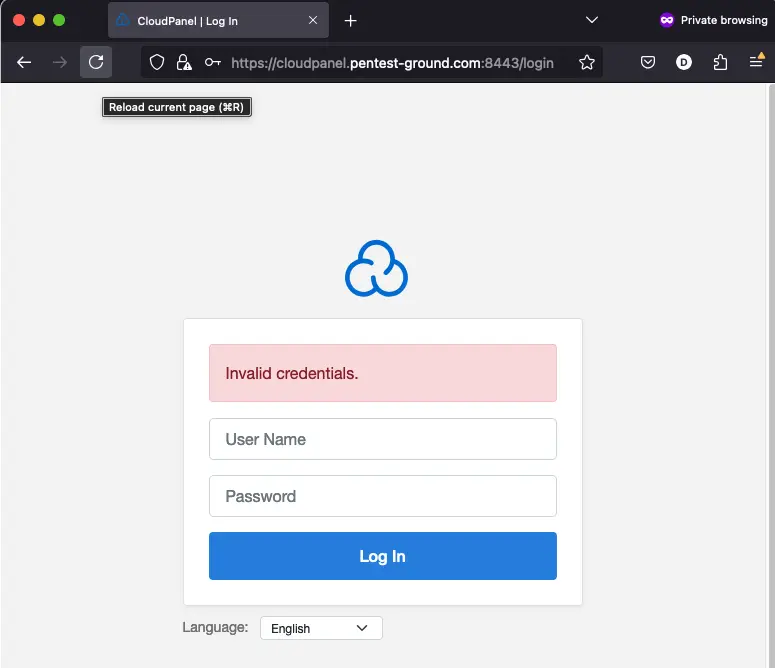
3. Identify error messages and protection mechanisms
After one invalid attempt, CloudPanel returns the following message:
Hydra commands and output
In the first 1 set of valid and 1 set of invalid credentials scenario, we used the following Hydra commands:
hydra -s 8443 -l namedame -p bad-password cloudpanel.pentest-ground.com https-post-form "/login:userName=^USER^&password=^PASS^&_csrf_token=8662edda832bd09b91ef351af3ffccf0.P7XJW8hraBMweBYkcs4HkRMIuMEqBVk9oP9yseTmNJY.aYWFFIA4BlpRTURwG6Z2xEBR_Khda24I1qcZgdGyBK5y3r085VsHfXRNdQ&submit=:Invalid credentials." -Vhydra -s 8443 -l namedame -p CloudPanel4321 cloudpanel.pentest-ground.com https-post-form "/login:userName=^USER^&password=^PASS^&_csrf_token=8662edda832bd09b91ef351af3ffccf0.P7XJW8hraBMweBYkcs4HkRMIuMEqBVk9oP9yseTmNJY.aYWFFIA4BlpRTURwG6Z2xEBR_Khda24I1qcZgdGyBK5y3r085VsHfXRNdQ&submit=:Invalid credentials." -V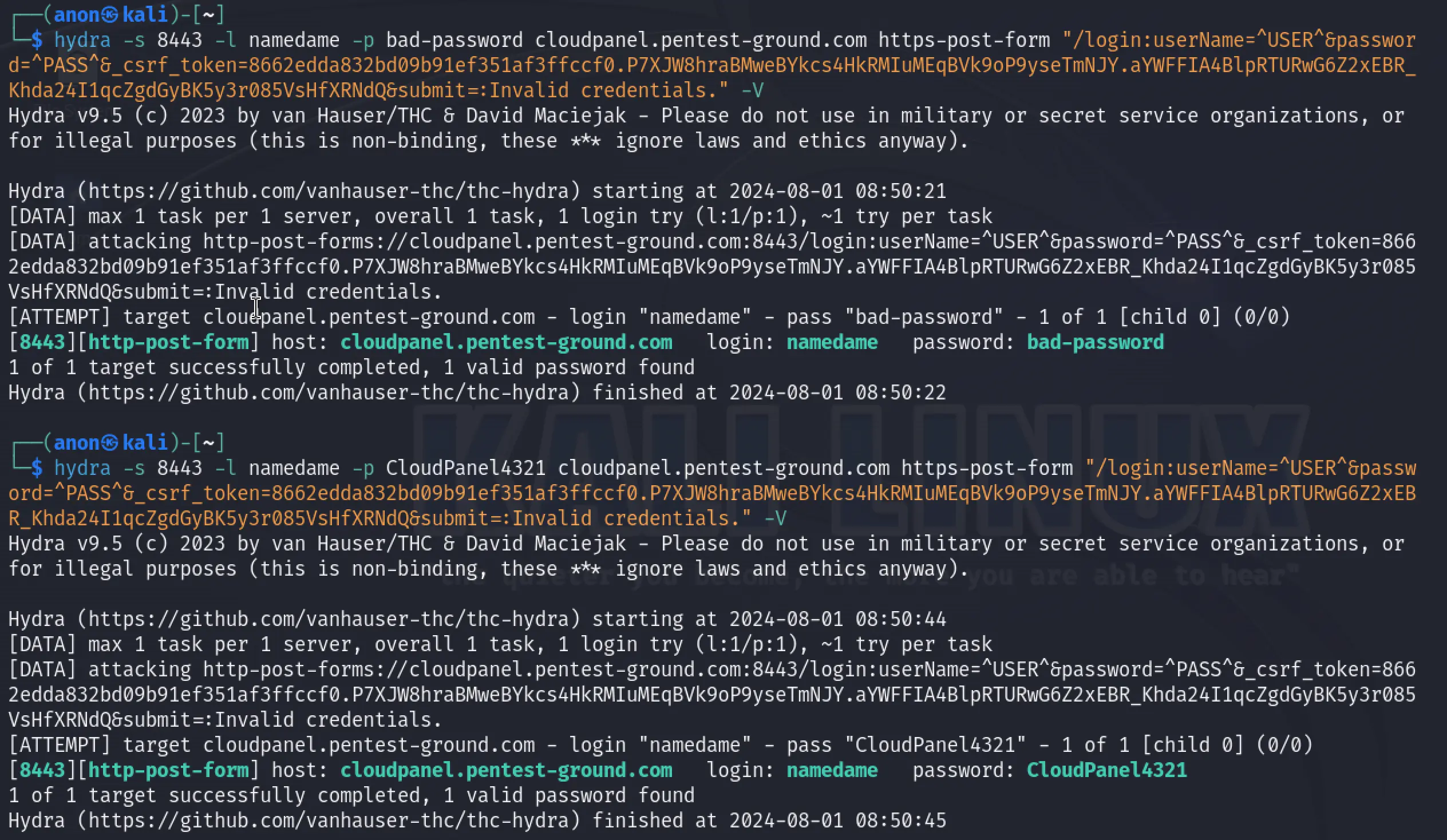
As explained in the login parameters discovery section, the csrftoken is used as a CSRF token and is dynamically set. Since Hydra cannot use a session to automatically set this parameter, it marks both invalid and valid credentials as valid.
Since the first scenario didn't work, we did not proceed with testing the second one.
Password Auditor commands and results
For the first scenario, these are the parameters we adjusted to perform a more focused scan:
Ports: Use port from target URL
Services: HTTP
Wordlists: pa-benchmark
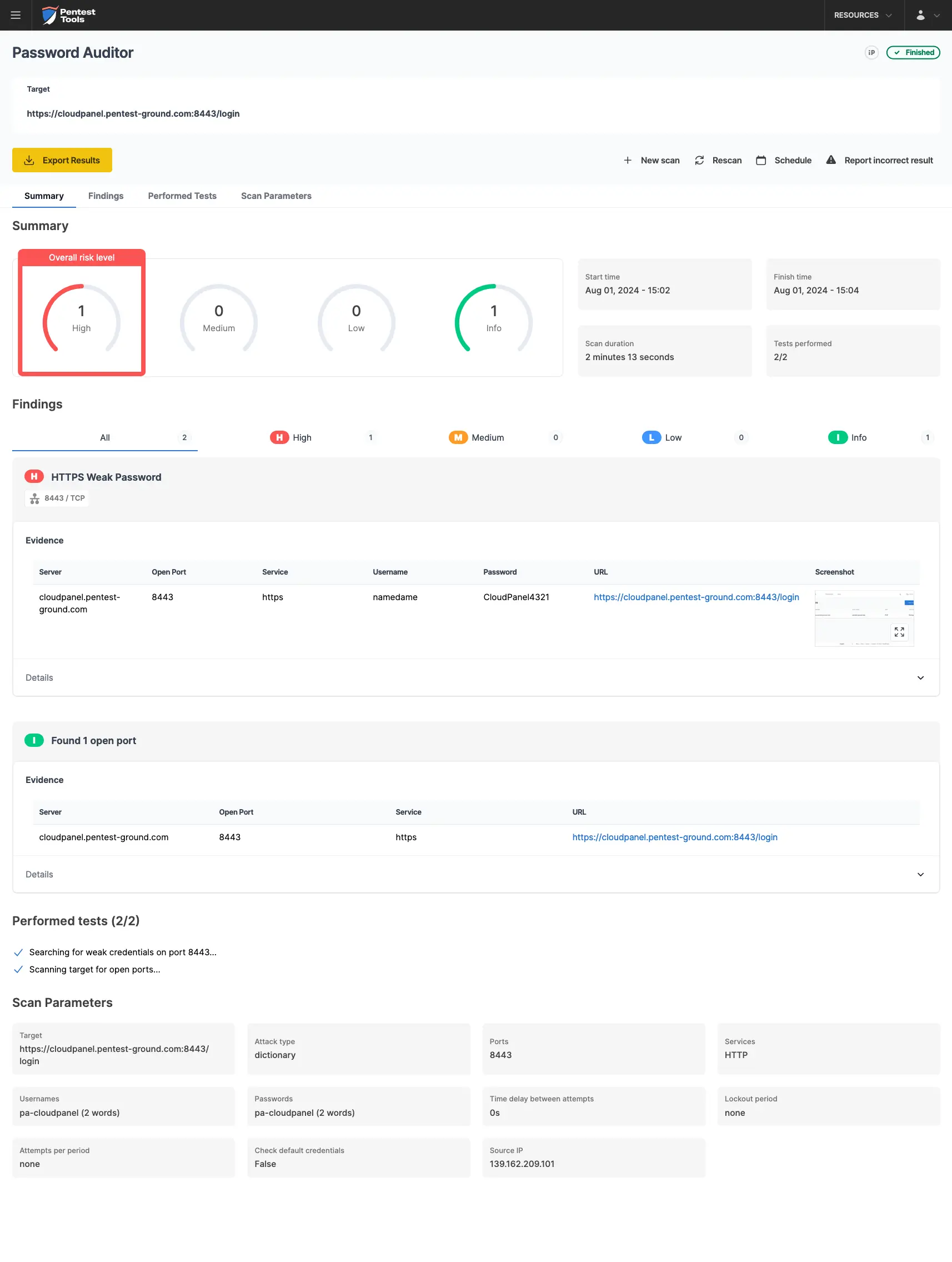
The pa-benchmark wordlist includes valid credentials, so the process involves making four attempts to the target: 3 with invalid credentials and 1 with valid credentials.
The screenshots below show that the Pentest-Tools.com Password Auditor successfully identified the valid credentials.
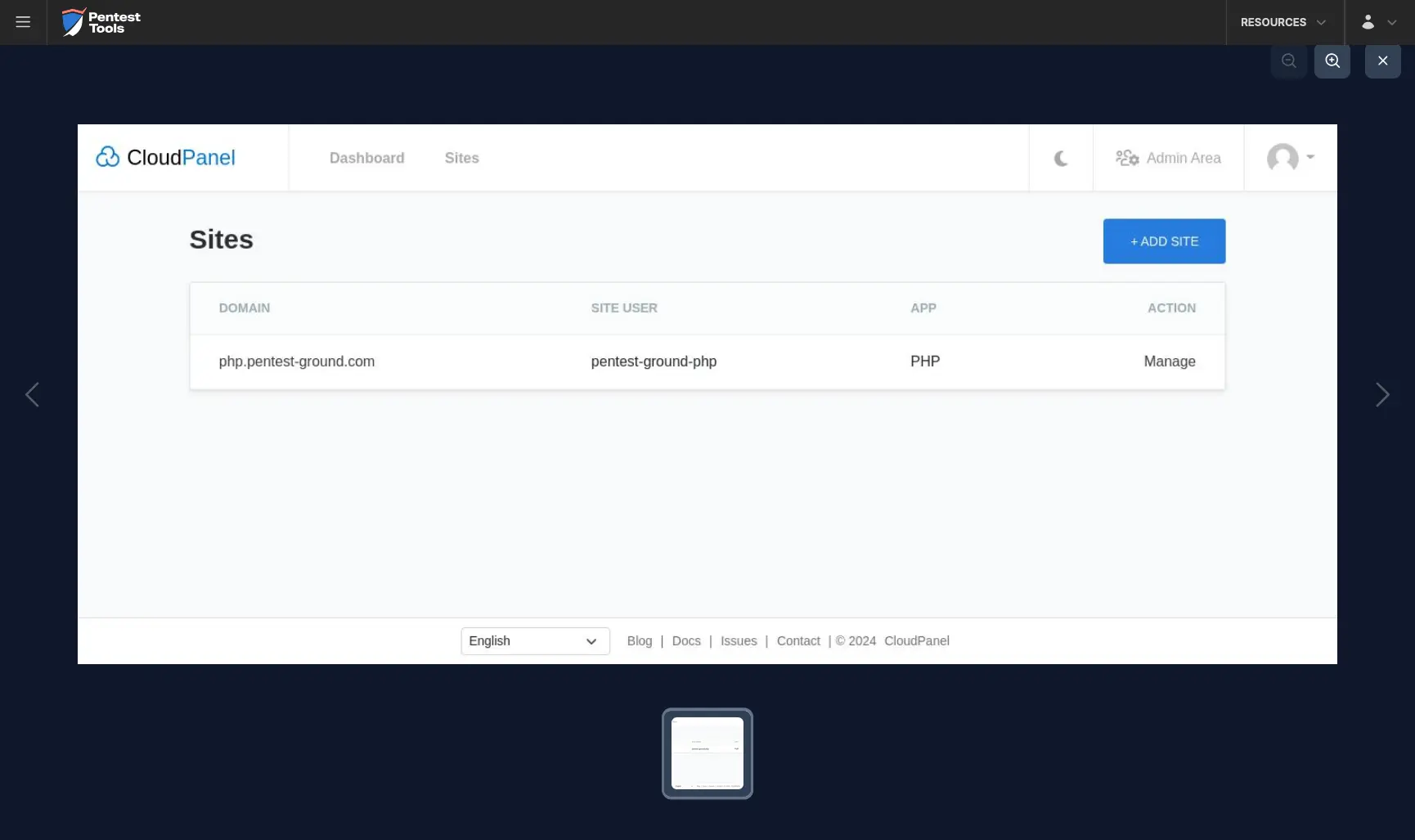
The Password Auditor also provides a screenshot of the logged-in session to verify the validity of the provided credentials.
For the second scenario, we just changed the wordlist to include 2 users (1 invalid and 1 valid) and 13 passwords (12 invalid and 1 valid).
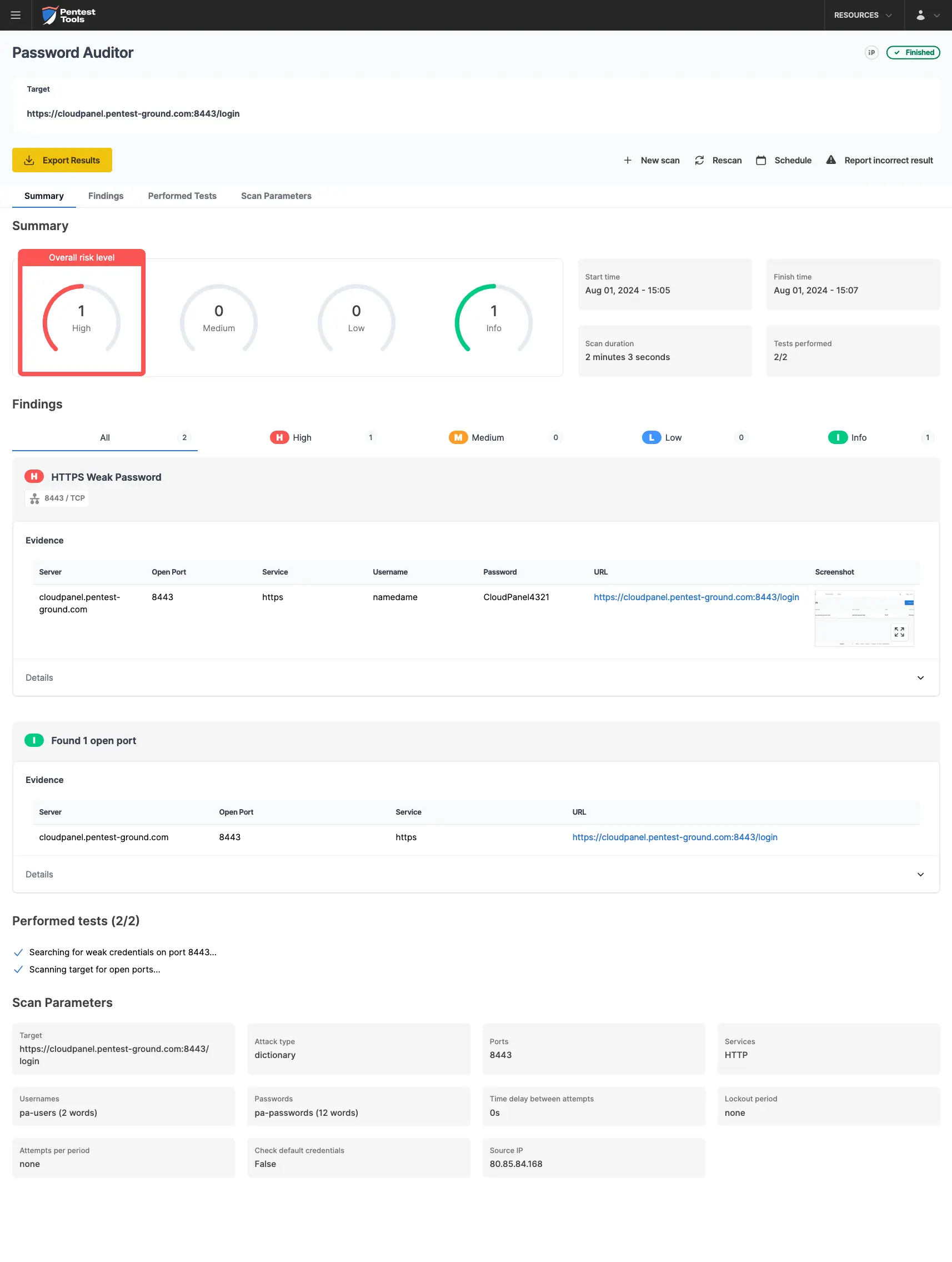
In the second scenario, the Password Auditor on Pentest-Tools.com identified the valid credentials.

Bruteforce commands and settings for Hydra and the Password Auditor
Learn when to use Hydra for brute-force attacks and when the Password Auditor’s automation, screenshot capture, and proof-based reporting provide a better alternative for correctly identifying login credentials with greater speed and accuracy.
By testing these login security measures, you can identify risks that could lead to unauthorized server access, control panel takeovers, or database breaches, helping organizations stay ahead of real-world threats.