

How to bruteforce monitoring and security apps with Hydra and the Password Auditor
Every CMS and e-commerce platform handles authentication differently, with varying levels of protection like rate limiting, CAPTCHAs, and account lockouts. This guide provides real-world testing methodologies for WordPress, Drupal, Joomla, PrestaShop, and Magento, helping you correctly identify weak login endpoints, analyze error messages, and work around security mechanisms for efficient pentests and security assessments.
You’ll find detailed Hydra commands for precise, high-efficiency bruteforcing, along with insights on using our Password Auditor to automate credential testing. This comparison makes it easier to choose which tool can help you brute-forcing faster and more effectively by capturing screenshots of logged-in sessions and generating detailed proof of valid credentials.

How to check Grafana for weak credentials
Deployment method: Grafana Docker
1. Find the Grafana web app login endpoint
Usually, the Grafana login form sits on the /login endpoint.
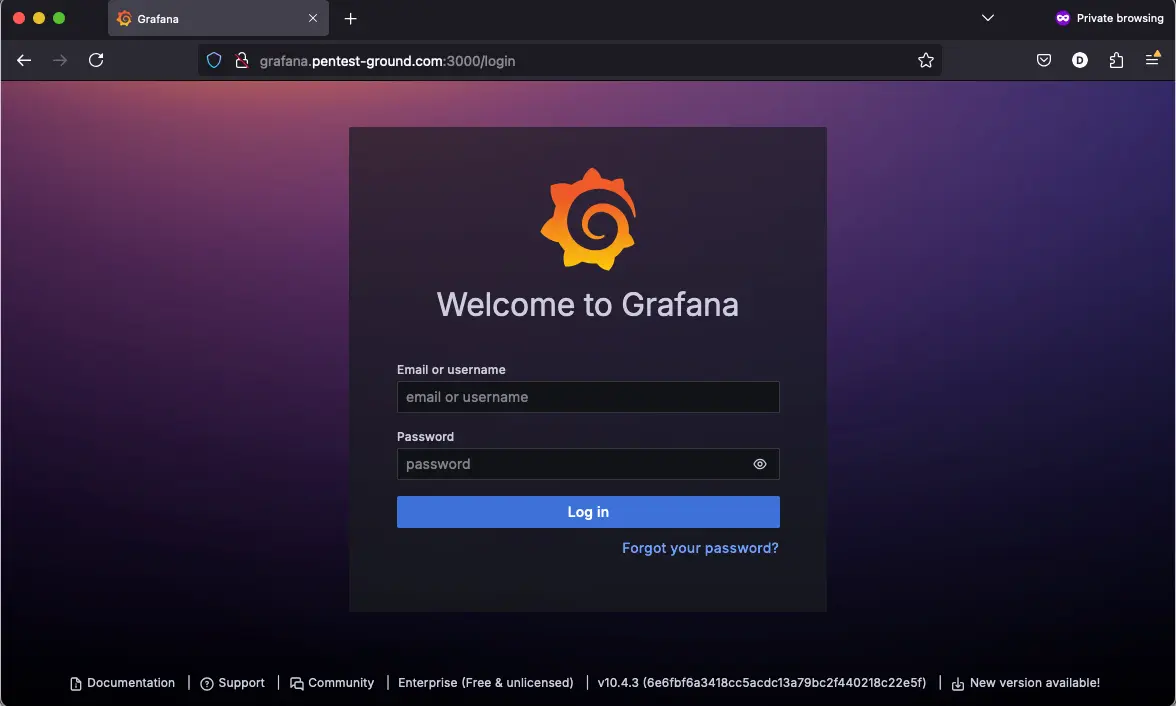
2. Discover the Grafana login parameters
Use the Network tab in Web Developer Tools to identify the parameters.

3. Identify error messages and protection mechanisms
After one invalid attempt, Grafana returns the following message:
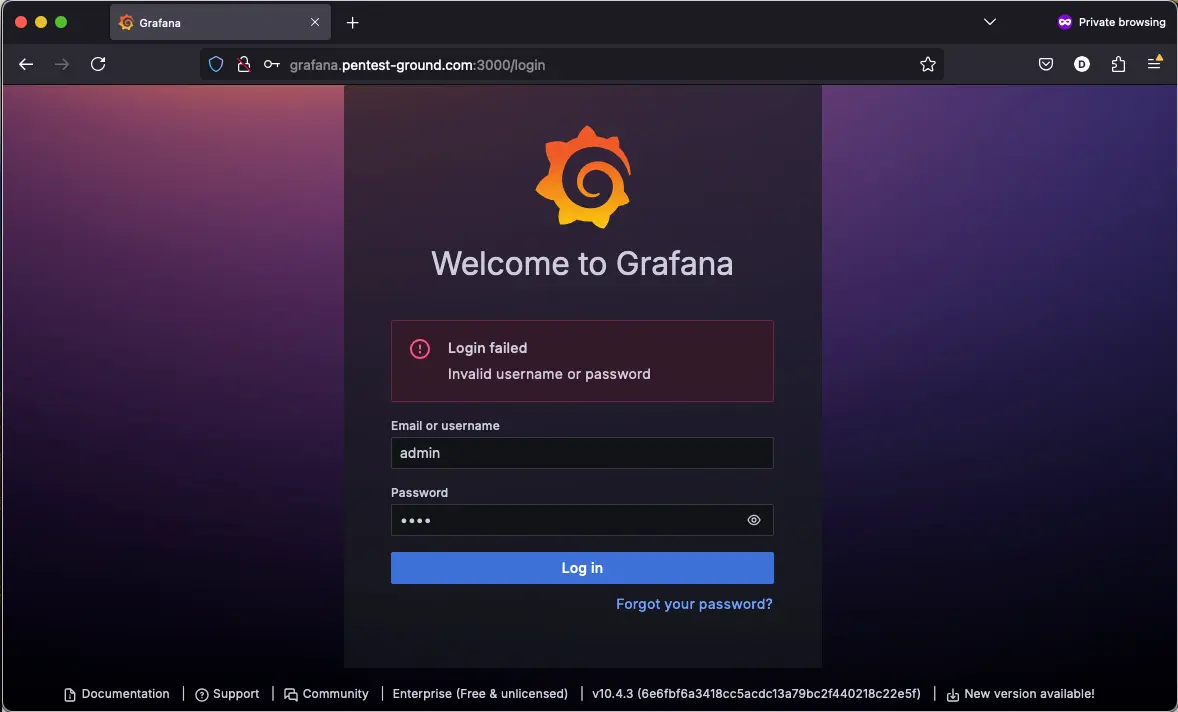
The login form seems to shadow ban your IP after multiple failed login attempts. You still get the “Invalid username or password” message in the browser even if you use the correct credentials.
Hydra commands and output
In the first 1 set of valid and 1 set of invalid credentials scenario, we used the following Hydra commands:
hydra -s 3000 -l admin -p bad-password grafana.pentest-ground.com http-post-form "/login:{\"user\"\:\"^USER^\",\"password\"\:\"^PASS^\"}:H=Content-Type\: application/json:F=Invalid username or password" -V -Ihydra -s 3000 -l admin -p bad-password grafana.pentest-ground.com http-get "/login:{\"user\"\:\"^USER^\",\"password\"\:\"^PASS^\"}:H=Content-Type\: application/json:F=Invalid username or password" -V -I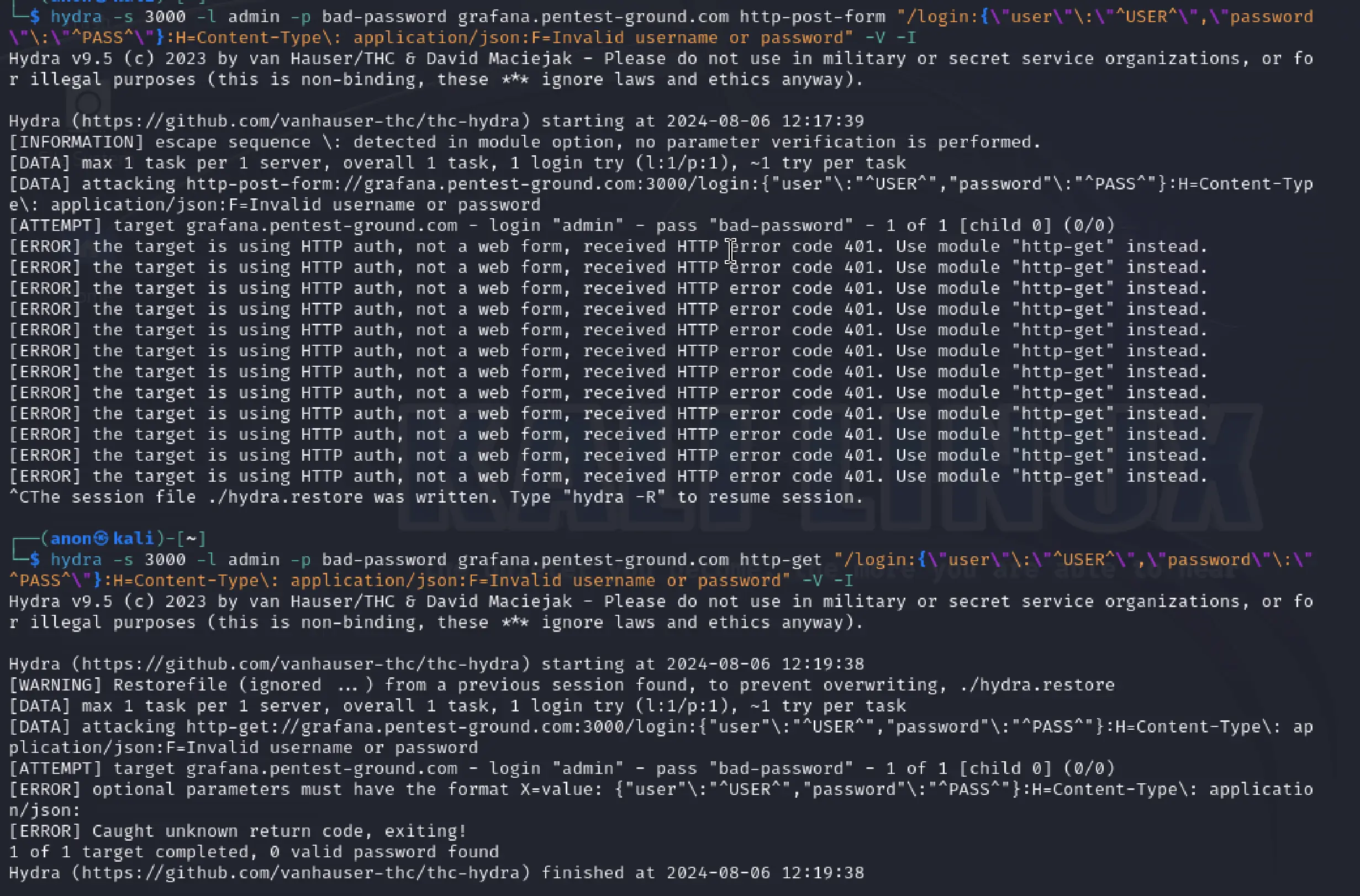
As you can see from the output, the server returned a 401 status code and suggested to use the “http-get” module. Using http-get, Hydra returned [ERROR] Caught unknown return code, exiting!.
We did not test the second scenario since the first one did not work.
Password Auditor commands and results
For the first scenario, these are the parameters we adjusted to perform a more focused scan:
Ports: Use port from target URL
Services: HTTP
Wordlists: pa-benchmark
The pa-benchmark wordlist includes valid credentials, so the process involves making four attempts to the target: 3 with invalid credentials and 1 with valid credentials.
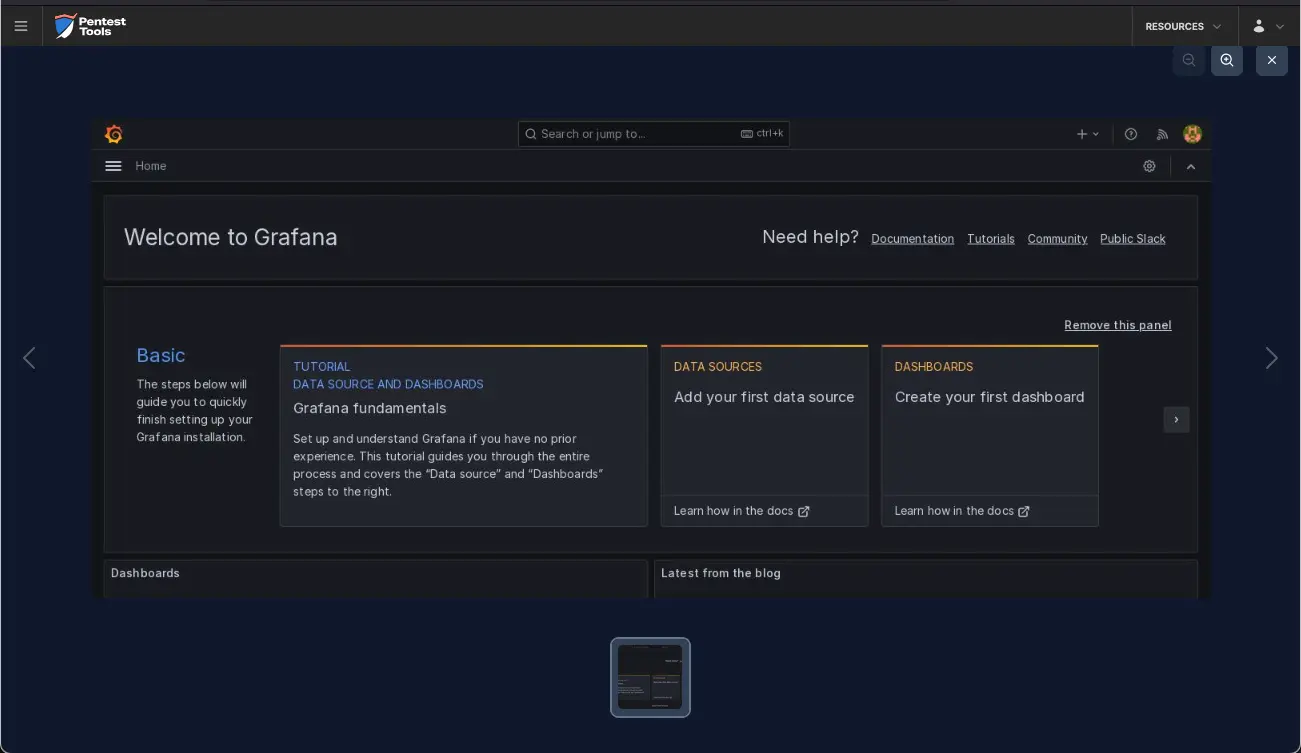
The screenshots below demonstrate that the Password Auditor successfully identified the valid credentials.
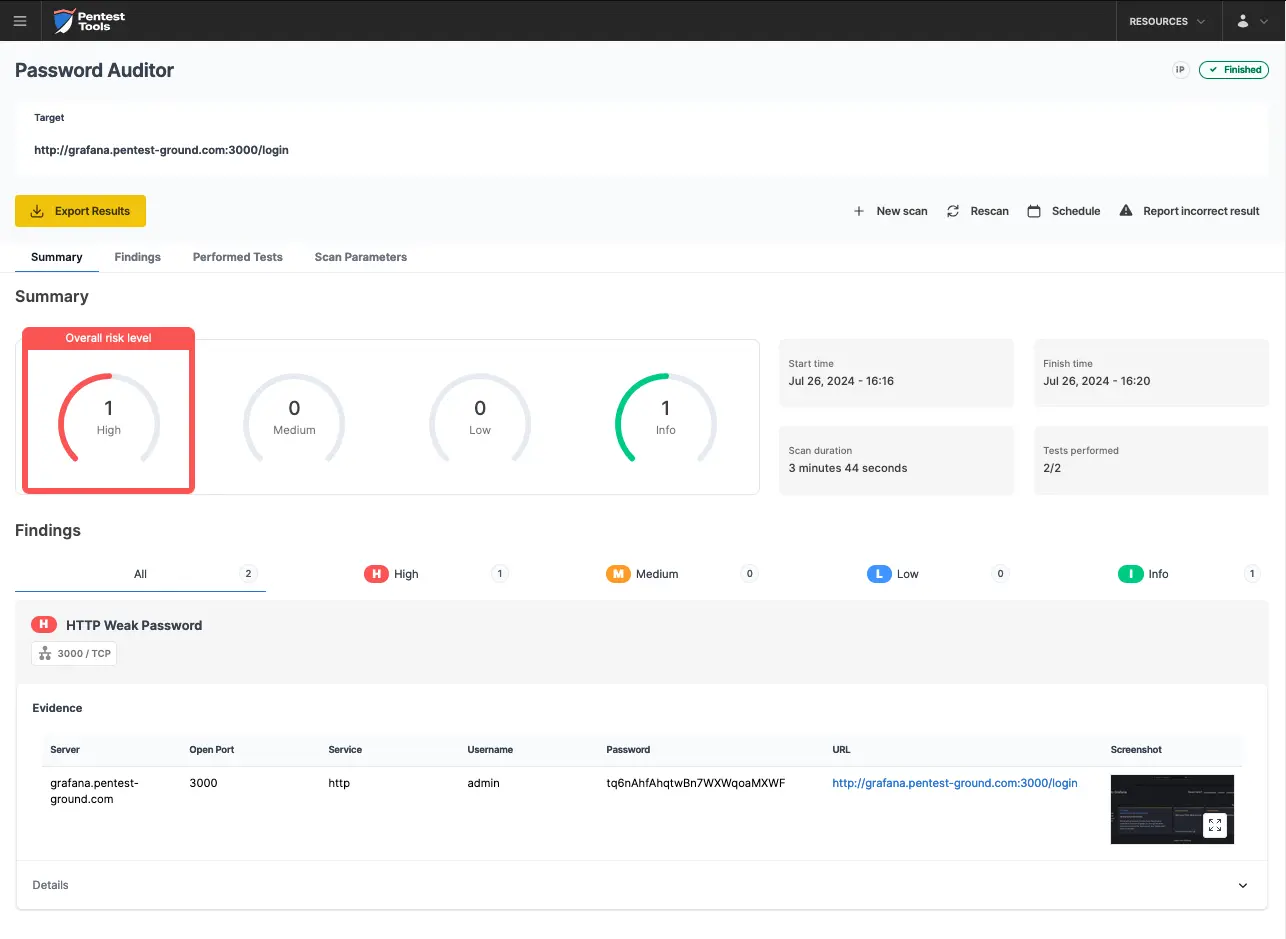
The Password Auditor provides a screenshot of the logged-in session to verify the validity of the provided credentials.
For the second scenario, we modified the wordlist to include 2 users (1 invalid and 1 valid) and 12 passwords (11 invalid and 1 valid).
The Password Auditor couldn’t identify the valid credentials when testing 2 users and 12 passwords because of the shadow IP blacklisting.

Bruteforce commands and settings for Hydra and the Password Auditor
Whether you’re testing a single admin account or running large-scale credential audits, this guide gives you the practical techniques and automation strategies to improve your credential auditing workflow while avoiding unnecessary detection.