

How to bruteforce business and collaboration apps with Hydra and the Password Auditor
Weak authentication in Jira, Confluence, Microsoft Exchange, Adobe ColdFusion, and Oracle WebLogic can expose sensitive corporate data, internal communications, and privileged accounts - an oversight that threatens business continuity and regulatory compliance. Understanding how to correctly identify and remediate issues with weak credentials is essential for preventing unauthorized access, mitigating insider threats, and ensuring data integrity.
This guide provides a step-by-step breakdown of login endpoint discovery, authentication analysis, and security testing using Hydra and the Password Auditor, giving security teams the knowledge to proactively identify and fix vulnerabilities.

How to check Adobe Coldfusion for weak credentials
Deployment method: Docker
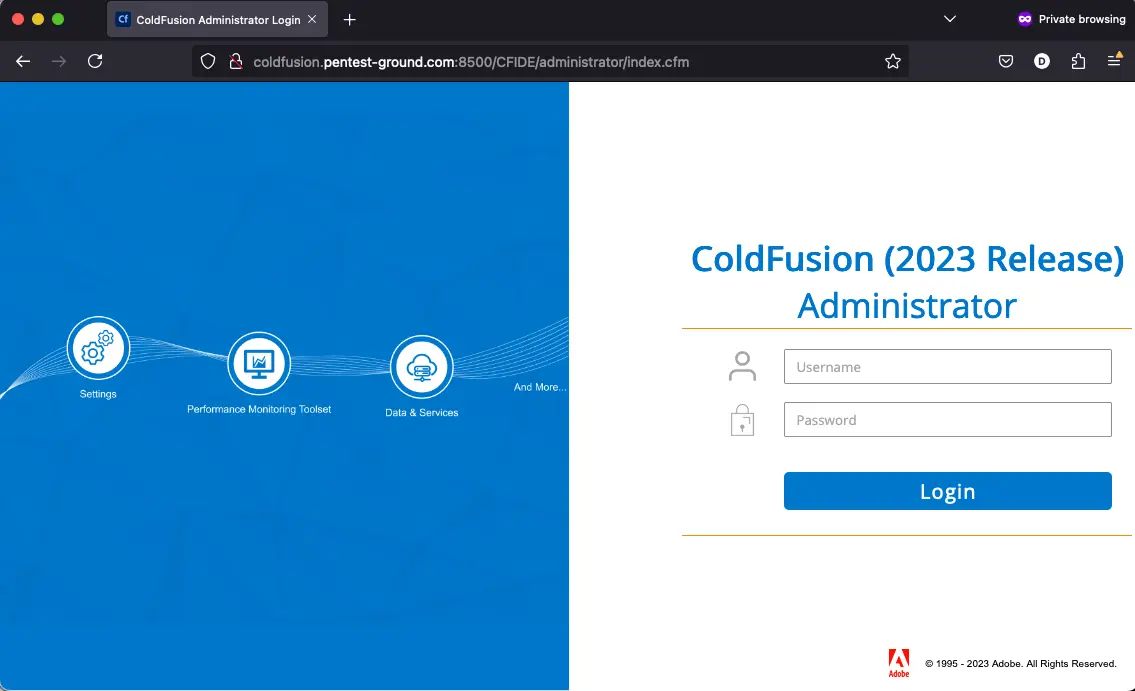
1. Find the web app login endpoint for Adobe Coldfusion
You will usually find the Adobe Coldfusion login form at the /CFIDE/administrator/index.cfm endpoint on port 8500.
2. Discover the login parameters for Adobe Coldfusion
Use the Network tab in Web Developer Tools to identify the parameters.

When a user submits a password to an Adobe ColdFusion application, a JavaScript function in the user's web browser hashes the password on the client-side before transmitting it to the server. This prevents the password from being sent in plain text over the network.
The client-side hashing mechanism uses a combination of the following:
MD5 hashing: The password is first hashed using the MD5 algorithm, which produces a 32-character hexadecimal string.
Salt value: A random salt value that the Adobe ColdFusion server generates is appended to the MD5-hashed password. The salt value prevents rainbow table attacks.
Base64 encoding: The resulting string (MD5 hash + salt value) is then Base64 encoded to produce a final hashed password string.
The ColdFusion server receives the hashed password string and either stores it in a database or compares it to an existing hash value for authentication.
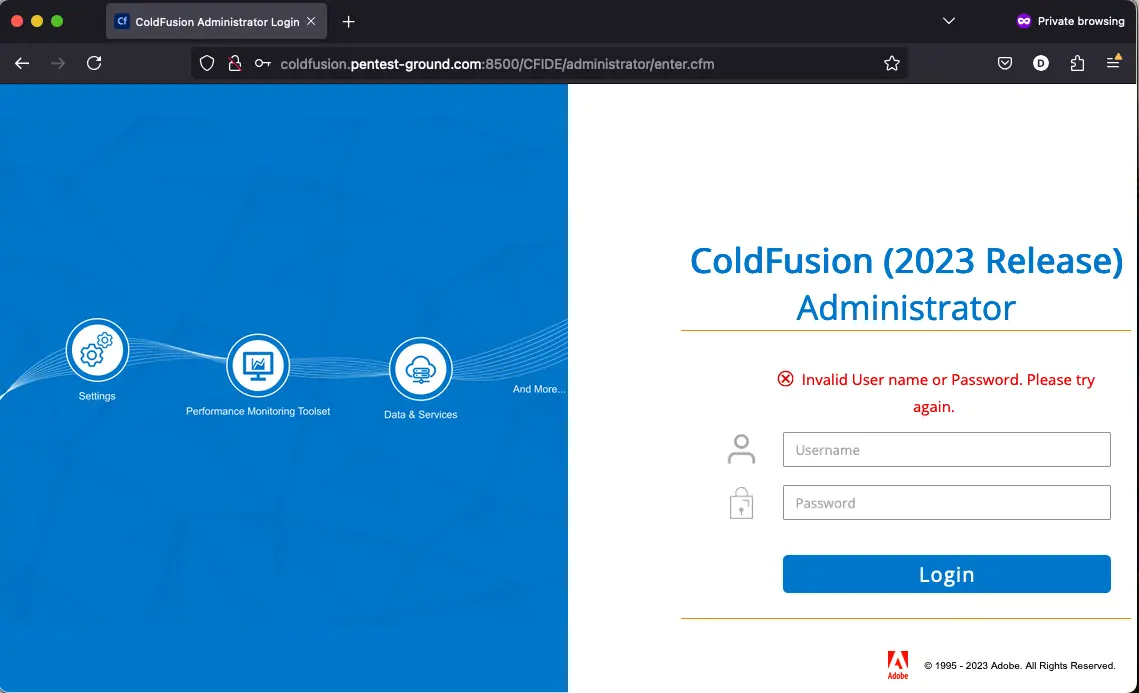
3. Identify error messages and protection mechanisms
After one invalid attempt, Adobe ColdFusion returns the following message:
Hydra commands and output
In the first 1 set of valid and 1 set of invalid credentials scenario, we used the following Hydra commands:
hydra -s 8500 -l admin -p bad-password coldfusion.pentest-ground.com http-post-form "/CFIDE/administrator/index.cfm:cfadminUserId=^USER^&cfadminPassword=^PASS^&requestedURL=%2FCFIDE%2Fadministrator%2Fenter.cfm:Invalid User name or Password. Please try again" -Vhydra -s 8500 -l admin -p ColdFusion123 coldfusion.pentest-ground.com http-post-form "/CFIDE/administrator/index.cfm:cfadminUserId=^USER^&cfadminPassword=^PASS^&requestedURL=%2FCFIDE%2Fadministrator%2Fenter.cfm:Invalid User name or Password. Please try again" -V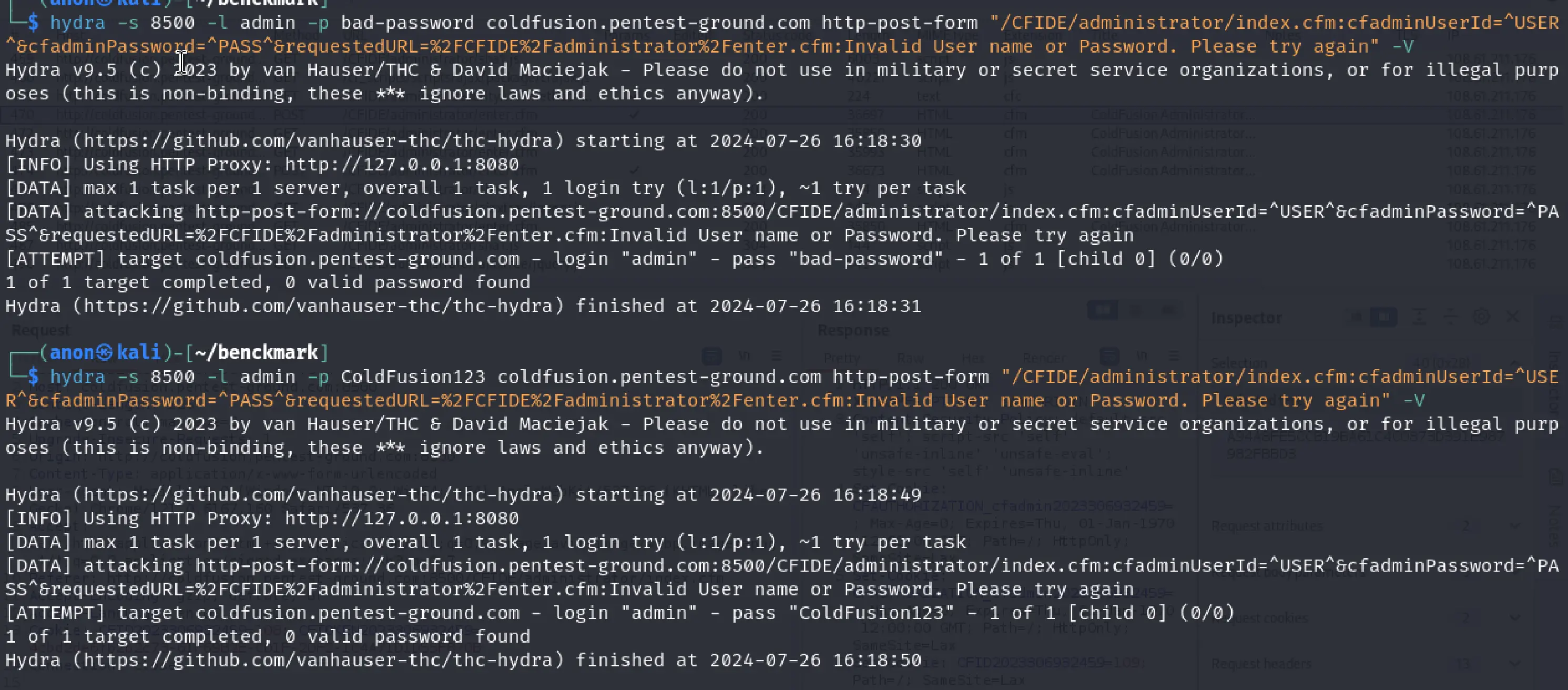
Unfortunately, as mentioned in the “Find the web app login endpoint for Adobe ColdFusion” section for this application, the password is hashed client-side, and Hydra cannot use the JavaScript function available in a browser to hash the password. As a result, Hydra cannot identify valid credentials on Adobe ColdFusion.
Since the first scenario didn't work, we didn’t go forward with testing the second one.
Password Auditor commands and results
For the first scenario, these are the parameters we adjusted to perform a more focused scan:
Target: http://coldfusion.pentest-ground.com:8500/CFIDE/administrator/index.cfm
Ports: Use port from target URL
Services: HTTP
Wordlists: pa-benchmark
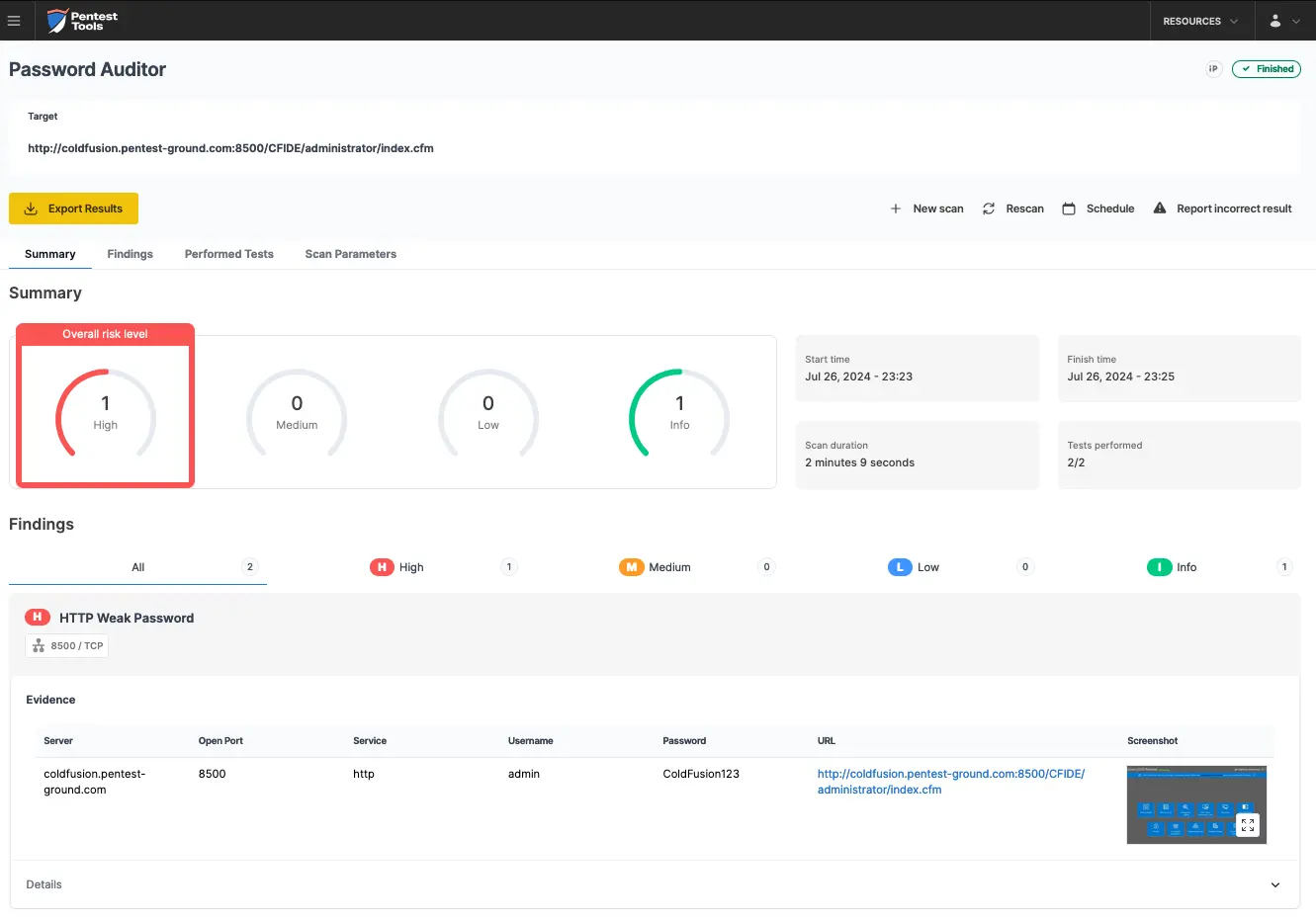
The pa-benchmark wordlist includes valid credentials, so the process involves making four attempts to the target: 3 with invalid credentials and 1 with valid credentials.
The screenshots below show that the Pentest-Tools.com Password Auditor successfully identified the valid credentials.
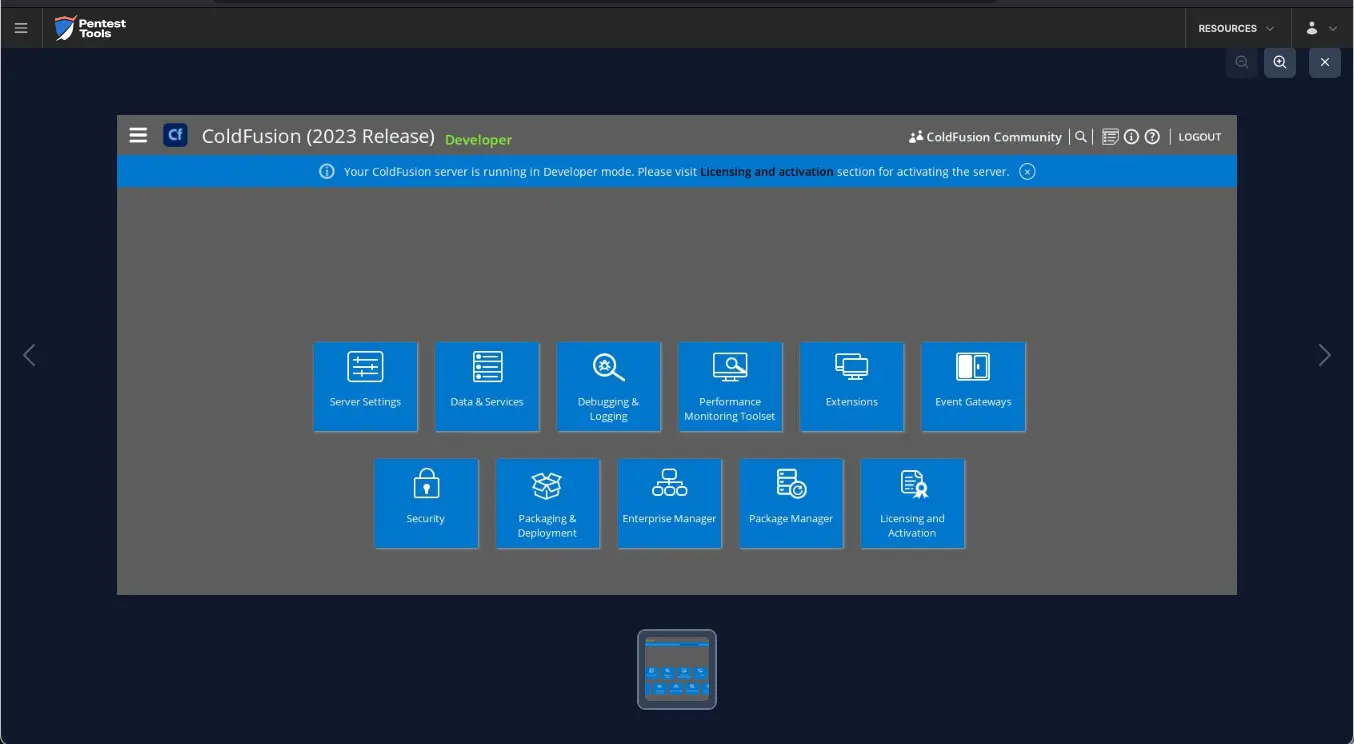
The Password Auditor also provides a screenshot of the logged-in session to verify the validity of the provided credentials.
For the second scenario, we modified the wordlist to include 2 users (1 invalid and 1 valid) and 12 passwords (11 invalid and 1 valid).
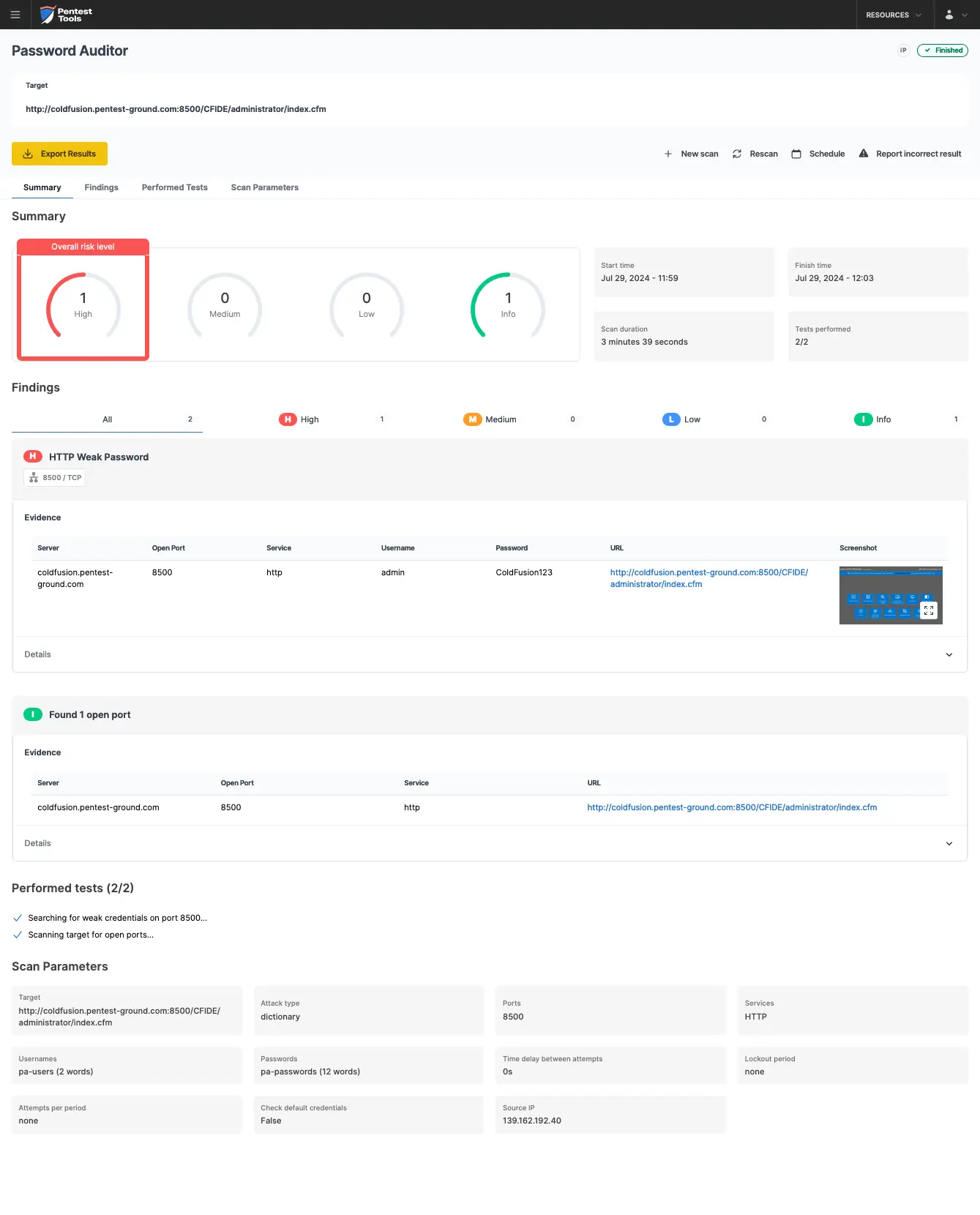
The Password Auditor identified the valid credentials when testing 2 users and 12 passwords.

Bruteforce commands and settings for Hydra and the Password Auditor
Since authentication mechanisms across business-critical platforms vary significantly, effective security assessment requires adapting to anti-brute-force protections, such as CAPTCHA challenges, IP blacklisting, session-based restrictions, and temporary lockouts.
By comparing Hydra’s manual brute-force capabilities with the Password Auditor’s automated credential testing, you’ll learn when to use precision attacks, leverage automation for efficiency, and capture proof of compromise to strengthen security assessments and justify mitigation actions.