Changelog

These are the latest updates we've made to our platform. If you have any questions about any of the updates you see below, please feel free to contact us!

October 2025

  1. Exclusive exploit for Magento SessionReaper (CVE-2025-54236)

    Copy link to “Exclusive exploit for Magento SessionReaper (CVE-2025-54236)”

    We’ve just added an exclusive exploit for CVE-2025-54236 (Magento & Adobe Commerce SessionReaper) into Sniper and paired it with Network Scanner detection - available exclusively to Pentest-Tools.com customers.

    Why it matters
    SessionReaper is a low-complexity, remote, unauthenticated vector — prime for mass exploitation. This release gives you fast detection and zero-guesswork validation in one place.

    How to use

    detect with the Network Scanner → validate in Sniper → re-scan to confirm remediation and rule out residual exposure across multiple assets.

    Exclusive exploit for Magento & Adobe Commerce SessionReaper - detect & validate CVE-2025-54236

    Want to learn the story behind the exploit? Dip into the detailed write-up on the blog!

  2. Detection for CVE-2025-26399 in SolarWinds Web Help Desk

    Copy link to “Detection for CVE-2025-26399 in SolarWinds Web Help Desk”

    Why it matters
    CVE-2025-26399 is a critical remote code execution vulnerability that could allow attackers to run arbitrary commands on vulnerable SolarWinds Web Help Desk instances. Early detection is essential to prevent potential exploitation and maintain the security of your infrastructure.

    How to use
    Run a scan with Network Scanner against your targets as usual. The tool will automatically check for signs of CVE-2025-26399 exposure and flag any vulnerable hosts.

    Key benefits

    • Detect vulnerable SolarWinds Web Help Desk instances affected by CVE-2025-26399

    • Gain visibility into potential exposure before attackers can exploit it

    • Strengthen your security posture with timely vulnerability insights

  3. NEW: Vanta integration just got an upgrade!

    Copy link to “NEW: Vanta integration just got an upgrade!”

    Keeping compliance evidence current shouldn’t be a manual job.

    That’s why now you can sync validated vulnerabilities and scheduled scan results directly into Vanta - automatically.

    Here’s what’s new:

    🎯 32 Vanta tests + 2 controls mapped - your findings now tie directly to relevant Vanta compliance checks.

    🎯 Daily sync at 05:00 UTC - stay continuously audit-ready without uploading reports manually.

    🎯 Smart filtering - manual findings are included, while informational or closed findings are excluded to keep data clean.

    🎯 Scheduled scans automatically synced to Compliance → Documents → Vulnerability Scan (up to 5 per recurrence).

    🎯 Available on all paid plans.

    👉 If you’ve used the integration before, please re-link your Vanta account to grant permissions for vulnerability syncing.

    See how it works in this short demo:

    From scans to automated compliance evidence - Vanta Integration
  4. Detection for CVE-2025-10035 in Fortra GoAnywhere MFT

    Copy link to “Detection for CVE-2025-10035 in Fortra GoAnywhere MFT”

    Why it matters
    CVE-2025-10035 is a remote code execution vulnerability that allows attackers to execute arbitrary commands on vulnerable Fortra GoAnywhere MFT instances. Detecting affected systems early is crucial to mitigate risks and protect sensitive data.

    How to use
    Scan your targets using Network Scanner. The tool automatically checks whether CVE-2025-10035 affects any detected Fortra GoAnywhere MFT installations and highlights vulnerable hosts in the results.

    Key benefits

    • Identify Fortra GoAnywhere MFT instances vulnerable to CVE-2025-10035

    • Reduce exposure to active exploitation attempts

    • Support faster remediation through precise detection

  5. Launch internal scans directly in Azure

    Copy link to “Launch internal scans directly in Azure”

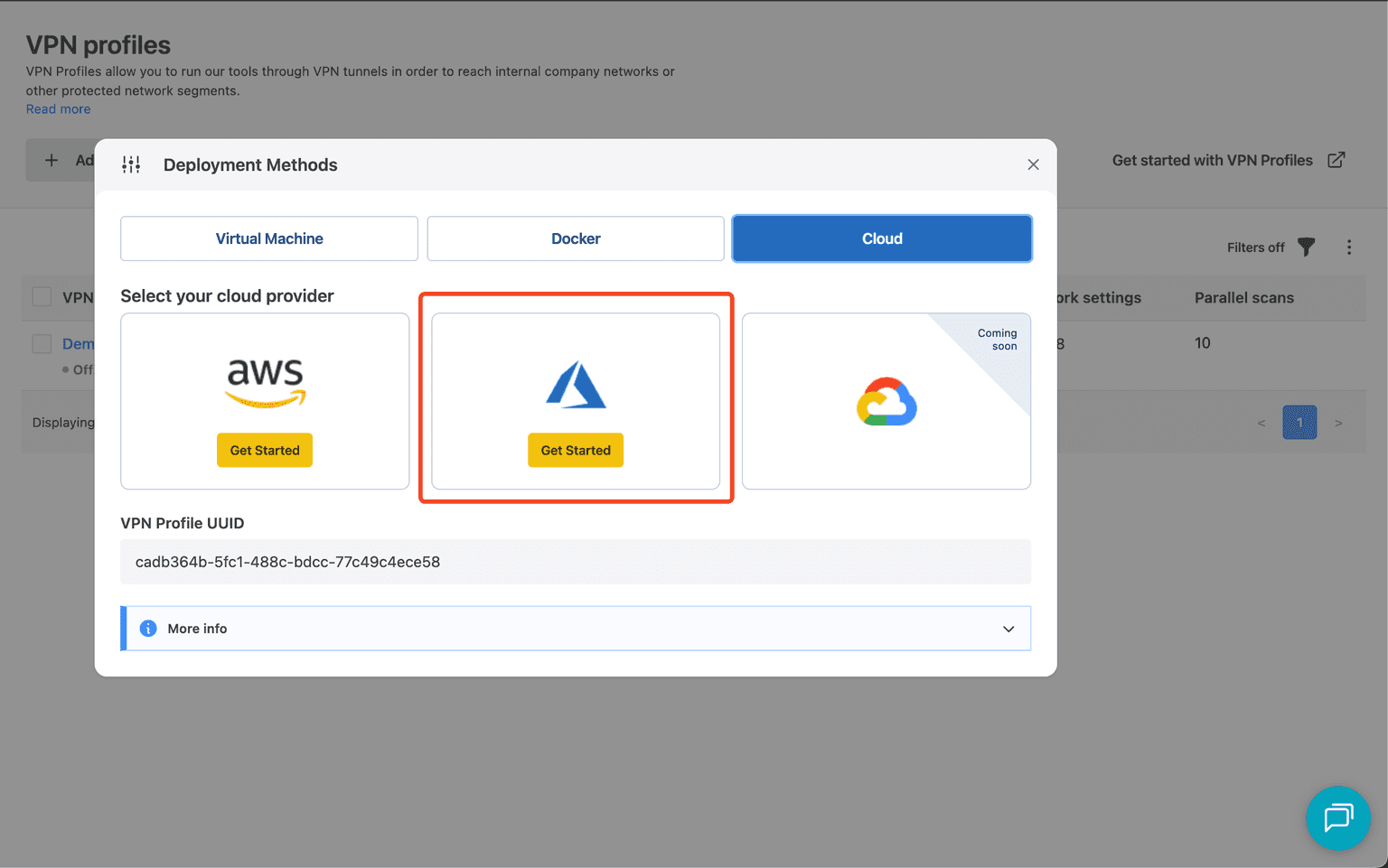
    Now you can securely access your private Azure infrastructure with our fresh internal network scanning (VPN agent) capability — so you can run internal vulnerability scans and pentests in minutes.

    Key benefits:

    🎯 Complete visibility – Extend your vulnerability assessments beyond the perimeter to cover internal servers, endpoints, and services in Azure.

    🎯 Secure by design – All scans are tunneled through the VPN Agent with no inbound firewall changes required.

    🎯 Unified view – Run the same Pentest-Tools.com tools for both external and internal testing, managed from a single interface.

    🎯 Fast deployment – Launch in minutes and start scanning immediately, without manual setup.

    💡 Ideal for: security teams covering hybrid environments and consultants managing client cloud networks.

September 2025

  1. Detect SonicWall - Improper access control now

    Copy link to “Detect SonicWall - Improper access control now”

    We keep enhancing the Network Scanner coverage so you can find critical issues before attackers do.

    The latest? This critical vulnerability in SonicWall SonicOS - CVE-2024-40766 (Unauthorized access) allows an unauthenticated remote attacker to gain access as admin on the management console.

    PRO TIP: run targeted CVE scans to validate patching, identify remaining attack surface, and generate evidence for stakeholders.

  2. 🎯 Prove exploitability faster = new Sniper modules

    Copy link to “🎯 Prove exploitability faster = new Sniper modules”

    We added 4 fresh, high-value exploit modules to Sniper: Auto-Exploiter, our proprietary offensive tool, so you can confirm risk quickly and produce stronger evidence for remediation:

    Fortinet FortiSIEM - CVE-2025-25256 (RCE)
    Sniper will give you proof of exploit for this critical RCE vulnerability in FortiSIEM deployments.

    Microsoft SharePoint - CVE-2025-53771 (Auth Bypass) & CVE-2025-49704 (RCE)
    Sniper now includes modules to test both authentication bypass and RCE paths in SharePoint so you can demonstrate end-to-end impact.

    FreePBX — CVE-2025-57819 (Auth Bypass → SQLi → RCE)
    A chained failure: Sniper can validate the authentication bypass that leads to SQL injection and potential RCE in affected FreePBX installs.

    OpenSSH — CVE-2018-15473 (Username enumeration)
    We added a module to automate proof of username enumeration on OpenSSH services (useful in pentests and red-team enumeration phases).

    Why this helps: consultants get fast, reproducible PoCs for client reports; internal teams get quick validation that prioritizes remediation of exploitable paths.

    Remember: if Sniper can exploit it, our Network Scanner can detect it!

  3. NEW: Burp Suite extension for pentesters

    Copy link to “NEW: Burp Suite extension for pentesters”

    Manual reporting slowing you down? 

    Our new Burp Suite extension lets you send selected Audit Issues directly to your Pentest-Tools.com workspace- no copy-paste needed.

    It’s built for pentesters who want clean, consistent findings that are ready to report - faster.

    See how it works:

    From Burp to report - Integration with Burp Suite Professional

August 2025

  1. Take control of web app auth check and findings

    Copy link to “Take control of web app auth check and findings”

    Fresh improvements to our proprietary Website Scanner let you handle authentication and findings with less hassle and more clarity:

    Record auth flows with Chrome – We’ve moved to Chrome Developer Tools to record and configure logins faster and with more reliability. Start here.

    Re-enabled Check Authentication  – Test your credentials upfront and see a screenshot of a successful login, so you know it works.

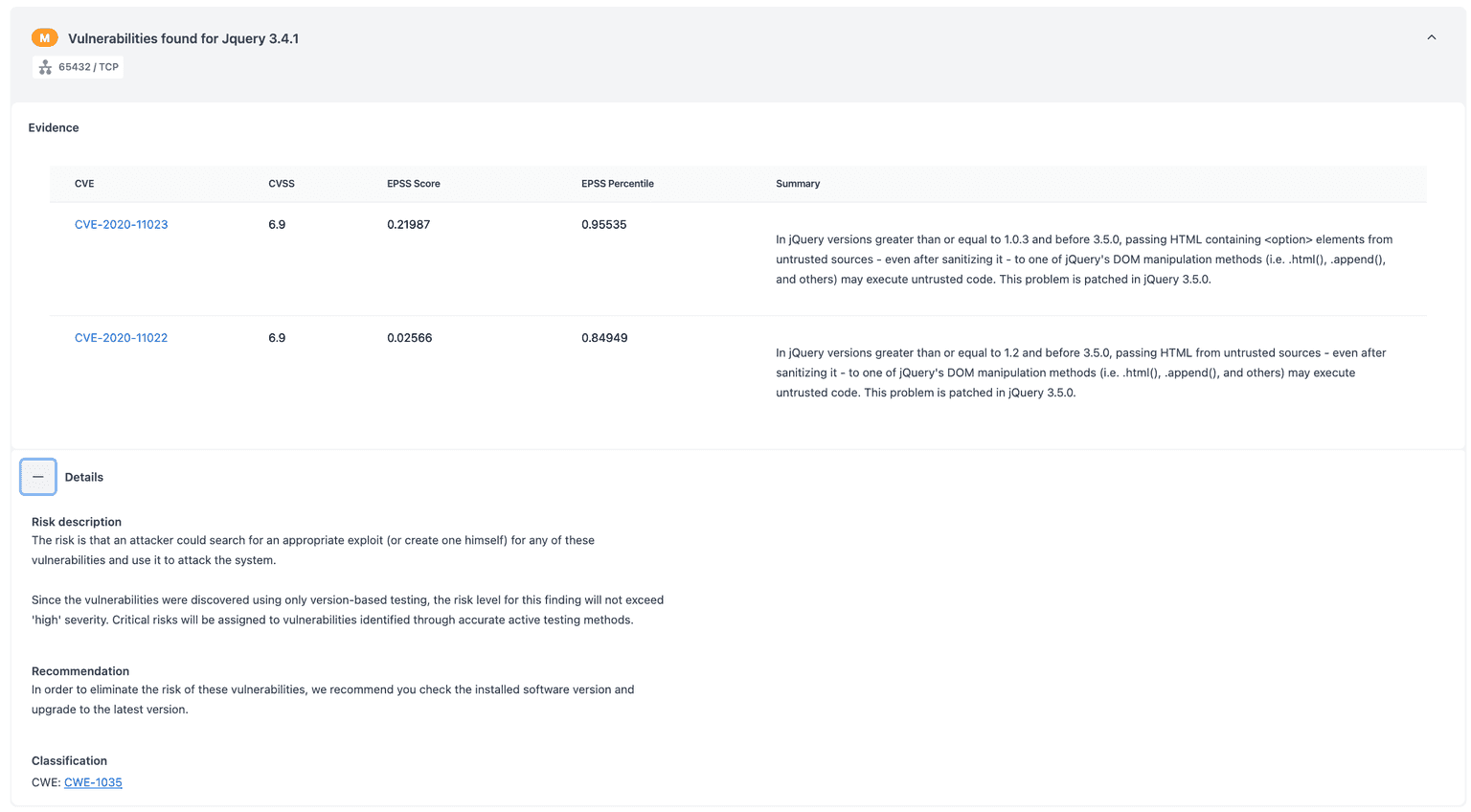
    Spot outdated server software clearly – The scanner creates a separate finding for each vulnerable technology instead of lumping them together, so you can act on what matters.

    Product interface jquery findings image

  2. Prioritize more accurately with EPSS scoring

    Copy link to “Prioritize more accurately with EPSS scoring”

    We’ve expanded support for the Exploit Prediction Scoring System (EPSS) to help you quickly assess which vulnerabilities are most likely to be exploited:

    For the Website Scanner – Findings now show the CVE name and EPSS score right at the top, so you immediately know which ones attackers are most likely to exploit.

    For the WordPress & Drupal Scanners – Findings now include EPSS data and are better organized with CVE name, score, and percentile highlighted.

    WP-seopress plugin findings image

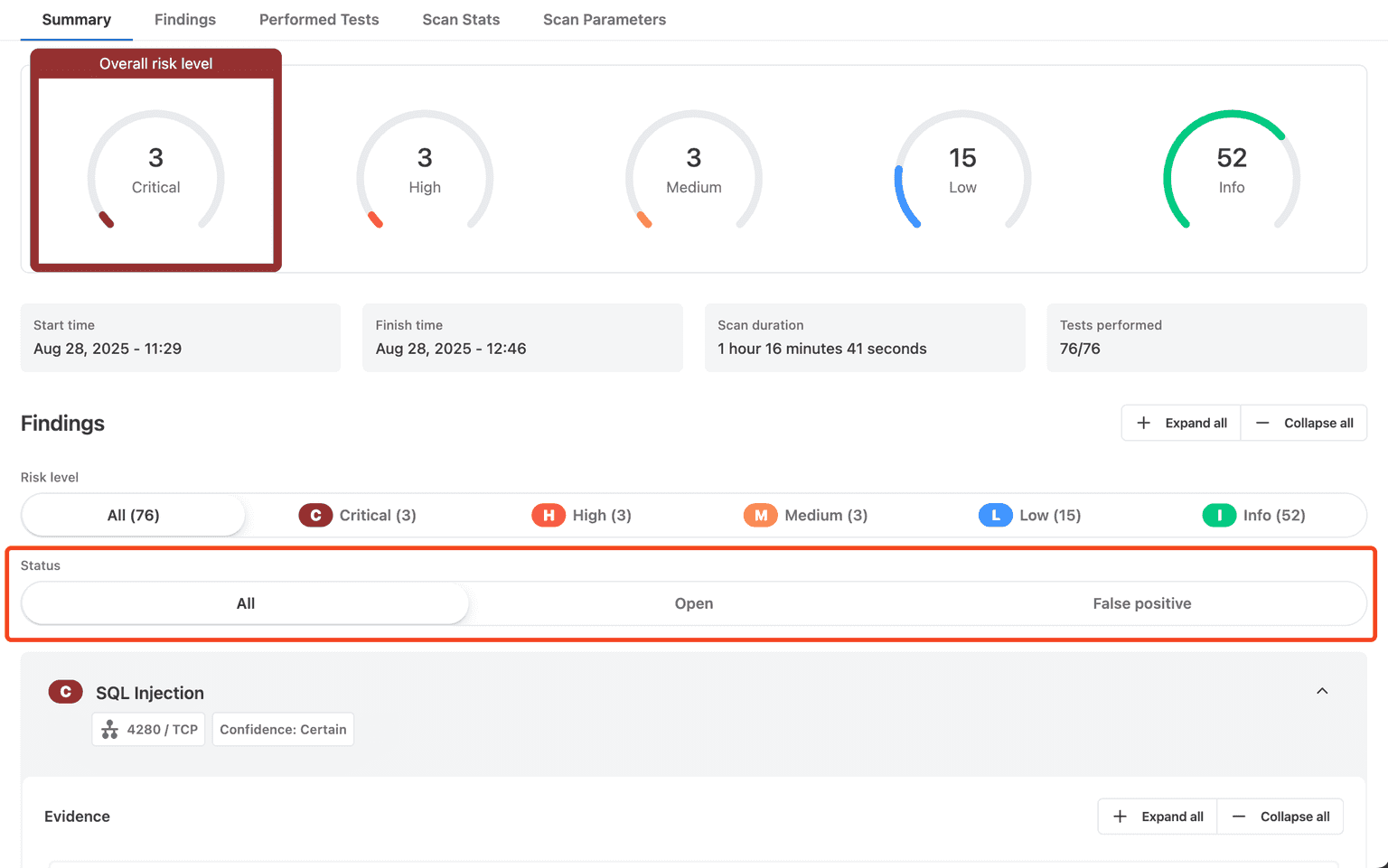
  3. Your scan results are now easier to work with:

    Collapse findings – Hide or expand findings with a single click for cleaner navigation.

    View all statuses – Findings with any status (not just Open) now appear in their own tab.

    Classification in headers – CVSS, EPSS, CISA KEV, and Confidence (Certain/Uncertain) are now at the top of each finding.

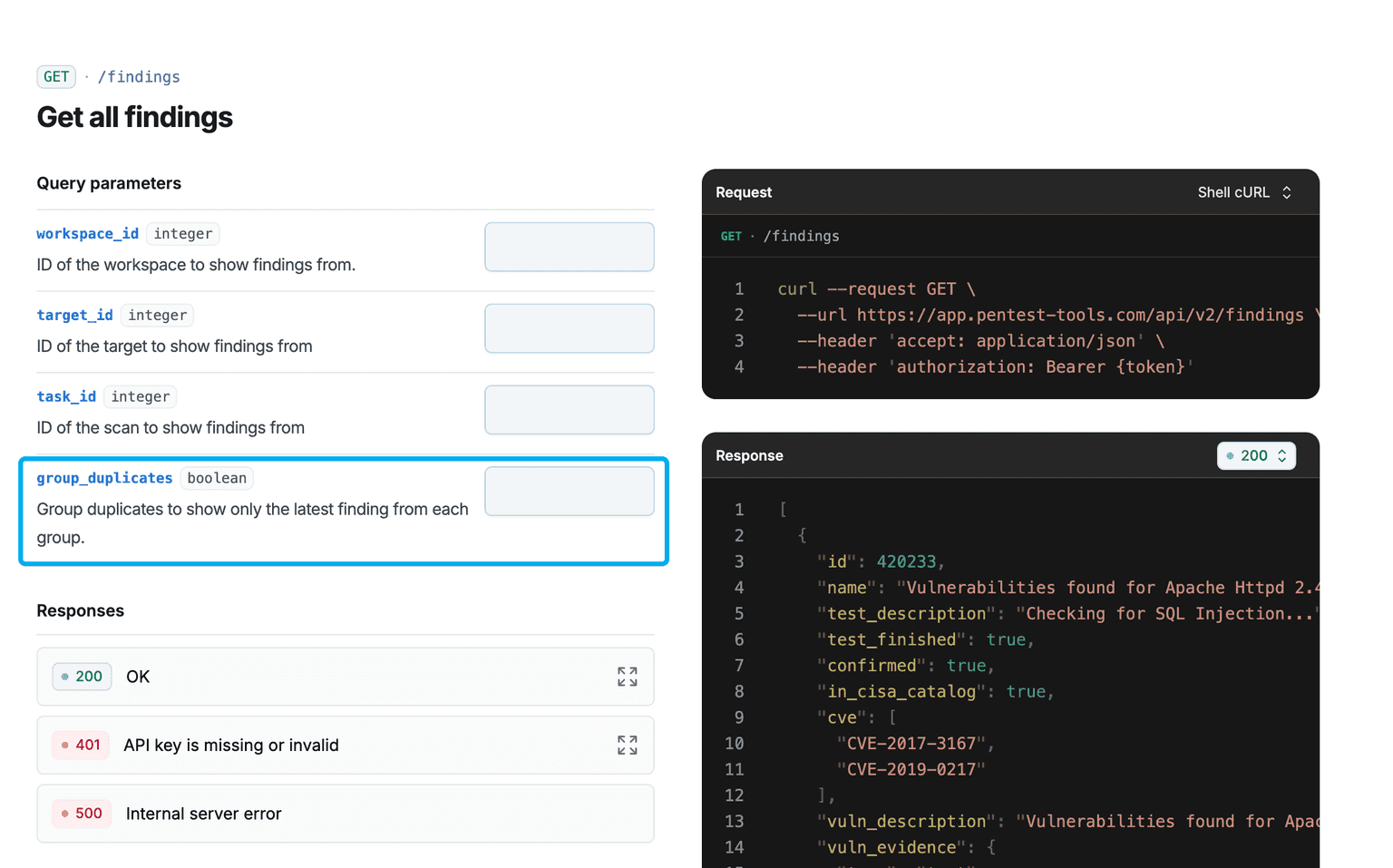
    Grouped findings via API – Use the new group_findings param on /findings to pull data grouped exactly like in the dashboard.

  4. We’ve added even more improvements that make asset and findings management more efficient:

    Multiple AWS regions – Import assets across multiple regions (default region config) without adding separate integrations.

    Asset descriptions everywhere – Asset descriptions now show in Scans and Findings (including manual findings) for easier identification.

July 2025

  1. Detect ToolShell (CVE-2025-53770) now!

    Copy link to “Detect ToolShell (CVE-2025-53770) now!”

    Patching is only half the job — validating your mitigations is what ensures your SharePoint infrastructure is actually secure.

    The Network Vulnerability Scanner now provides fast, targeted detection for this unauthenticated critical RCE vulnerability (CVE-2025-53770, CVSSv3 9.8):

    ✅ Instantly scan SharePoint servers using a single-CVE scan

    ✅ Confirm whether patches were effective

    ✅ Get detailed, evidence-backed findings to report confidently and prioritize remediation where it matters most.

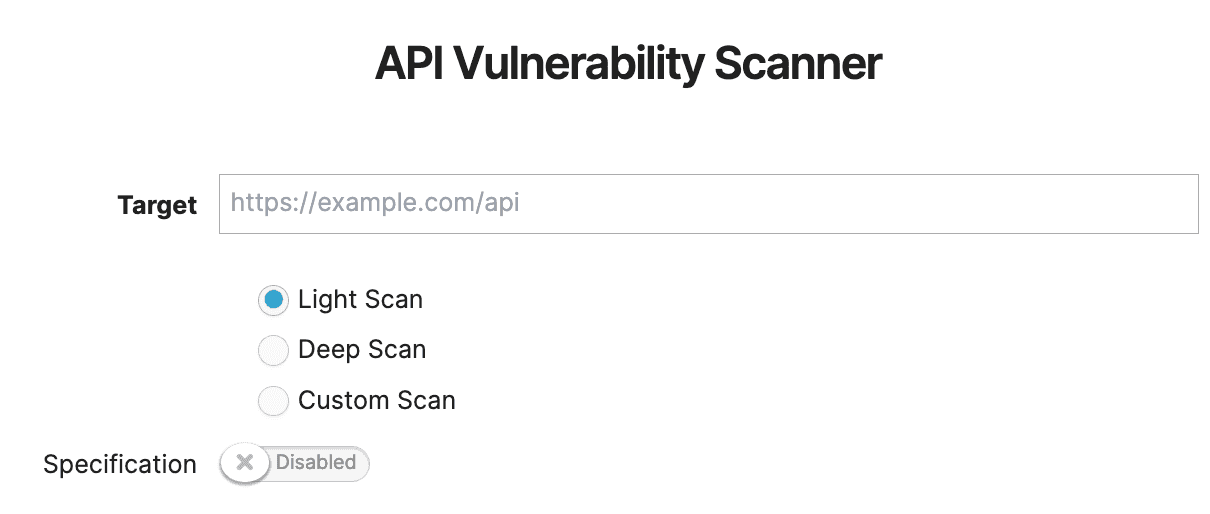
  2. Choose API Scanner modes for better control

    Copy link to “Choose API Scanner modes for better control”

    Need fast, flexible API scans or do you want to do a full-fledged integration test?

    The API Vulnerability Scanner now supports all our scanning depths:

    🎯 Light for fast results

    🎯 Deep for full-coverage scans

    🎯 Custom lets you select scan depth and choose between REST or GraphQL APIs.

    🌟 Bonus: The API spec file is now optional — so you can start testing even if documentation is incomplete.

  3. The Network Scanner now flags several types of DNSSEC (Domain Name System Security Extensions) misconfigurations that are often overlooked, but impactful:

    ✅ Large DNSSEC responses (amplification risks)

    ✅ Weak cryptographic algorithms

    ✅ Missing or insecure DNS cookies

    ✅ Improper or missing EDNS usage

    Ideal for:
    🎯
    Security consultants doing external infrastructure reviews
    🎯 Internal security teams hardening critical DNS services

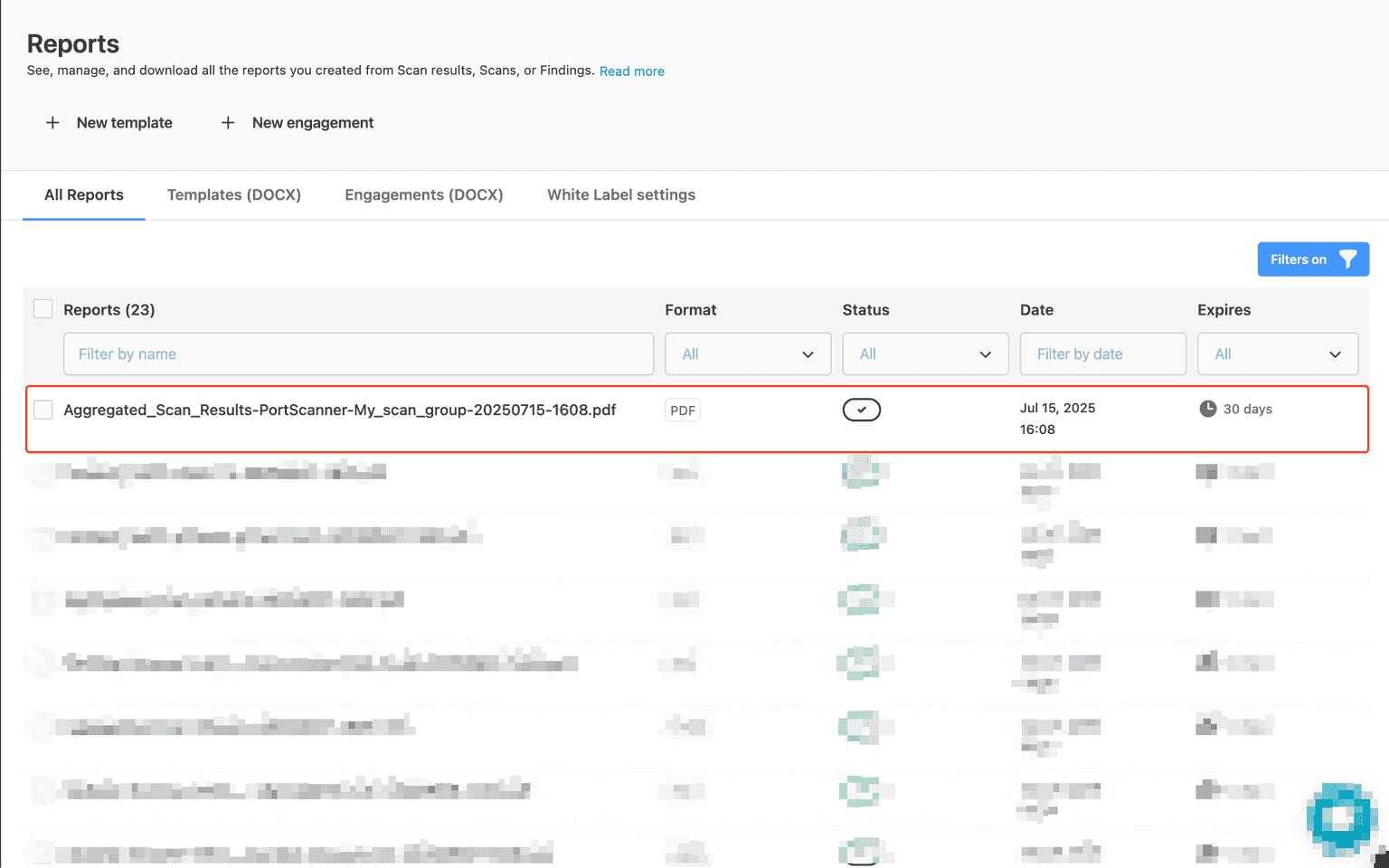
  4. Download scan group results directly from Reports

    Copy link to “Download scan group results directly from Reports”

    Running large test sets using grouped scans? Now, when all scans in a group finish, the aggregated results are available right in your Reports section - not just by email.

    This update makes life easier for consultants managing multiple clients and teams tracking internal remediation workflows.

  5. Get more proof of exploitation with Sniper

    Copy link to “Get more proof of exploitation with Sniper”

    Sniper: Auto-Exploiter, our proprietary offensive solution, now gives you proof of exploitation for two new RCEs - helping you confirm impact with just a few clicks:

    • CVE-2025-47577 (CVSSv3 10.0) – a dangerous RCE in WordPress TemplateInvaders TI WooCommerce Wishlist allowing for Upload a Web Shell to a server

    • CVE-2025-4427 (CVSSv3 5.3) – a medium RCE in Ivanti Endpoint Manager Mobile allowing attackers to access protected resources without proper credentials.

    Use Sniper to demonstrate real-world risk, complete with payloads and proof.

    Don’t forget: if Sniper can exploit it, our Network Scanner can detect it.

  6. The Website Scanner’s spidering process now uses Locality Sensitive Hashing (LSH) to compare similar pages more efficiently.

    What this means for you:

    ✅ Cover more ground in less time and surface hidden endpoints quickly

    ✅ Improve test coverage on apps with repetitive structures or dynamic content

    You may see more URLs discovered in your scans - slightly longer scan time, but way better visibility!

    We’re constantly optimizing our proprietary Website Scanner for better scan performance.

June 2025

  1. Filter scan results by time with the API integration

    Copy link to “Filter scan results by time with the API integration”

    Working with /api/v2/scans?

    You can now filter by start_time to get only the results you need at one point.

    Bonus: scan results are now sorted by most recent first by default, helping you spot what’s relevant without digging.