Changelog

These are the latest updates we've made to our platform. If you have any questions about any of the updates you see below, please feel free to contact us!

April 2026

  1. XSS Exploiter: callback IP address and request headers

    Copy link to “XSS Exploiter: callback IP address and request headers”

    Two new data points are now visible on every XSS Exploiter callback:

    • IP address: see exactly which IP the callback came from. Confirms whether it originated from the target's browser, a bot, or an unintended third party.
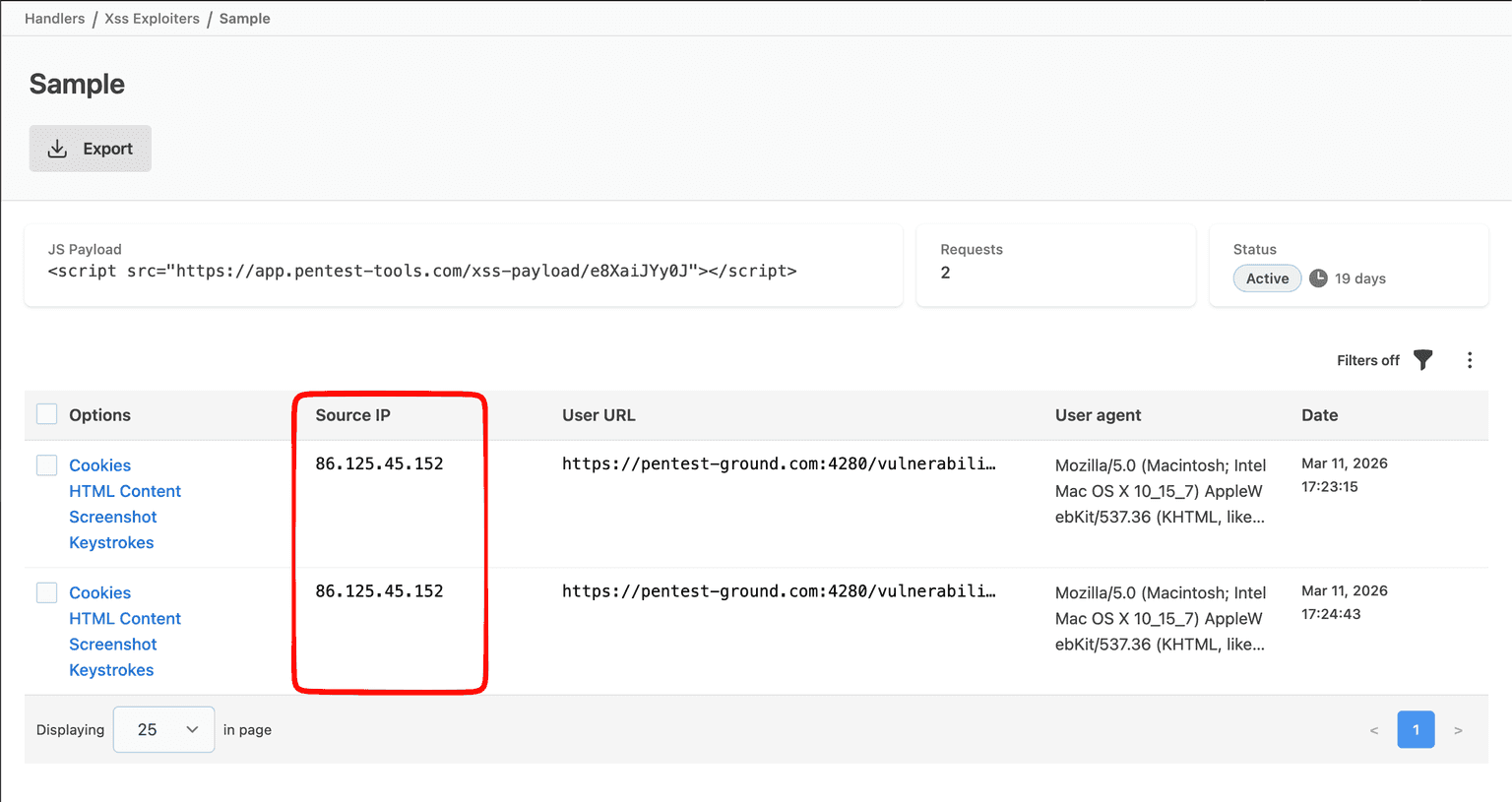
    • Request headers: now visible alongside cookies, page content, screenshots, and keystrokes. Session tokens, authentication cookies, and custom app headers, all at callback time.
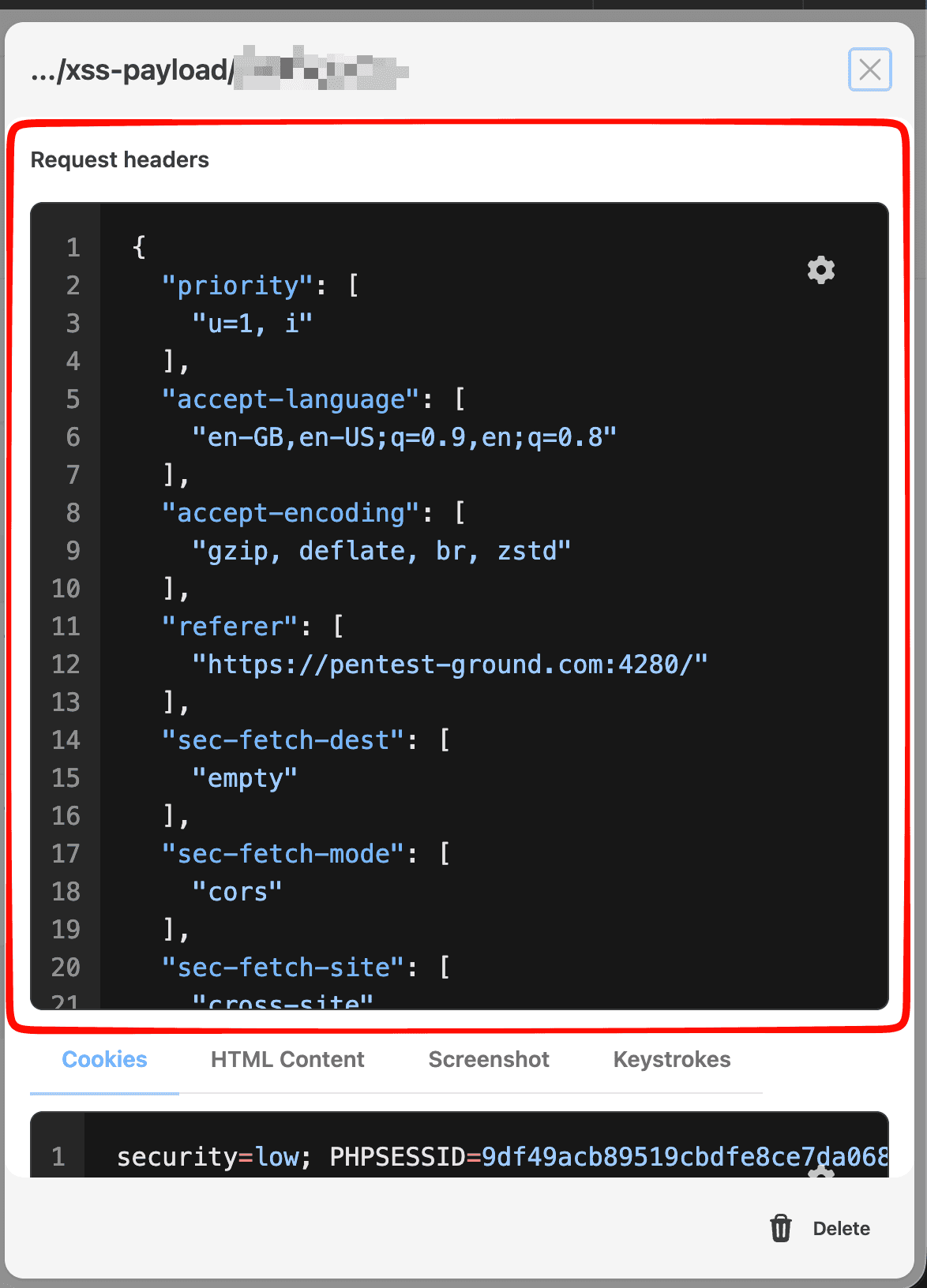
    Both surface directly in tool results. Two common validation gaps, closed without leaving the product.
    Use it to see callbacks

  2. Private key detection in Website Scanner

    Copy link to “Private key detection in Website Scanner”

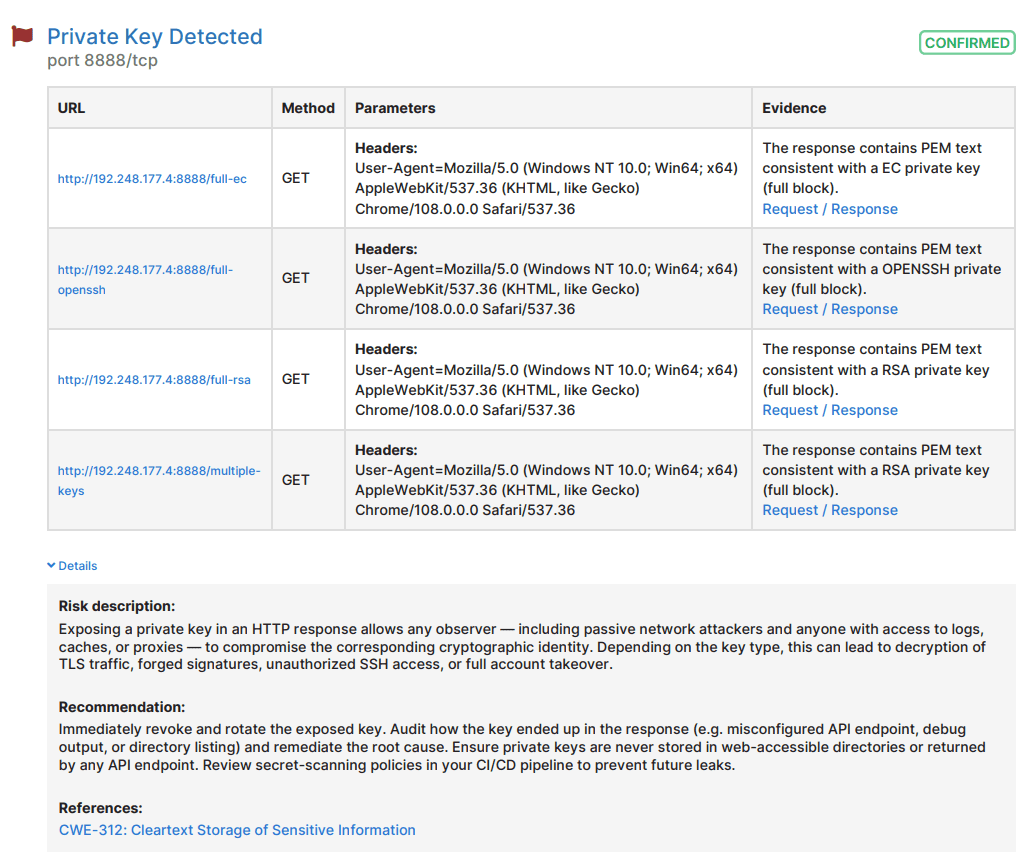
    The Website Scanner now detects private keys exposed in HTTP responses. The check runs passively - no configuration required, no extra setup.

    RSA, EC, and other common formats are included. If a private key is leaking from your target, this surfaces it. An attacker with that key has full access to whatever server infrastructure it belongs to. These findings get missed in manual testing because the response looks like noise until you look closely.

    Useful for external pentests and internal security reviews of web application infrastructure.

    Run a web scan

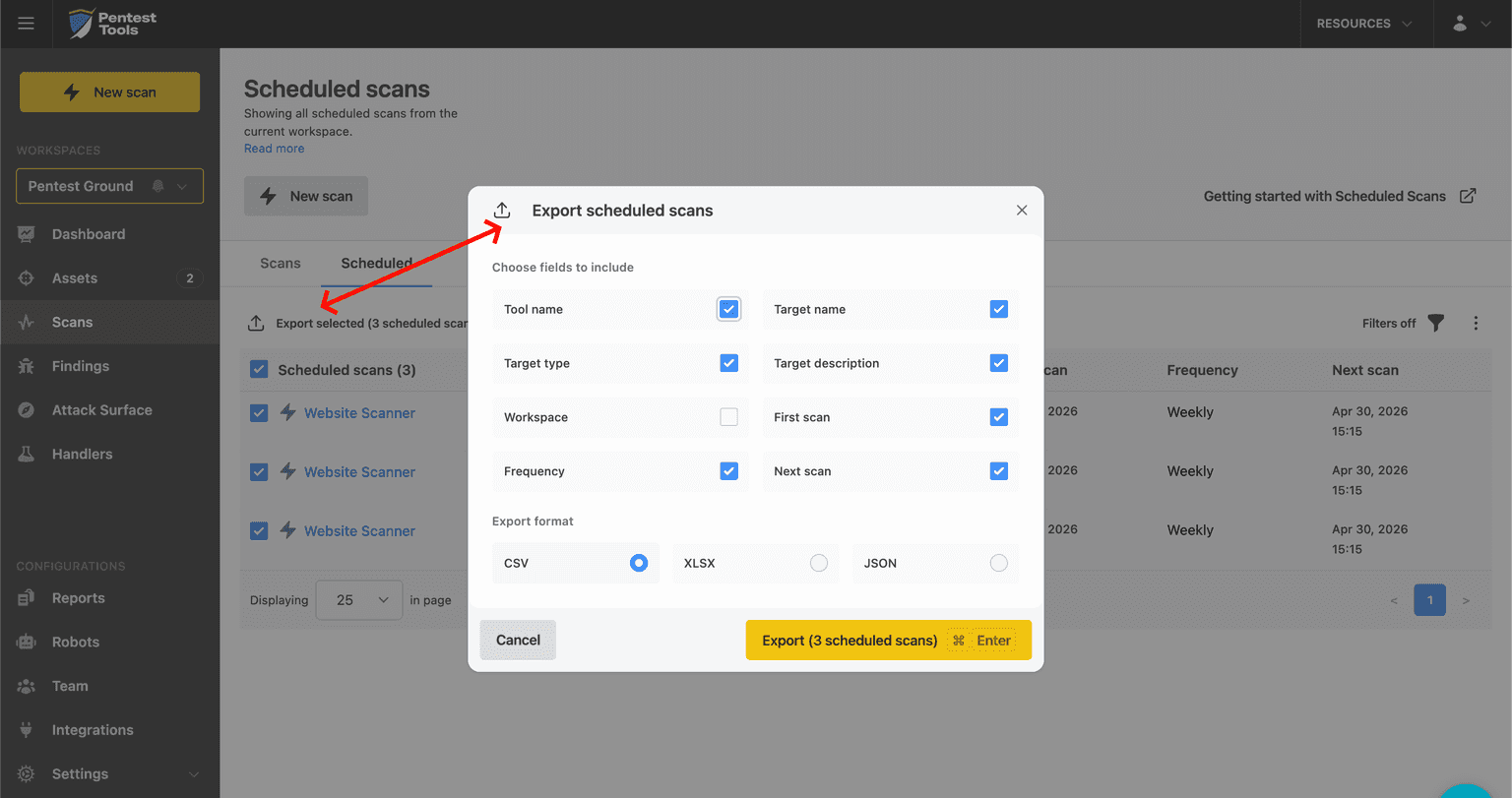
  3. You can now export the full list of scheduled scans configured across your workspaces. Each row includes scan name, target, frequency, last run time, and workspace.

    One file. Every workspace. Ready to hand to an auditor or drop into compliance documentation where recurring scans are a control requirement.

    This one came from a feature request. Thanks for flagging it.

    Export your scheduled scans

  4. Filter /findings output by risk level via API

    Copy link to “Filter /findings output by risk level via API”

    The /findings endpoint now accepts min-risk-level and max-risk-level parameters. Use either or both:

    • min-risk-level: returns findings at or above the specified level (e.g. high and critical only)

    • max-risk-level: returns findings at or below the specified level (e.g. medium and below)

    • Combine both to retrieve a specific range (e.g. medium only)

    Automation pipelines no longer need to pull everything and filter client-side. Payload size drops for integrations feeding SIEMs, ticketing systems, or reporting tools. Pairs with existing /findings filters for more precise data retrieval.

    Read the API docs

  5. Offensive Security Research Hub: the full FuelCMS stack

    Copy link to “Offensive Security Research Hub: the full FuelCMS stack”

    Seven CVEs. One CMS. A chain that reaches unauthenticated RCE at CVSS 9.8 if you pull the right two.

    • PTT-2025-025 / CVE-2026-30455: unauthenticated account takeover via email array. The entry point for the highest-severity chain.

    • PTT-2025-026 / CVE-2026-30456: authenticated RCE via Dwoo template escape. Chained with 025, this reaches CVSS 9.8 unauthenticated.

    • PTT-2025-027 / CVE-2026-30457: improper authorization on Blocks. Widens the access surface post-authentication.

    • PTT-2025-028 / CVE-2026-30461: authenticated RCE via git submodules. A second RCE path, independent of 026.

    • PTT-2025-029 / CVE-2026-30459: password reset poisoning via Host header. Opens a second account takeover path and delivers the token that 030 needs.

    • PTT-2025-030 / CVE-2026-30460: SQL injection via password reset token. Needs a valid token — 025 and 029 both hand you one.

    • PTT-2025-031 / CVE-2026-30462: sensitive file read via path traversal. Reads .php files as www-data. The readable file is database.php.

    FuelCMS v1.5.2. Master branch hasn't moved in roughly four years. Vendor notified.

    Research by Matei "Mal" Bădănoiu and Raul Bledea.

    Read the full writeups

  6. Got questions about scan coverage, authentication workflows, reporting, or anything else on the platform? Bring them to a live session with Jan, our channel account manager. He answers in real time and covers whatever's on your mind.

    Sessions run on Zoom. We announce registration links via email, LinkedIn, and on the website. Can't make it live? All past sessions are recorded and available to watch at any time.

    Watch replays

  7. How we use AI in Pentest-Tools.com (and why)

    Copy link to “How we use AI in Pentest-Tools.com (and why)”

    Most AI claims in security tooling are vague by design. This isn't that.

    We think like attackers, which means we question assumptions before we build on them, including assumptions about where AI actually helps in a penetration testing workflow. This page explains exactly where AI fits into the platform, what it does, and why we made those calls.

    No hype. Just the reasoning.

    See how we use AI

  8. CVE-2026-40321 is a stored XSS in DNN Platform that chains into RCE via SVG upload. The payload travels through the application's own internal messaging system. The admin sees an image file. The backdoor is already running.

    Matei "Mal" Bădănoiu published the research. Cybernews covered it the same day. That's what sharp attack chain documentation looks like.

    Read the original research

  9. Automation works best when it earns its place in a workflow. This resource shows exactly where Pentest-Tools.com fits in a real engagement, not as a replacement for manual testing, but as the part that handles what doesn't need your full attention.

    Watch our teammates run through actual penetration testing workflows, with commentary on when to lean on automation and when to go hands-on.

    See how it works IRL

  10. False positives waste time you don't have. Getting scan results your team can act on without spending half the engagement triaging noise takes deliberate engineering choices, and deliberate workflow ones.

    This overview covers the configuration and workflow options that give you the most control over scan precision, built around how the team here actually thinks about accuracy.

    See how we cut FPs

March 2026

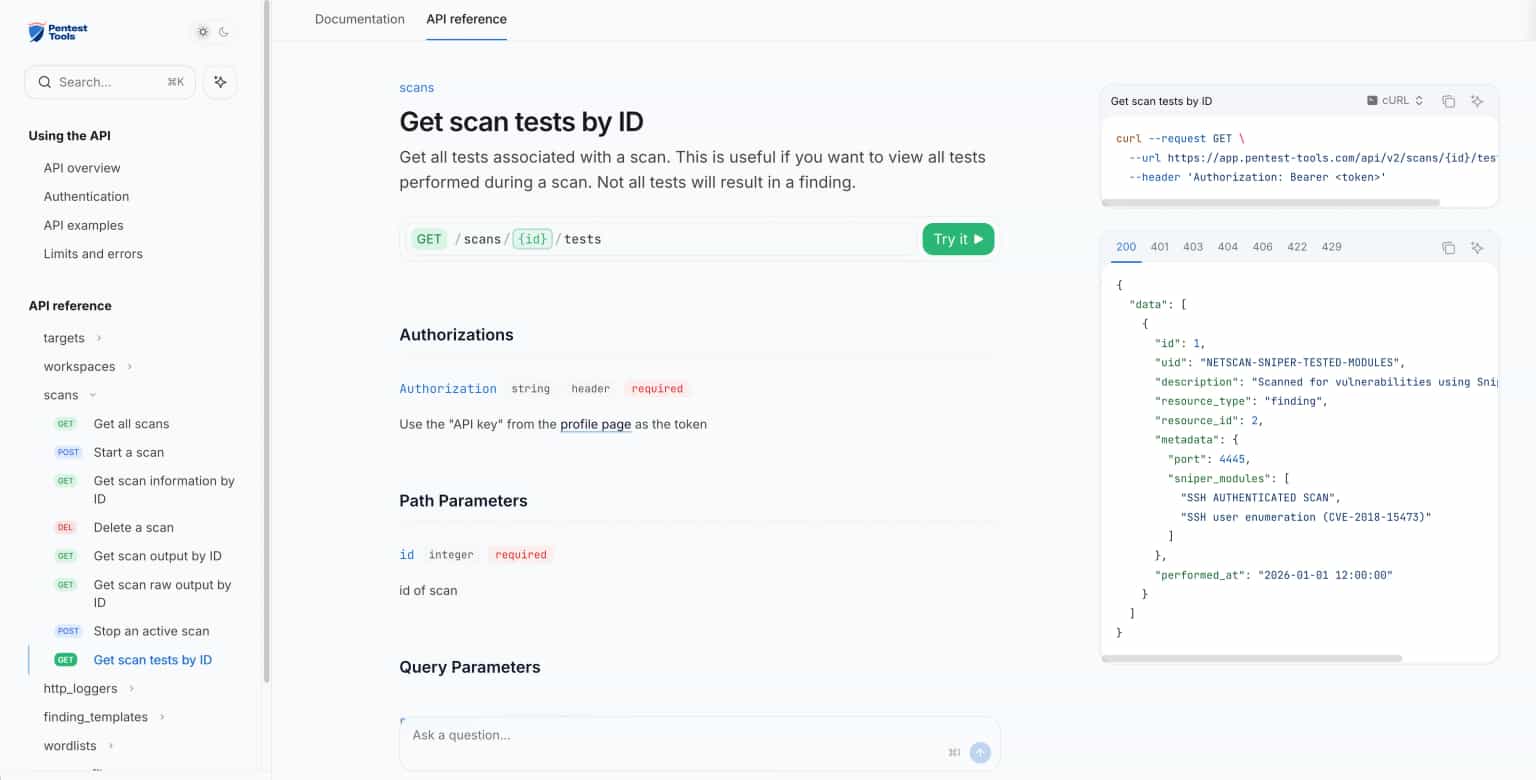
  1. Two new API endpoints let you retrieve the tests performed during a scan or the tests that triggered a specific finding: /scans/{id}/tests and /findings/{id}/tests.

    Use this to:

    • Pull granular scan coverage data into your own tooling or SIEM

    • Link findings to the exact test that detected them, programmatically

    • Support automation pipelines that need full scan test data

    👉 See the API documentation 👈

  2. Exploit for Remote Code Execution in Hikvision IP camera/NVR (CVE-2021-36260)

    Copy link to “Exploit for Remote Code Execution in Hikvision IP camera/NVR (CVE-2021-36260)”

    We added an exploit for CVE-2021-36260 (Hikvision IP camera/NVR) to Sniper, paired with Network Scanner detection.

    Why it matters

    Hikvision is one of the most widely deployed camera vendors globally, including in corporate physical security systems. These devices typically sit on the same network segments as everything else.

    How to use

    Detect with the Network Scanner → validate the risk in Sniper → use the proof to prioritize remediation.

  3. Exploit for Remote Code Execution in SolarView Compact (CVE-2022-29303)

    Copy link to “Exploit for Remote Code Execution in SolarView Compact (CVE-2022-29303)”

    Sniper now supports exploitation of CVE-2022-29303 (SolarView Compact), with Network Scanner detection included.

    Why it matters

    SolarView Compact devices are common in industrial and OT environments. A compromised device makes a useful pivot point into broader network infrastructure.

    How to use

    Detect with the Network Scanner → prove exploitability in Sniper → document the finding for remediation prioritization.

  4. AI-enhanced authentication inside the Website Scanner

    Copy link to “AI-enhanced authentication inside the Website Scanner”

    The Website Scanner's Automatic and Recorded authentication methods now use AI as a fallback when standard login detection fails. On complex or dynamic pages, the AI layer kicks in and completes the login reliably. It only intervenes when the current method can't.

    What's in it for you:

    • Fewer failed scans on modern web apps with non-standard login flows

    • No configuration changes needed

    • More consistent scan coverage across authenticated areas of your targets

  5. Tests performed by a scan are now visible in results

    Copy link to “Tests performed by a scan are now visible in results”

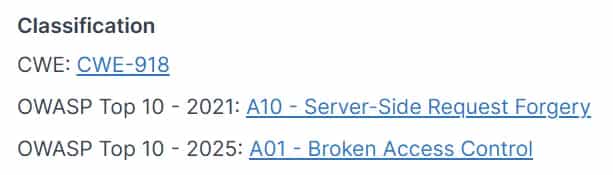
    Scan results now show the tests that ran during a scan, grouped by port. Previously, this information surfaced as Informational findings which added noise. That distinction is now clear.

    Why this matters:

    • Easier to verify scan coverage at a glance

    • Cleaner reports, as findings are now presented separately from tests

    • Helps with scope verification and compliance documentation

  6. Exploit for Remote Code Execution in HPE OneView (CVE-2025-37164)

    Copy link to “Exploit for Remote Code Execution in HPE OneView (CVE-2025-37164)”

    Sniper: Auto-Exploiter now includes an exploit for CVE-2025-37164 (HPE OneView), paired with Network Scanner detection.

    Why it matters

    This unauthenticated RCE compromises the controls that govern an entire datacenter, not just a single host. A successful exploit here has a wide blast radius.

    How to use

    Detect with the Network Scanner → confirm exploitability in Sniper → use the evidence to fast-track remediation sign-off.

  7. Exploit for Remote Code Execution in MeteoBridge (CVE-2025-4008)

    Copy link to “Exploit for Remote Code Execution in MeteoBridge (CVE-2025-4008)”

    We added an exclusive exploit for CVE-2025-4008 (MeteoBridge) into Sniper and paired it with Network Scanner detection.

    Why it matters

    This RCE gives you root-level access on a device most teams don't monitor or patch. MeteoBridge devices often sit quietly on internal segments, making them easy pivot points.

    How to use

    Detect with the Network Scanner → validate the risk with a one-click proof-of-concept in Sniper → check for forensic traces of exploitation to assist your post-compromise hunting.

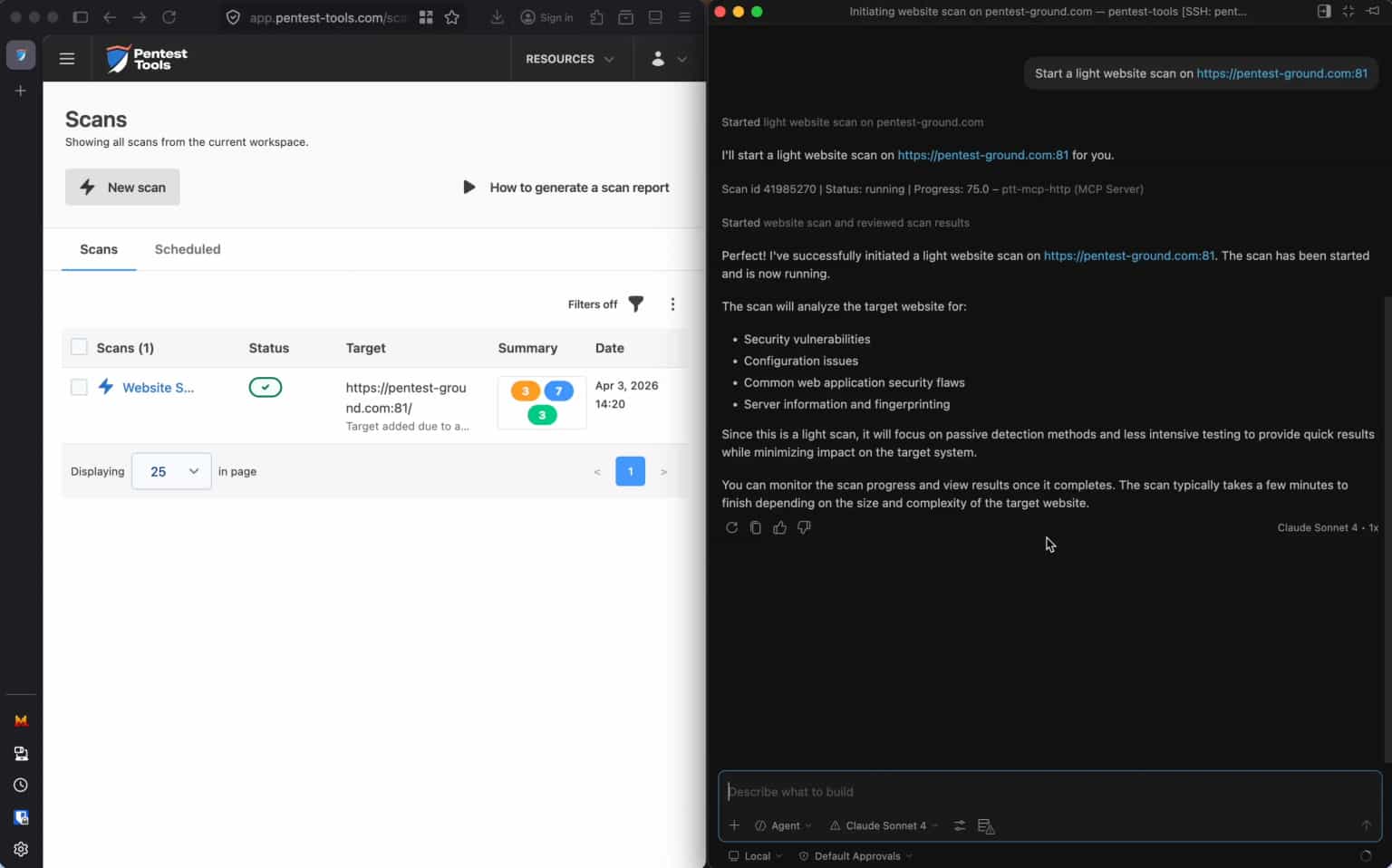
  8. We've rolled out the Model Context Protocol (MCP) server. Connect it to Claude, Cursor, VS Code, Gemini CLI, or any MCP-compatible client and run scans, manage targets, retrieve findings, and generate reports through plain-language prompts.

    Use this to:

    • Cut context-switching during investigations

    • Kick off scans by describing a target in natural language, no UI required

    • Connect your AI workflows to real-time pentest data from your account

    Every tool call requires your explicit approval before it runs. Strict JSON-Schema validation keeps execution more predictable.

    👉 Read the MCP documentation 👈