

Changelog

These are the latest updates we've made to our platform. If you have any questions about any of the updates you see below, please feel free to contact us!

October 2026

  1. The Network Scanner also detects HTTP2Shell (CVE-2026-111497)

    Copy link to “The Network Scanner also detects HTTP2Shell (CVE-2026-111497)”

    HTTP2Shell is another name for CVE-2026-111497, the Brotli decoder flaw we added to the Network Scanner as Node2Shell. The same detection covers it, so your existing scans already test for it.

    How to confirm exposed or patched targets

    1. Run a scan with the Network Scanner. It tests whether Node.js, Bun, and Envoy endpoints decode Brotli request bodies with a vulnerable decoder, so you see reachability instead of a version guess.

    2. Open the PDF report when the scan completes. It includes:

      • the finding and the request and response behind it

      • the fixed release for Node.js, Bun, or Envoy

      • the CVSS score and severity rating

      • remediation steps you can hand to whoever owns the fix

    3. Update to the fixed release for your runtime.

    4. Re-scan to confirm remediation across all your assets.

    ❗ HTTP2Shell also reaches outbound clients, and no external scan can trigger those.

    Python’s requests, urllib3, httpx, and aiohttp decode Brotli responses automatically whenever Brotli or brotlicffi is installed, even if your code never imports it. Check these by hand:

    • Run pip show brotli brotlicffi in every environment and container image, then update to Brotli 1.2.1 and brotlicffi 1.2.1.0.

    • Search your lockfiles for brotli, aiohttp[speedups], and scrapy, which pull in Brotli without an import.

    • Find fetch() calls in Node.js and Bun code that take user-supplied URLs.

    Why HTTP2Shell needs both a scan and a self-check

    • The scan tells you if an endpoint you expose decodes attacker-controlled Brotli with a vulnerable decoder.

    • The self-check covers clients that decode responses, where the request starts inside your environment.

    • Use the CVE ID - CVE-2026-111497 - in tickets, so every team tracks one issue, whatever name their advisory used.
    Log in to scan

  2. Network Scanner now detects Node2Shell (CVE-2026-111497) in Node.js, Bun, and Envoy

    Copy link to “Network Scanner now detects Node2Shell (CVE-2026-111497) in Node.js, Bun, and Envoy”

    We added detection for CVE-2026-111497 to the Network Scanner.

    How to confirm exposed or patched targets

    1. Run a scan with the Network Scanner. It tests if your endpoint decodes Brotli with a vulnerable decoder, so you see reachability (not a version guess).

    2. Open the PDF report when the scan completes. It includes:
      - the finding and the request and response behind it
      - the fixed release for Node.js, Bun, or Envoy
      - the CVSS score and severity rating
      - remediation steps you can hand to whoever owns the fix

    3. Update to the fixed release for your runtime.

    4. Re-scan to confirm remediation and rule out residual exposure across multiple assets.

    ❗ One thing to check before you call it patched: the runtime hides in more places than your package.json shows.

    Why Node2Shell needs a reachability check

    • A version number tells you what a package says it is. The scan tells you whether the endpoint actually decodes Brotli with a vulnerable decoder.

    • Container base images, Envoy and Istio sidecars, and Python services that use the Brotli or brotlicffi packages all carry their own copy of the decoder.

    • Updating one runtime doesn’t cover every copy, so the report gives you something concrete to hand to whoever owns each fix.

    Log in to scan

  3. Network Scanner now detects PHP2Shell (CVE-2026-109618 and CVE-2026-109619)

    Copy link to “Network Scanner now detects PHP2Shell (CVE-2026-109618 and CVE-2026-109619)”

    PHP released fixes for PHP2Shell (CVE-2026-109618 and CVE-2026-109619), and you can now detect it with the Network Scanner, available in your account right now. PHP versions 8.5.12, 8.4.27, 8.3.36, and 8.2.35 patch both flaws.

    How to confirm exposed or patched servers

    1. Run a scan with the Network Scanner. It identifies the PHP version each target exposes in its HTTP responses and flags versions affected by both CVEs. Every finding includes the request, the response, and the version it extracted, so you can check the evidence yourself.

    2. Start with internet-facing targets, since attackers can reach those first, then move on to internal hosts.

    3. Update to the fixed release for your branch, or apply your distro’s security update. Distributions received the patches in advance.

    4. Restart PHP-FPM or your web server, then run php -v to confirm the running version.

    5. On PHP 8.1 or older, upgrade to a supported branch. If you build from source, PHP published minimal backports for 7.4, 8.0, and 8.1.

    6. Re-scan to confirm remediation and rule out residual exposure across multiple assets.

    What to keep in mind when you read PHP2Shell results

    • Servers that hide their PHP version won’t appear as findings. Check those with php -v on the host.

    • Linux distributions often backport fixes without changing the version number. Before you escalate a finding, compare the installed package with your distro’s security advisory.

    Can’t patch today? PHP’s advisory lists temporary measures for each CVE. PHP notes that these reduce exposure to specific attack paths, but only the update closes the risk.

    Log in to scan

  4. We’re launching 6 new robots to replace the default ones

    Copy link to “We’re launching 6 new robots to replace the default ones”

    On November 3, 2026, we’re launching 6 new robots and replacing the 12 current ones, so there’s less to sort through and a clearer path from recon to proof.

    • Recon: Domain Recon Robot, Host Recon Robot, and App Recon Robot

    • Scan: Host Scan Robot and App Scan Robot

    • Scan and exploit: Host Scan and Exploit Robot

    The robots you created and your scan history stay exactly as they are. Scheduled robot scans on the old default robots keep running, but the old defaults leave the robot list and won’t get any more changes, so we recommend switching to the new robots once they launch.

    Replacement recommendations:

    • Host Scan Robot replaces Website Scanner - All Ports (scanning the top 3845 TCP ports instead of all 65,535), Website Scanner - Top 1000 Ports, The HTTP Lockpicker, Network Scanner - Full (domain), Network Scanner - Critical CVEs (domain), and Log4Shell Detector (CVE-2021-44228).

    • App Scan Robot replaces Deep WordPress Scan, Auto HTTP Login Bruteforcer, and Treasure Hunter (host).

    • Domain Recon Robot replaces Domain Recon and All Domains Recon.

    No direct replacement - Treasure Hunter (domain): to keep your scanned assets under your control, no new robot fuzzes URLs across all the subdomains of a domain. From November 3, the App Scan Robot or App Recon Robot runs the URL Fuzzer on one web app URL at a time.

    Good to know:

    • Subdomains: the new robots work on one target at a time, so they don’t scan every subdomain they discover. Each subdomain counts as its own scanned asset, so this gives you better control over which ones to scan and helps you avoid using more scanned assets than you intended. To cover subdomains, run Domain Recon Robot first, then scan the hostnames it finds.

    • Plans: which robots you see depends on your plan. For example, you see the Host Scan Robot only if your plan includes deep web scanning, because the robot runs a deep Website Scanner pass.

    Pentest Robots

September 2026

  1. 99 new detections added to the Network Scanner

    Copy link to “99 new detections added to the Network Scanner”

    The Network Scanner gained 99 new detections in September. As always, if Sniper can exploit it, the Network Scanner can detect it.

    Three examples, each with a CVSS v3 score of 10.0:

    • unauthenticated arbitrary file read in GitLab CE/EE (CVE-2026-85706)

    • remote code execution in Ruby on Rails Active Storage (CVE-2026-66066)

    • pre-authentication remote code execution in N-able N-central (CVE-2026-86218)

    Why it matters

    Coverage that lands within days of disclosure is the difference between finding an exposure yourself and reading about it in an incident report.

    How to use

    Run a scan to check your targets, then put the high-value ones on scheduled monitoring so new coverage applies automatically as it ships.

    Scan your targets

  2. We're consolidating tools for an easier setup

    Copy link to “We're consolidating tools for an easier setup”

    From October 20, 2026, the WAF Detector, the SSL/TLS Scanner, and the Kubernetes Scanner won't be available as standalone tools in the product interface anymore.

    The WAF Detector is folding into Website Recon, so you can run the same checks without the setup spread. We'll automatically migrate scheduled WAF Detector scans to Website Recon by November 17, 2026.

    SSL/TLS Scanner and Kubernetes Scanner are folding into the Network Scanner, so the same checks run in fewer places. We'll automatically migrate the scheduled scans to the Network Scanner by November 17, 2026.

  3. From October 6, 2026, the SharePoint Scanner, the Joomla Scanner, and the Subdomain Takeover won't be available as standalone tools in the product interface anymore.

    If you're currently using these tools, we suggest replacing them with the Network Scanner for both on-demand and scheduled scans.

    Scheduled and API-triggered scans keep running until November 17, 2026.

    Your past scans and reports stay in your account.

    Run a network scan →

  4. Sniper now exploits 13 new critical vulnerabilities

    Copy link to “Sniper now exploits 13 new critical vulnerabilities”

    The biggest drop of the month includes:

    The rest cover SonicWall and SonicWall GMS, 3 Joomla-related CVEs, and a few more.

    Why it matters

    Sniper turns a detection into proof of exploitation, so the conversation with the people who own the fix starts from evidence.

    Prove it with Sniper

  5. Ping is our AI assistant that guides customers and website visitors. When something's beyond what it can handle on its own, type "I want to talk to a human." Ping now automatically creates a support ticket and hands our team the full conversation, so you get the answers you need without the hassle.

  6. AI Pentests, powered by Specter, is now in the product

    Copy link to “AI Pentests, powered by Specter, is now in the product”

    AI Pentests combines AI with offensive security expertise in a way that holds up technically and fits real security workflows. Our autonomous web application pentesting capability is priced separately from the product you already use, and you can purchase it on demand.

    Specter, the autonomous pentesting engine behind it, has already found valid vulnerabilities in infrastructure that belongs to the U.S. Department of Defense, UK Ministry of Defence, and companies like Vodafone, Booking.com, and Sony.

    Some of the most secure organizations in the world deemed those findings important enough to acknowledge and fix. You can see the 16 public thanks so far on our HackerOne profile.

August 2026

  1. PATCH /findings can now update risk and the verified flag, not just status

    Copy link to “PATCH /findings can now update risk and the verified flag, not just status”

    The /findings PATCH endpoint used to only update a finding's status. It can now update risk and the verified flag as well.

    This closes a gap for teams managing findings through automation. A ticketing system or CI/CD pipeline can now adjust risk and mark a finding verified without a manual step in the product.

    See the API reference

    API security
  2. 155 new detections added to the Network Scanner, 70 of them critical

    Copy link to “155 new detections added to the Network Scanner, 70 of them critical”

    The Network Scanner gained 155 new detections in August, 70 of them critical, prioritized by CVSS, EPSS, and CISA KEV.

    The most notable:

    ◉ JetBrains TeamCity < 2026.1.3, 2025.11.7, remote code execution (CVE-2026-63077)

    ◉ Metabase, unauthenticated SQL injection (CVE-2026-72898)

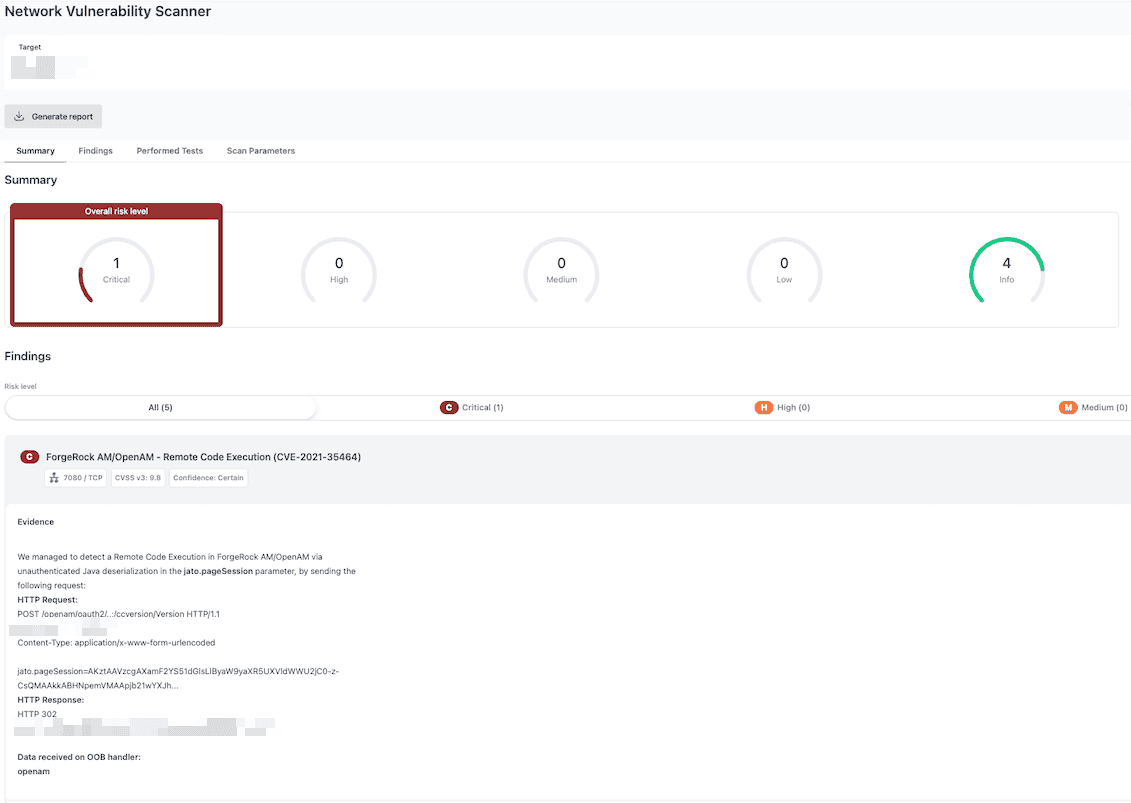
    ◉ ForgeRock AM/OpenAM, remote code execution (CVE-2021-35464)

    ◉ Cisco ISE < 3.4P2, unauthenticated arbitrary file upload (CVE-2025-20282)

    Why it matters

    Coverage that lands within days of disclosure is the difference between finding an exposure yourself and reading about it in an incident report.

    How to use

    Run a scan to check your targets, then put the high-value ones on scheduled monitoring so new coverage applies automatically as it ships.

    Scan your targets

  3. Ping, our AI-based assistant is now present in the product, not just on the public website

    Copy link to “Ping, our AI-based assistant is now present in the product, not just on the public website”

    Ping is now part of the product and there to help whenever you have a question. Its current capabilities are limited to answering questions based on our documentation. For the moment, it cannot take actions on your behalf.

    Why it matters

    Getting unstuck used to mean leaving the product to search docs or wait on support. Now the answer is a question away, without a tab switch.

    How to use

    Look for Ping inside the product and ask it what you're trying to figure out.

  4. Findings now flag CISA's known ransomware campaign use via the API

    Copy link to “Findings now flag CISA's known ransomware campaign use via the API”

    Findings pulled through the API now carry a flag for CISA's known ransomware campaign use, separate from the general KEV tag.

    The new known_ransomware_campaign_use field sits alongside the existing in_cisa_catalog field on the finding object, both nullable booleans.

    Why it matters

    Not every KEV entry carries the same urgency. A finding tied to an active ransomware campaign is a different conversation with a stakeholder than one that's merely on the list, and now that distinction is available to any workflow that consumes the API.

    How to use
    See the API reference

    API security
  5. AI-enhanced authentication on Password Auditor

    Copy link to “AI-enhanced authentication on Password Auditor”

    When the login console can't be found on a complex or dynamic page, an AI agent now locates it so your password audits keep running instead of stalling out.

    Why it matters

    One complex or dynamic login page used to mean a skipped target or a manual workaround. Now the audit keeps moving on its own.

    How to use

    Run a Password Auditor scan as usual. The AI fallback engages automatically whenever it's needed.

    Run a Password Auditor scan

  6. New Pentest-Tools.com customers can choose to host their data in the United States or Europe at signup.

    Many teams need their data hosted in a specific region for compliance or internal policy reasons. Until now, every customer’s data was hosted in Europe by default. Existing customers stay hosted in Europe for now, we'll share more on hosting migration options in the upcoming weeks.

    Find out more

  7. Sniper adds an exploit for a Forgerock OpenAM RCE still active in the wild (CVE-2021-35464)

    Copy link to “Sniper adds an exploit for a Forgerock OpenAM RCE still active in the wild (CVE-2021-35464)”

    Sniper Auto-Exploiter added a new exploit module this month for CVE-2021-35464, a remote code execution vulnerability in Forgerock OpenAM.

    The CVE has been public for years, but it's still showing up in live environments, which makes it a good reminder that "old" and "settled" aren't the same thing. Detection is now live in the Network Scanner as well.

    Why it matters

    A five-year-old CVE still causing damage is exactly the kind of exposure that slips through when a scan schedule assumes older vulnerabilities are already handled. Sniper turns the finding into exploit-backed evidence instead of a CVSS score on a slide.

    How to use

    Run Sniper against a confirmed target to generate exploit-backed evidence. As always, if Sniper can exploit it, the Network Scanner can detect it.

    Prove it with Sniper